
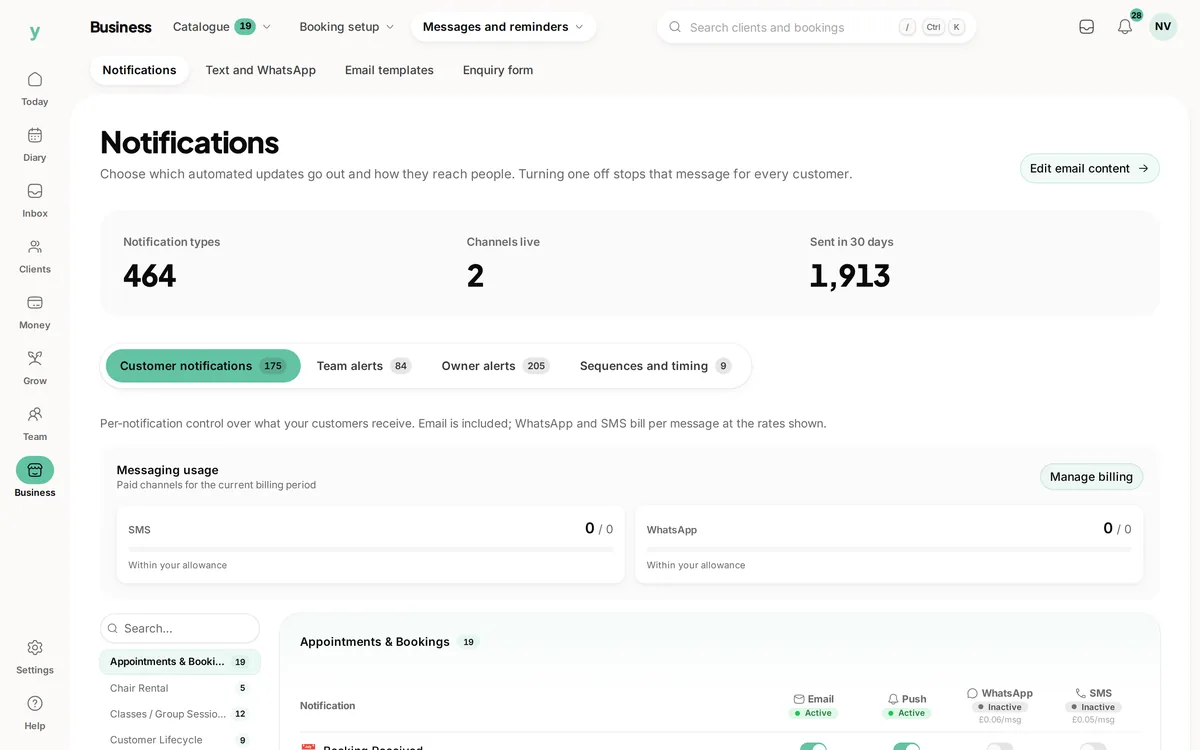
 Review each notification channel
Decide how to get in touch
Review email, push, SMS and WhatsApp settings for each notification.
Set the reminders once. Keep customers informed while you get on with the work.
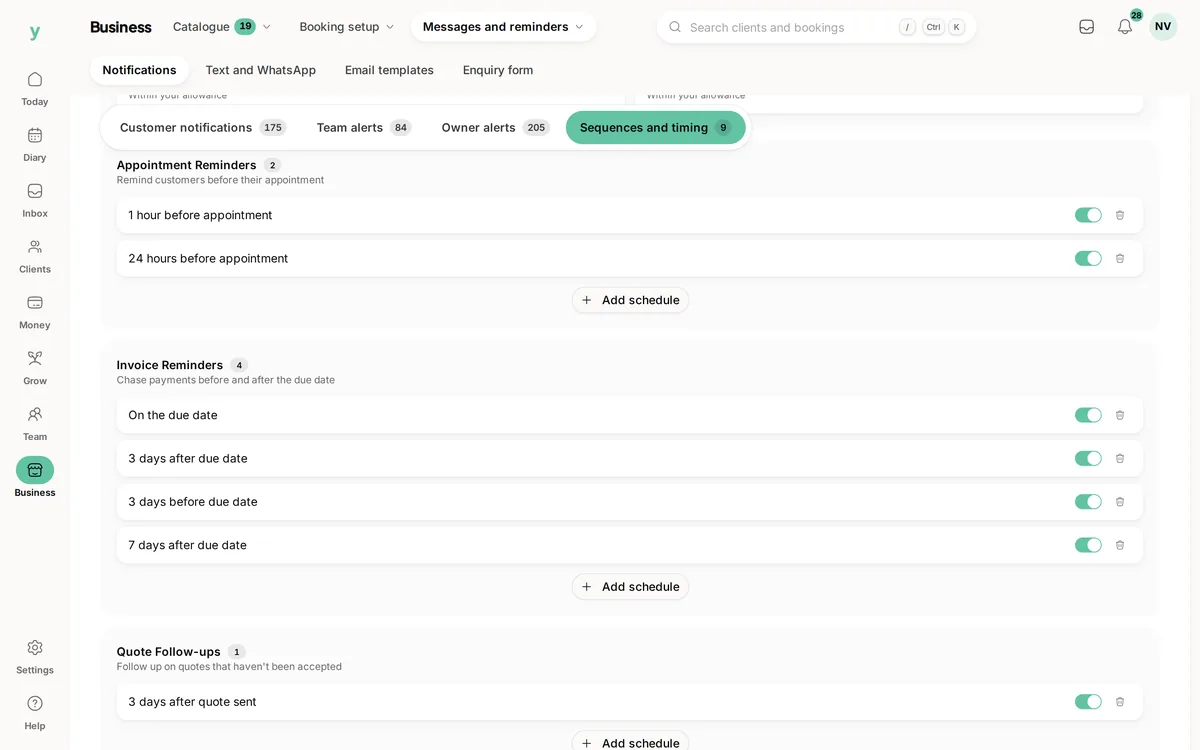
Real screens from The Cutting Room, our demo salon, with the numbers it shows today.
Review each notification channelReview email, push, SMS and WhatsApp settings for each notification.
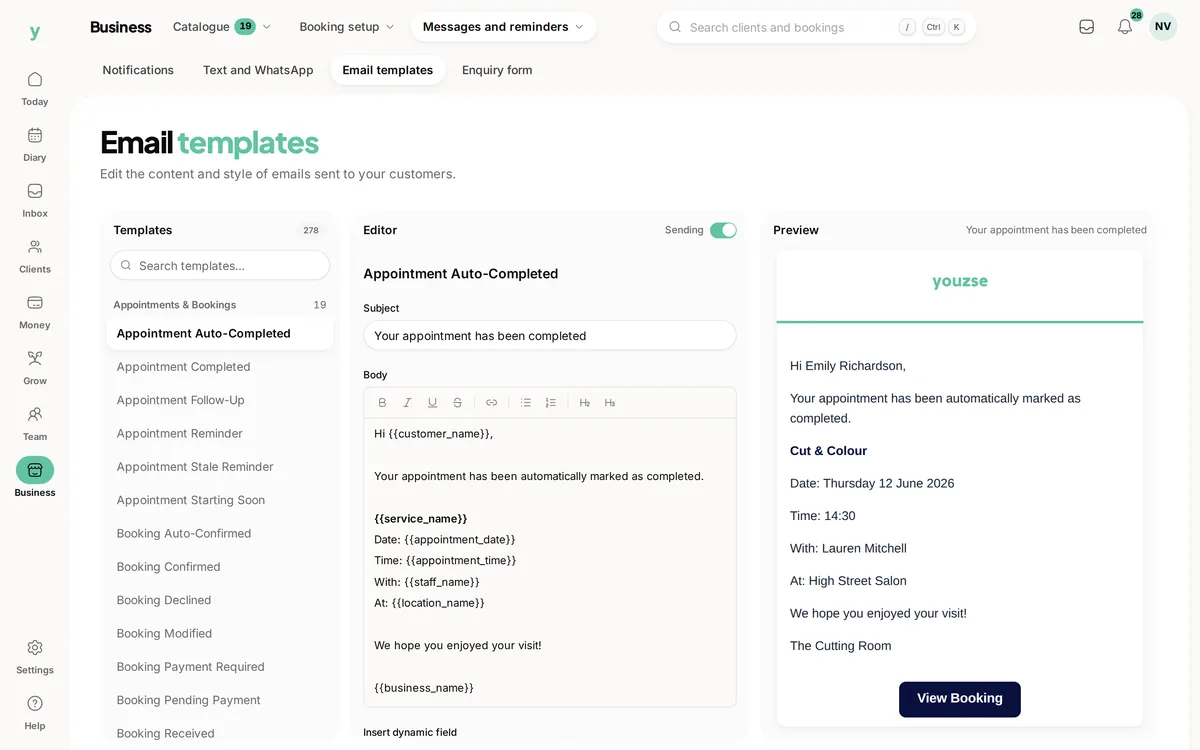 Preview before relying on it
Edit the template and check what customers will receive.
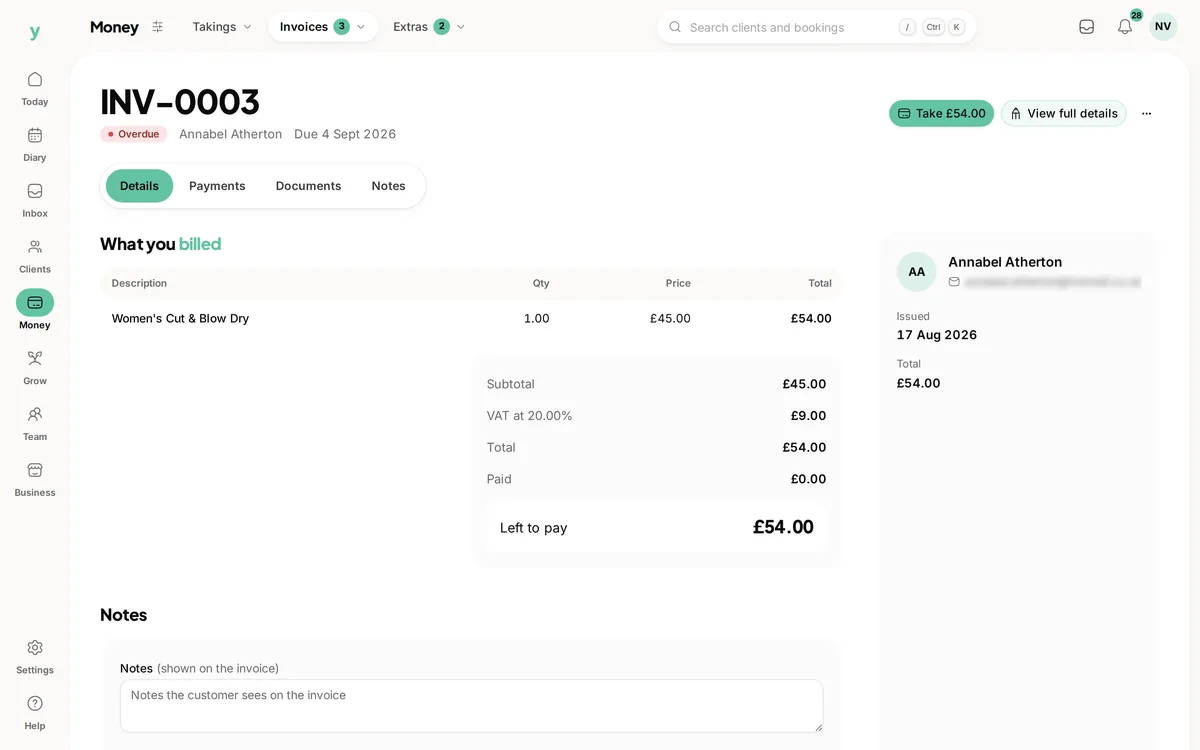 Check what is still outstanding
Review the invoice balance before following up on a payment reminder.
Sending the same reminder every afternoon takes time you could spend with a customer. Youzse business automation software uses the bookings and notification settings already in your business to keep routine messages moving. Start with the follow up you repeat most often.
Appointment reminders use booking details rather than a separate list you need to update. Set up the supported notification sequence, review the wording and check when each step is due to go out.
Email, SMS and WhatsApp are available notification channels, subject to setup and the type of message. SMS and WhatsApp are billed by usage. Check channel availability during your trial before planning a campaign around it.
Notification sequences use supported events, timing and conditions. A booking confirmation and a later reminder serve different purposes. Keep each message short and give the customer the details they need at that point.
Garage Pro also supports MOT and service reminders. Use the vehicle record and the reminder setup for that work, rather than treating a vehicle due date like an appointment that is already booked.
A configured notification sequence can send its scheduled messages without you writing each one again. The AI assistant helps you inspect business records and prepare supported actions. Those proposed actions wait for your confirmation.
Try one reminder journey before relying on it. Check the recipient, timing, wording and delivery record. Youzse provides specific business tools and notification sequences, rather than a promise to automate any task in any software.
Choose a service with a straightforward booking journey. Review the reminder timings, the available channels and the message template. Make sure the customer can recognise the business, find the appointment time and understand what to do if their plans have changed. A short reminder with the right details is more useful than a long sales message.
Create a test booking using contact details you control and check the sequence around it. Review what is scheduled and what has actually been delivered. Then change or cancel the booking and check the resulting messages. This shows how the setup behaves in the situations your team deals with, before customers depend on it.
Decide who in the team looks after notification settings. If you change opening hours, booking policies or the wording around a deposit, review the relevant templates too. Automation saves repeating an established task; it still needs the business to keep the underlying information current.
A quote waiting for a reply needs a different message from an invoice past its due date. Youzse notification timings include quote follow ups and invoice reminders. Review the supported steps and conditions in your settings, then choose wording that matches what the customer needs to do next.
For a quote, keep the reference and the request to review it clear. For an invoice, make it easy to identify the bill and the amount still outstanding. Check the actual document status before contacting the customer yourself, particularly when a payment may have arrived through a different method.
Use the delivery and activity records to understand what has happened. A scheduled reminder is not proof that the customer read it and an unpaid invoice is not proof that they ignored it. The records help you decide what to do next without repeating the same message blindly.
A notification sequence follows the supported event and timing rules you configure. It can run its scheduled messages without asking you to approve each one. That is useful for routine reminders where the business has already chosen the wording and the reason to send.
An AI proposal has a separate review step. Ask about the business, inspect the answer and confirm a supported action when you are ready. Do not assume that asking a question has changed a record or sent a message. Check the proposed action and the confirmation in Youzse.
Keep the first setup small enough to check. Confirm which messages run automatically, which channels incur usage charges and who reviews failed or unexpected sends. Add another sequence when the first one works for the business. Clear, dependable follow ups are more valuable than a large collection of rules nobody remembers setting.
| Situation | Useful starting point | Check before relying on it |
|---|---|---|
| A customer has booked | Appointment confirmation settings | The service, date, time and recipient are correct, with wording that fits your booking policy. |
| An appointment is approaching | Reminder timings | The supported reminder steps give the customer useful notice and the chosen channels are enabled. |
| A quote needs a reply | Quote follow up settings | The customer has the right quote reference and the message reflects the current document status. |
| An invoice is still unpaid | Invoice reminder settings | The due date and remaining balance are current, including payments recorded through other methods. |
| A vehicle is approaching its MOT | Garage Pro vehicle reminders | The vehicle expiry details and owner contact are correct and the relevant reminder setup is active. |
| Someone asks the AI to send something | The action proposal in Youzse | The proposed recipient, content and action are right before an authorised person confirms. |
Open with the reason for the message and give the essential details early. For a booking, that means the appointment the customer needs to recognise. For an invoice, it means the bill you are asking them to review. Keep a reminder separate from a promotion so the customer can act on it without reading through an offer.
Review the preview after editing a template. Check the business name, the details drawn from the record and any available customer link. Read it on the device your customers are likely to use. A template that looks tidy on a large screen may still put the important information too far down a phone message.
A reminder cannot settle every question about a job or bill. If a customer disputes the work, changes the appointment or asks for a different arrangement, review the record and respond personally. Check the relevant sequence settings so the next scheduled step still makes sense. Let automation handle the repeated message while your team handles the conversation that needs judgement. This keeps the customer informed without treating every situation as the same follow up.
The limits and the detail, answered before you spend an afternoon testing for them.
No. Configured notification sequences can send scheduled messages. An action proposed by the AI assistant waits for confirmation before it happens.
We value your privacy
Cookies keep Youzse running, improve the platform and help deliver relevant content. Read our privacy policy and cookie policy.