
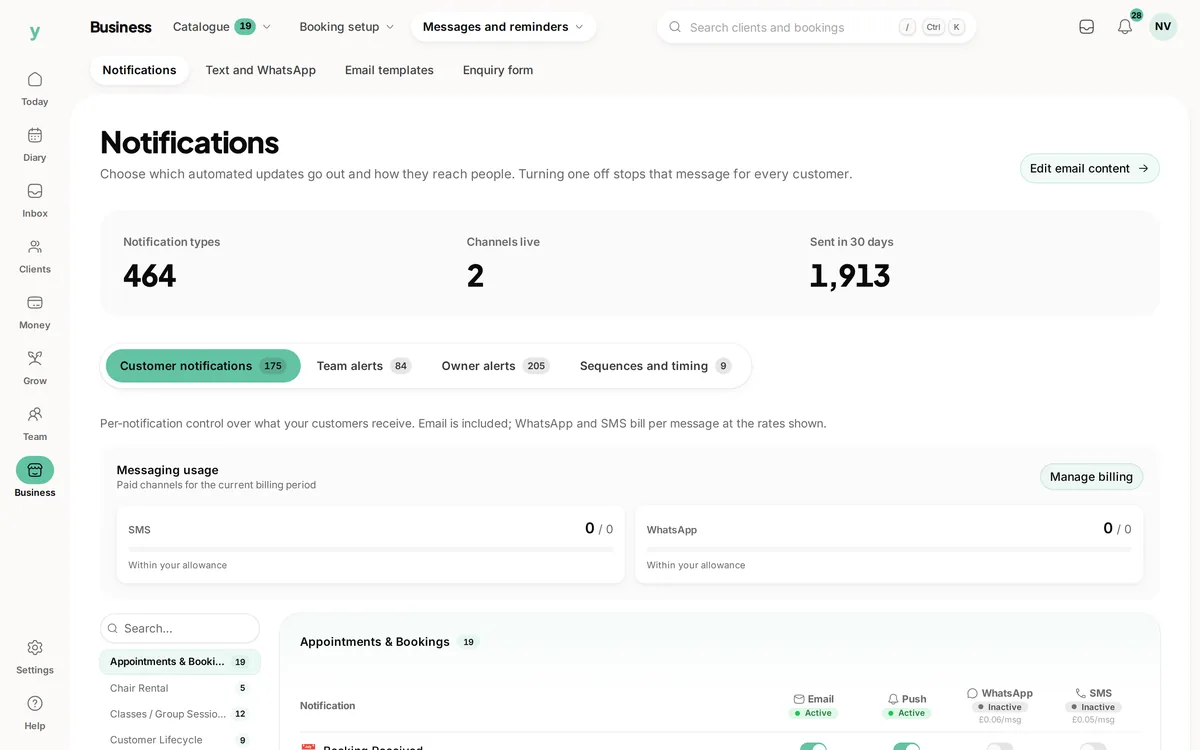
 Email, push, WhatsApp and SMS
A channel decision per message
Turn text messages on for appointment reminders without turning them on for anything else.
A reminder the day before, another an hour ahead and a link in each one that lets the customer move the appointment instead of missing it.
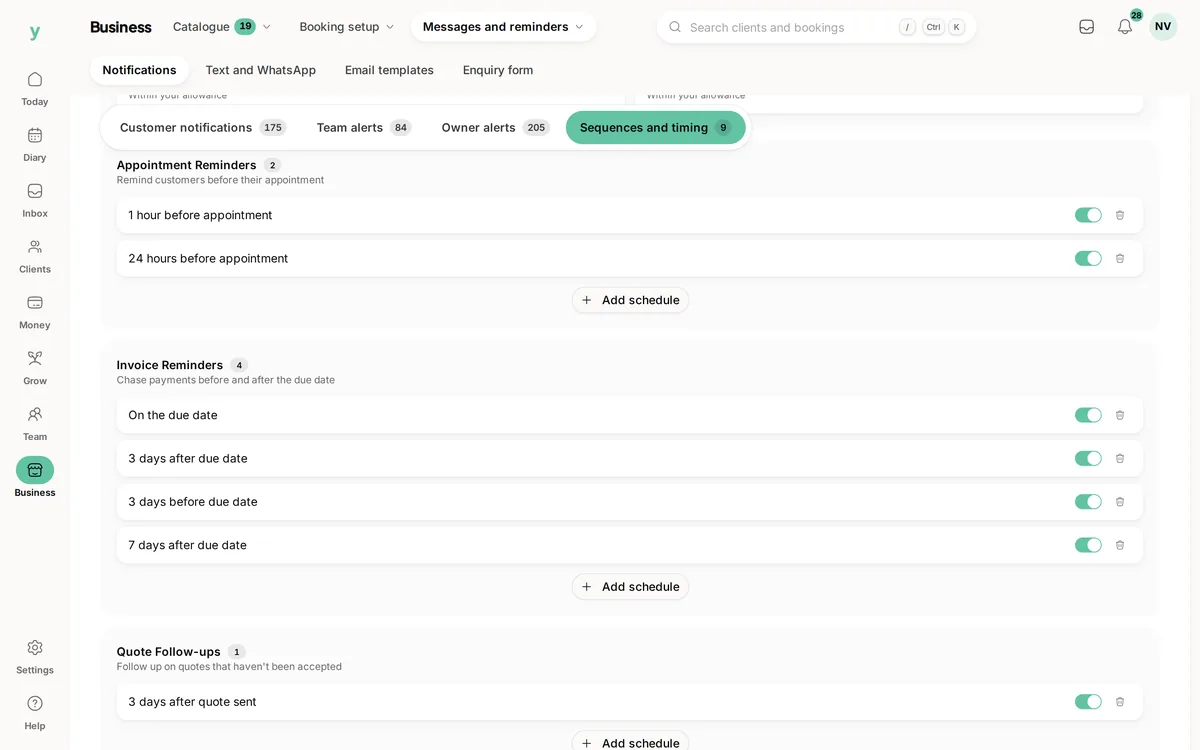
Real screens from The Cutting Room, our demo salon, with the numbers it shows today.
Email, push, WhatsApp and SMSTurn text messages on for appointment reminders without turning them on for anything else.
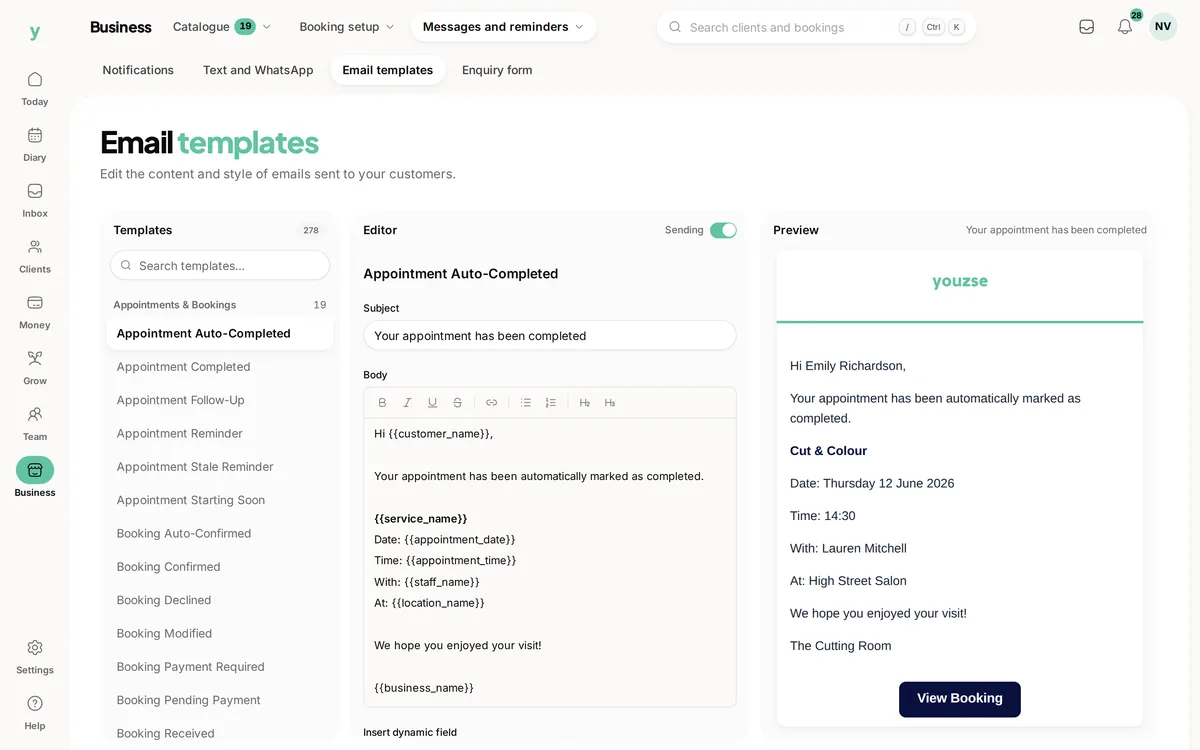 Live preview
Templates render as you edit them, so the message is checked before it reaches anybody.
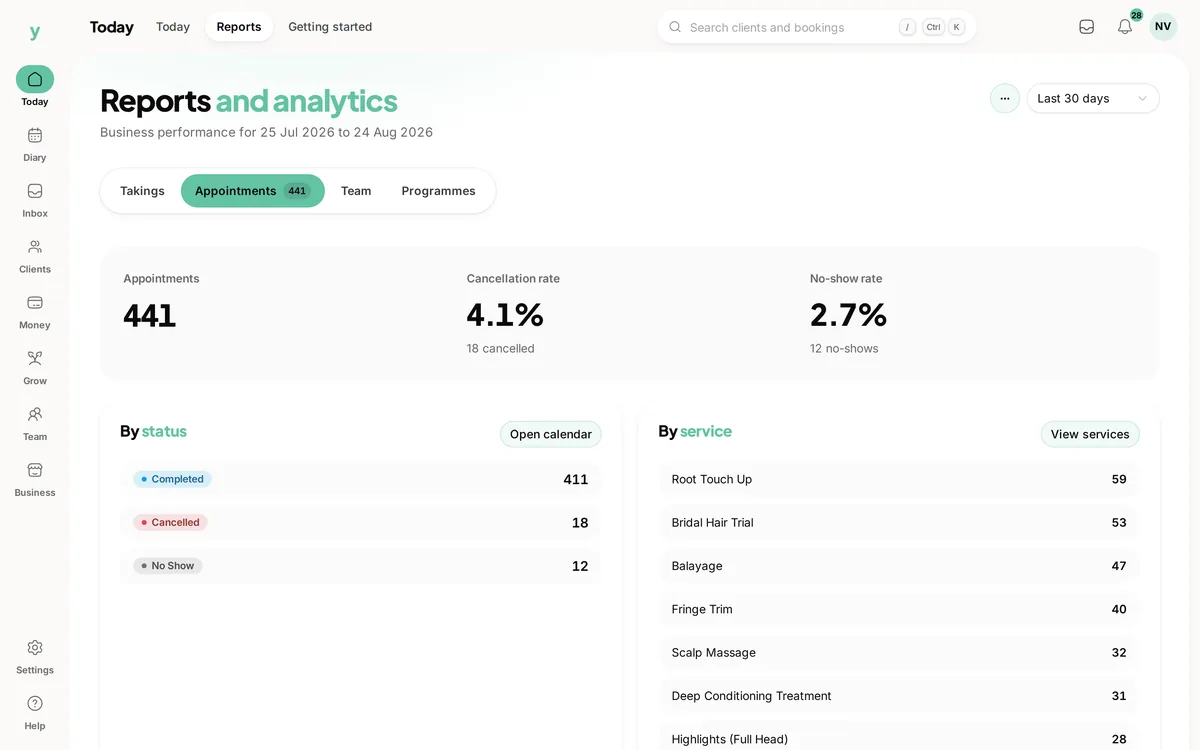 2.7%no-show rate
The cancellation and no-show rates are the number reminders have to move. If they do not, the fix is money on the booking.
Most people who miss an appointment did not decide to. They forgot, or something moved, and by the time they remembered it was easier to say nothing. A reminder is not a nag, it is the last chance for somebody to tell you they cannot come while the slot is still worth something. This page covers when Youzse sends, what the reminders go out on, what you can change and the timings you cannot.
Two reminders for an appointment. One roughly a day before, which is the one that gets a cancellation while you can still fill the slot, and one about an hour before, which is the one that gets somebody out of the house.
There is also a shorter notice shortly before the start, for the businesses where somebody needs to be walking out of the door rather than thinking about it later in the day.
Those windows are fixed for appointments. If your trade needs a reminder three days out or a week out, that is worth knowing now: this is not a sequence builder with arbitrary offsets on the appointment reminder itself. MOT and vehicle service reminders are the exception and are properly configurable, because a car does not behave like a haircut.
A reminder system that double sends is not a minor annoyance. It reads as careless to the customer, and on paid channels it costs money each time.
Each reminder is claimed before it is sent, per appointment and per window, and the claim is shared with every other sweep that might remind about the same appointment. The job can run twice, overlap itself or be retried after a failure and the customer still gets one message.
This is not a feature anybody asks about in a demo and it is the one most likely to embarrass you in month three, which is why it is worth saying out loud.
| Channel | Starts as | Worth knowing |
|---|---|---|
| On | The default for every customer-facing message. Nothing to set up and nothing per message. | |
| App notifications | On | Reaches a customer who has the Youzse app, and the business side of your team. |
| SMS | Off | Turn it on for the message types you want it on. Highest read rate, and the one that costs per message. |
| Off | Turn it on the same way. Useful where your customers already message you there. |
Channels are set per message type rather than all at once, so an appointment reminder can go by text while a marketing message stays on email. Marketing messages to customers are off on every channel until you turn them on.
The service, the date, the time, who they are seeing and where. The date and time are written in your business's own timezone rather than the server's, which matters more than it sounds if anybody on your team works from somewhere else.
Any arrival instructions you have set go in as well: the door code, where to park, what to bring. That is the detail that otherwise arrives as a separate message half an hour before.
And a link to the booking itself. That is the part that turns a reminder into something useful, because it means a customer who cannot come can move it themselves inside the window you set rather than ringing you and getting voicemail.
A reminder is one of several things a customer hears from you around a booking, and it is worth knowing what else goes out so you are not expecting a reminder to do a confirmation's job.
A confirmation goes out when the booking is made. Where you confirm bookings yourself rather than taking them automatically, the customer gets an acknowledgement that it has been received and a confirmation later, which stops the silence that makes people ring up to check. Where a deposit was needed and the card did not go through, they are told that the booking is waiting on a payment rather than being left to assume it is fine.
Your own team hears about it too. A member of staff whose day has changed is told, rather than finding out when they open the diary.
Each of those is a message type of its own with its own channel settings, so you can have confirmations on email and reminders on text without one decision dragging the other with it.
A reminder is an operational message about something the customer asked for. A campaign is marketing, and the two should never be governed by one setting.
Marketing messages to customers are off on every channel until you turn them on, and that is the default rather than a setting you have to find. A platform that opts your customer list into marketing because you signed up for a booking system has made a decision that was yours to make, and under UK GDPR it has made it badly.
When you do want them, they run as sequences with their own timing and their own channels, which is where the configurable offsets live. The appointment reminders stay where they are, because an operational reminder that arrives late is worse than useless and nobody needs it to be creative.
The practical upshot is that you can turn text messages on for appointment reminders without turning them on for anything else, which is usually exactly what a business wants and rarely what it gets.
This is the part a feature page should say and usually does not. A reminder reaches somebody who forgot. It does nothing at all about somebody who never intended to come, and on an unpaid booking there is nothing stopping them.
If your miss rate is still uncomfortable after a month of reminders going out, the problem is not the message. It is that the booking costs nothing to abandon, and the fix is a deposit or a card held at booking rather than a third reminder.
Reminders and deposits do different jobs and the sequence matters: reminders first, because they are free and they annoy nobody, then money on the booking for the services where the slot is genuinely expensive to lose.
Email and app reminders are part of the subscription, which starts at £19 a month, and there is no charge per reminder and no commission on the bookings they save.
SMS and WhatsApp are paid channels and are off until you decide you want them. That is deliberate: a platform that turns on paid messaging by default is spending your money on a setting you did not choose.
The trial is 30 days with no card, which is long enough to see a full cycle of reminders go out on real appointments rather than test ones.
Wording to adapt for confirmations, reminders and changed times.
Where reminders help, where they do not and what to do about the rest.
The one reminder sequence with a lead time you set, because a car is not a haircut.
Pickup details and prepaid hours in the message a pupil actually reads.
The limits and the detail, answered before you spend an afternoon testing for them.
Roughly a day before, and again roughly an hour before, with a shorter notice close to the start. Those windows are fixed. If you need a reminder three days or a week ahead of an ordinary appointment, check that before you move: the MOT and vehicle service reminders are configurable, the appointment ones are not.
We value your privacy
Cookies keep Youzse running, improve the platform and help deliver relevant content. Read our privacy policy and cookie policy.