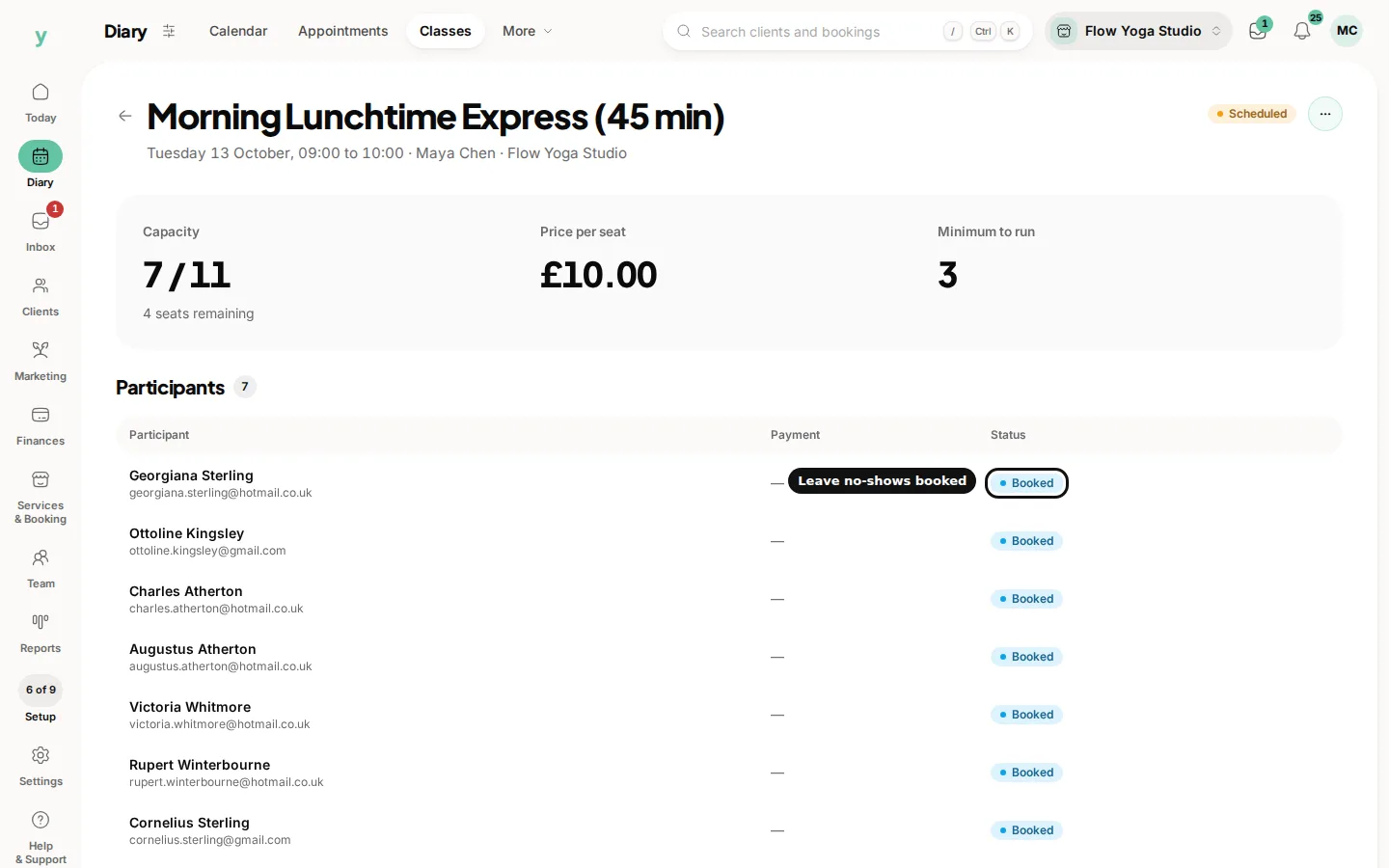
Open the session and you see everybody booked onto it. From there you can add somebody yourself, remove somebody or deal with a change.
Adding somebody yourself
Useful for the person who rings, the person who turns up hoping and the regular who always pays at the door. Adding them puts them on the list so the numbers are right.
Removing somebody
Where somebody cannot come, take them off so the place is genuinely free and the waitlist can be used.
Checking the list before the session
A quick look before you start tells you whether to set out eight mats or fourteen and who is new and might need showing where things are.
Notes on a participant
Anything that matters for the session, like an injury to work around, belongs on the customer record so whoever is teaching can see it.
Common questions
Can I move somebody to a different session?
Remove them from one and add them to the other. Tell them, because they will not assume it happened.
What if somebody turns up who is not on the list?
Add them if there is capacity. The list is what your numbers are counted from.
Can the instructor see the list?
Yes, if their role allows it. Give teaching staff the access they need to see who is coming.