
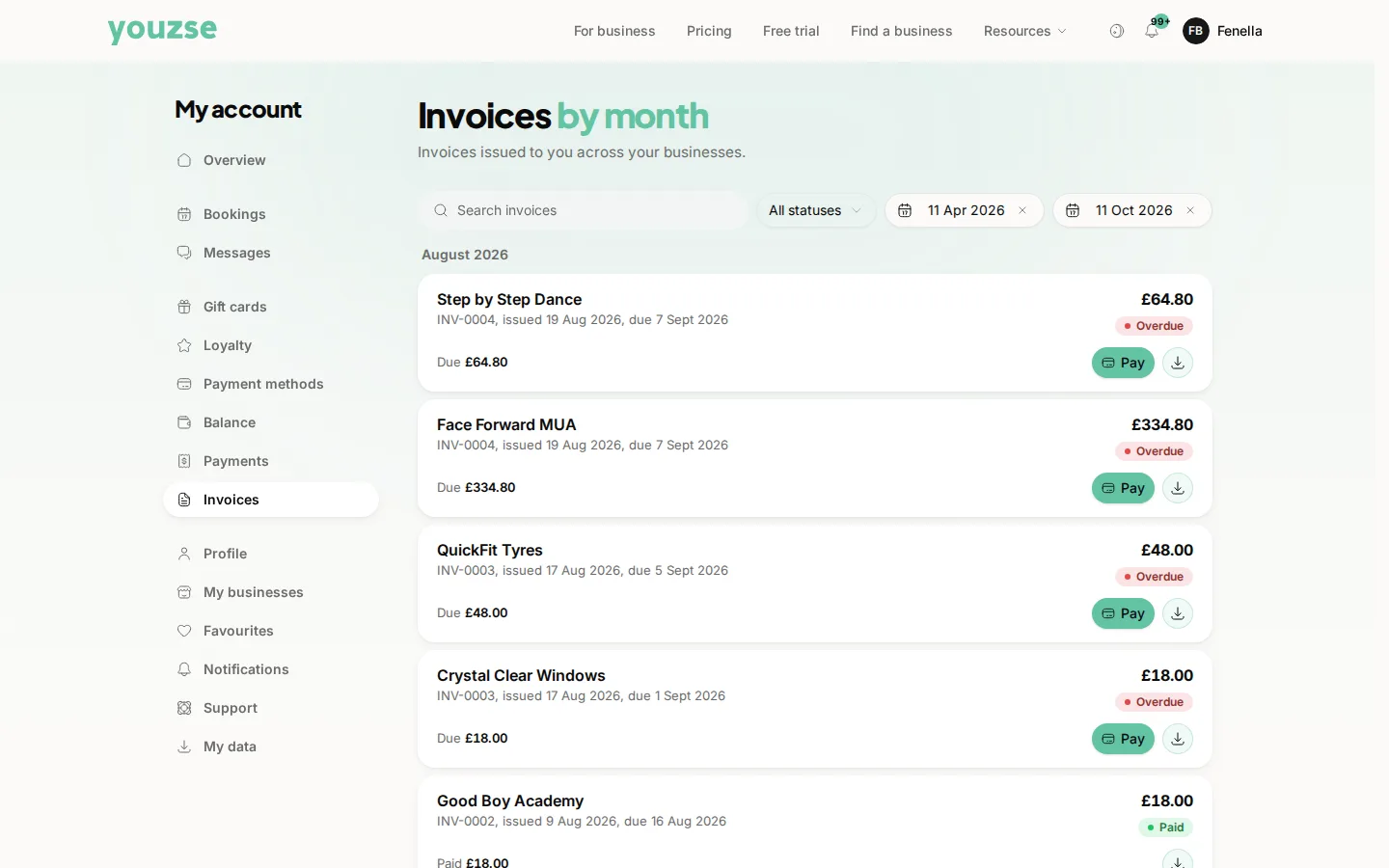
Go to your account and open Invoices. Open the one you want, check the detail, then pay.
Paying
Use a card you have saved or enter a new one. Apple Pay and Google Pay are available where the business has them enabled. A receipt follows once the payment clears.
Check before you pay
Look at the lines and the total. If something is not what you expected, ask the business before paying rather than after. Questions are much easier to resolve before money has moved.
Paying from a link
Businesses often send a payment link by email or text. That link opens the same invoice, so you can pay without signing in.
If a payment fails
It is usually the bank rather than the business. Try again or use a different card. Some banks ask you to confirm the payment in their app and closing that screen too early leaves the payment unfinished.
Common questions
Is it safe to pay this way?
Card details go to the payment provider rather than to the business and staff never see your full card number.
Can I pay part of an invoice?
Ask the business. Part payment is something they arrange rather than something you set yourself.
The payment left my account but the invoice still shows unpaid. Why?
A pending authorisation can look like a payment. Give it a day and contact the business if it has not cleared.