
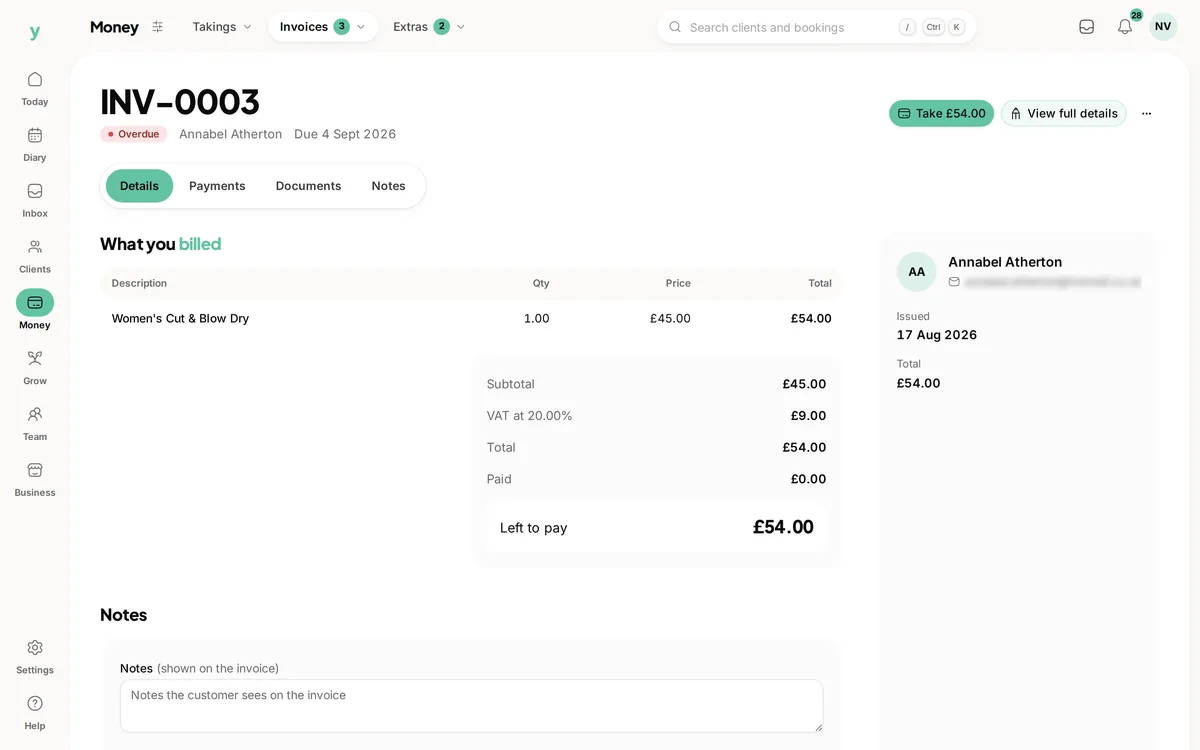
 Review the remaining amount
Open the bill with its balance
Check the payment history before following up with the customer.
Send the bill. See what has been paid. Know what still needs your attention.
Real screens from The Cutting Room, our demo salon, with the numbers it shows today.
Review the remaining amountCheck the payment history before following up with the customer.
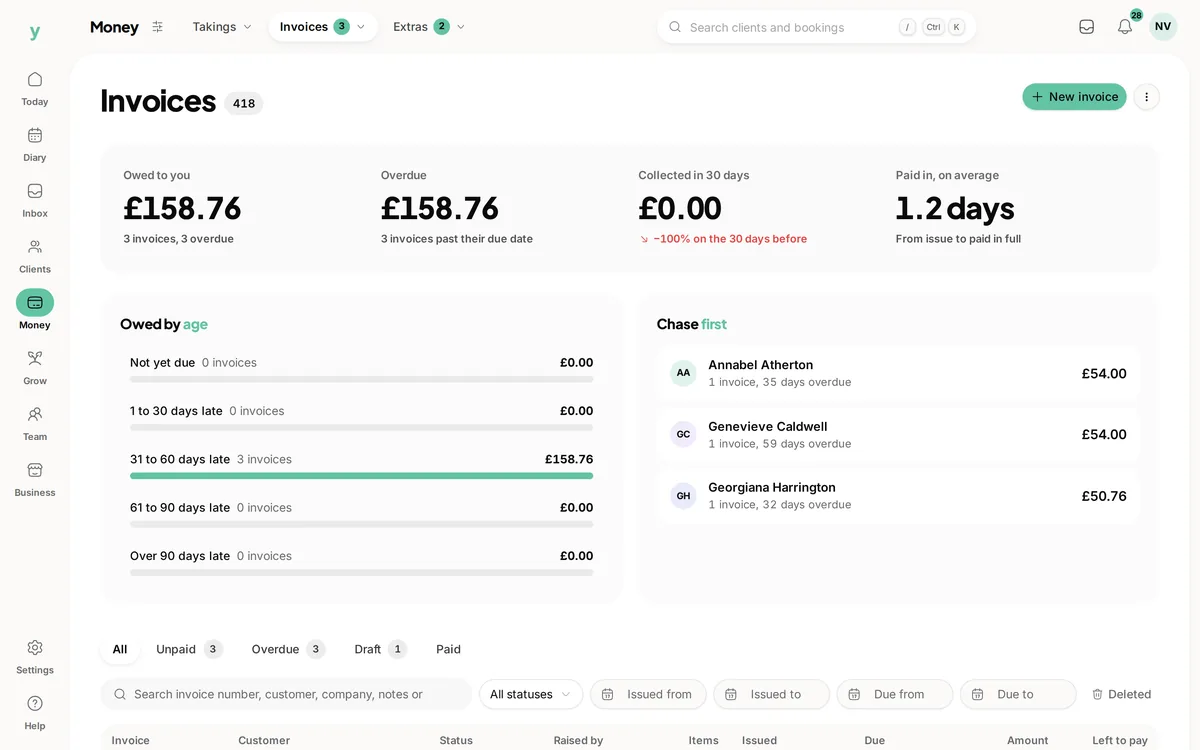
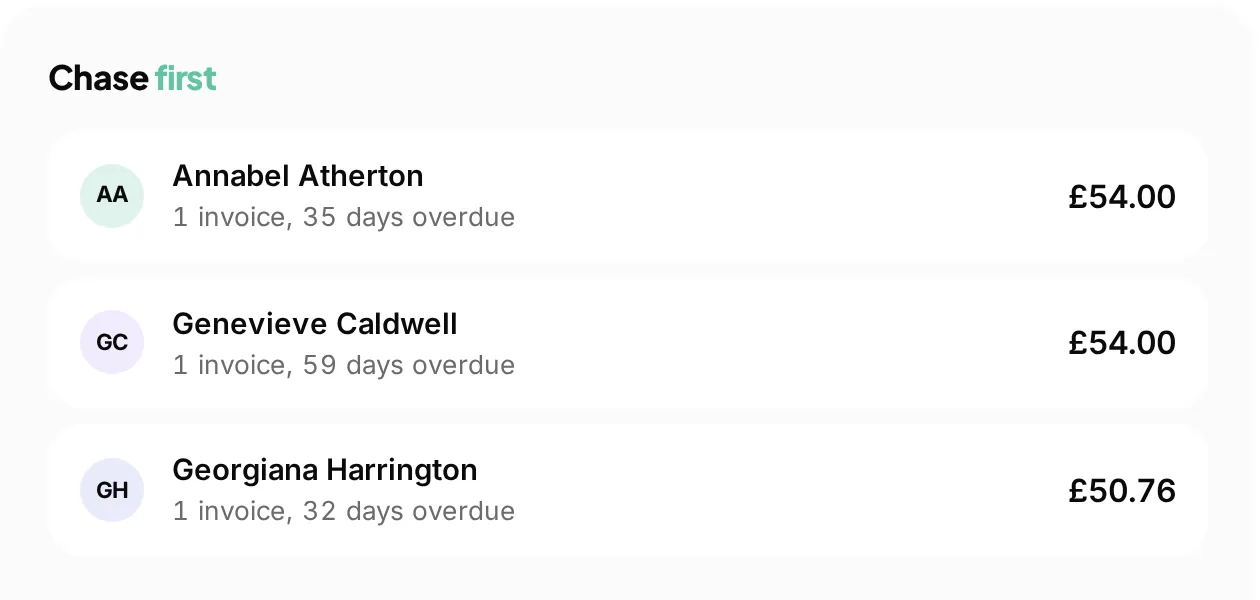 See which invoices need attention
Find overdue accounts from the invoice view rather than a separate list.
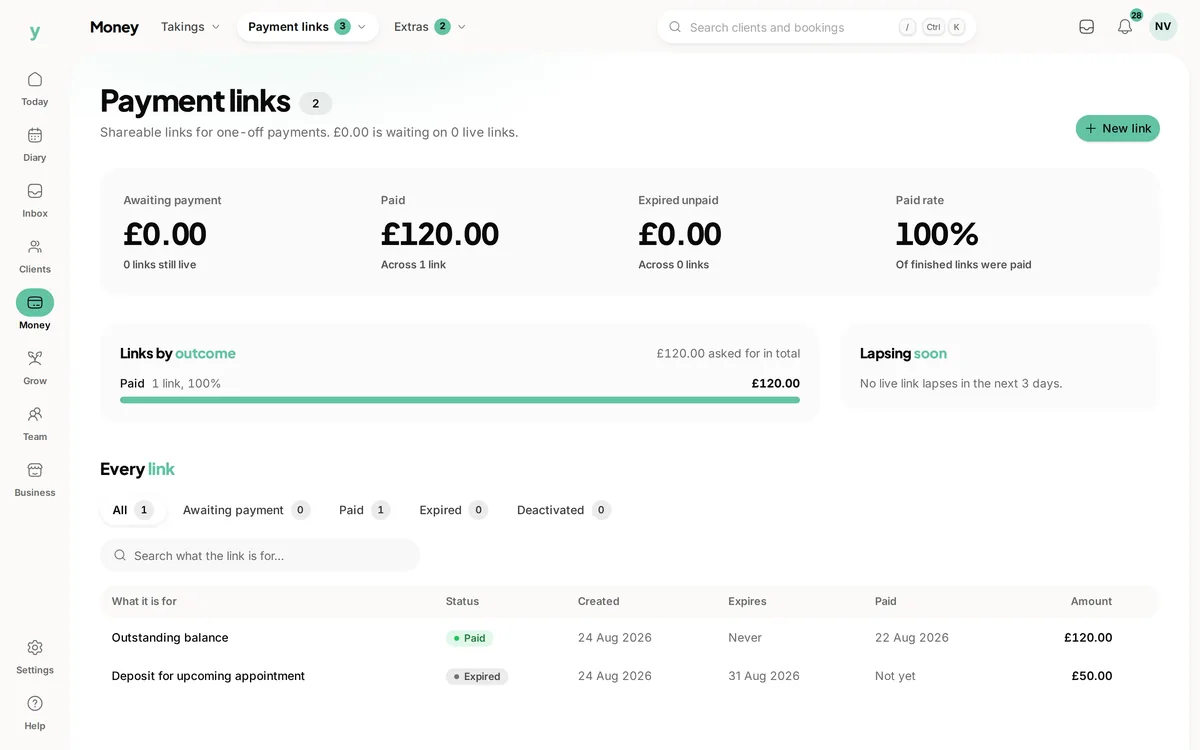 A clear next step for payment
Keep payment links close to the invoice so customers can pay online.
Finishing the work and getting paid are two different moments. Youzse invoicing software keeps the bill, the customer and the payments together, so you can see what is still due without comparing separate notes. Build an invoice directly or create one from an accepted quote or appointment. Review it, send it and follow the balance through to payment.
A quote should not become another typing job when it is time to invoice. Convert an accepted quote into an invoice, then review the descriptions, prices and tax before sending. If the work changed after acceptance, check the bill against the change you agreed with the customer rather than assuming the original total still applies.
You can also create an invoice from an appointment or begin with a new draft. Keep the customer and any company details correct from the start. The site where you worked may differ from the billing address, and the person who arranged the visit may not be the person who pays the bill.
Clear descriptions help the customer understand what they are paying for. Put the agreed labour, materials or services on the invoice with the relevant quantities, prices and tax. Check the reference, due date and payment terms while the document is still a draft. Those details are easier to settle before the invoice reaches an accounts inbox.
Use the PDF design tools to choose the layout, colours and logo for your business. Preview the result with realistic descriptions, including an item that takes more than one line. The purpose is a recognisable bill the customer can read and pay, with the important figures easy to find on a phone as well as on paper.
Send the invoice with its customer payment route so the customer can review the bill and pay online. Card collection depends on your connected payment account being active. Creating an invoice is not the same as completing payment setup, so check both before sending your first bill.
Youzse also records payments against invoices, including part payments. When a customer pays by another method, record what actually arrived using the appropriate payment workflow. A message saying they intend to pay is useful context, but it is not a payment entry and should not make the outstanding balance disappear.
| Stage | Invoice total | Recorded payments | Still due |
|---|---|---|---|
| Invoice sent | £600 | £0 | £600 |
| First payment recorded | £600 | £200 | £400 |
| Remaining payment recorded | £600 | £600 | £0 |
An illustrative invoice total, not a price or tax recommendation. Check how deposits and any later adjustments have been applied before explaining a balance.
The invoice list supports status, dates and ageing filters. Use it to separate a bill that is not due yet from one that needs a follow up. The amount still outstanding matters as much as the original invoice total, particularly when the customer has paid part of the bill.
Configured invoice reminders can follow your notification timings. Review the wording and schedule before enabling them, then check the invoice activity and delivery records before contacting the customer yourself. A reminder being sent does not mean it was read, and a bill may need a conversation rather than another copy of the same message.
Draft, sent, viewed, overdue and part paid describe different points in the invoice journey. Check the record before deciding what to do next. A viewed invoice is still unpaid until the payment is recorded. A part paid invoice still needs attention if its remaining balance is due.
Keep corrections deliberate. Youzse has separate routes for resending, duplicating and voiding invoices. Sending a customer another copy should not create another bill for the same work. Review the existing reference and activity before making a replacement, and make sure anyone handling the account understands which document is current.
A colleague answering an invoice query needs more than a total. The customer, line items and payment history explain how the remaining amount was reached. Keep references and notes specific enough that someone else can follow them without asking the person who raised the bill to reconstruct the job.
For a trades business, try a job with a company payer and a separate site address. For an appointment business, try an invoice linked to a visit. Both should leave the customer and the amount due clear, even though the work behind the bill looks different.
Youzse keeps invoice records, payments and the VAT figures from your own documents. It does not file a VAT return with HMRC or provide live accounting sync. If your accountant uses another system, include the available exports and your reconciliation process in your trial.
Subscription costs and payment processing are also separate. Check current pricing for your plan, country and card types rather than treating one card-rate example as the price of every payment. You do not need to change how you price a job simply to test the invoice workflow.
An electrician completes work at a rented property. The tenant arranged access, but the landlord is paying. Keep the bill attached to the right customer or company and put the site address on the work record. When the landlord calls, a colleague can check the invoice reference, the agreed descriptions and any payment already received without asking the electrician to leave the next job.
If £200 has arrived against a £600 invoice, the next request is for the remaining £400. Check the payment entry before resending the bill so the customer is not left wondering whether the first payment was missed. The same principle applies when reception takes a part payment for a treatment: the record should explain the balance to the next person who opens it.
Try searching with the invoice reference from the customer email, then find the same bill from the customer record. Check that the company, service descriptions and amount due tell the same story. This is particularly useful when someone else handles accounts and does not know the work by its appointment date.
Keep the final review focused on the questions customers actually ask: which work is this for, when is payment due and how much remains? A clear invoice and an accurate payment history let the team answer those questions directly.
Keep money paid out separate from the invoices customers owe.
Give the customer a clear payment route and check the record afterwards.
Start earlier in the job with a quote the customer can accept online.
Prepare a useful conversation when an invoice needs more than a reminder.
Keep the customer and the history behind the bill close at hand.
Review subscription options and payment processing costs for your business.
The limits and the detail, answered before you spend an afternoon testing for them.
Yes. Create an invoice draft directly or create one from an appointment. Quote conversion is available when you have already agreed the work through a quote.
We value your privacy
Cookies keep Youzse running, improve the platform and help deliver relevant content. Read our privacy policy and cookie policy.