
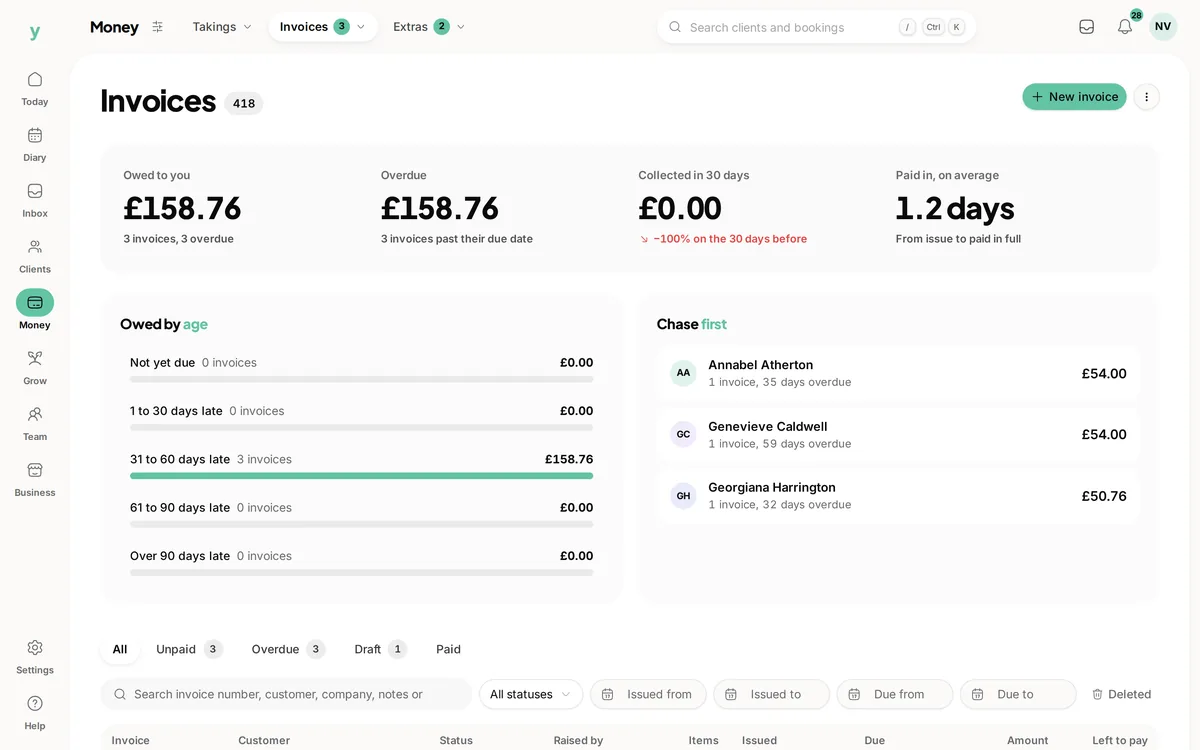
 Check the outstanding balances
Keep payment in view
Find the invoices that still need attention alongside your customer records.
One place for the customer details, the work you have agreed and the money still to come in.
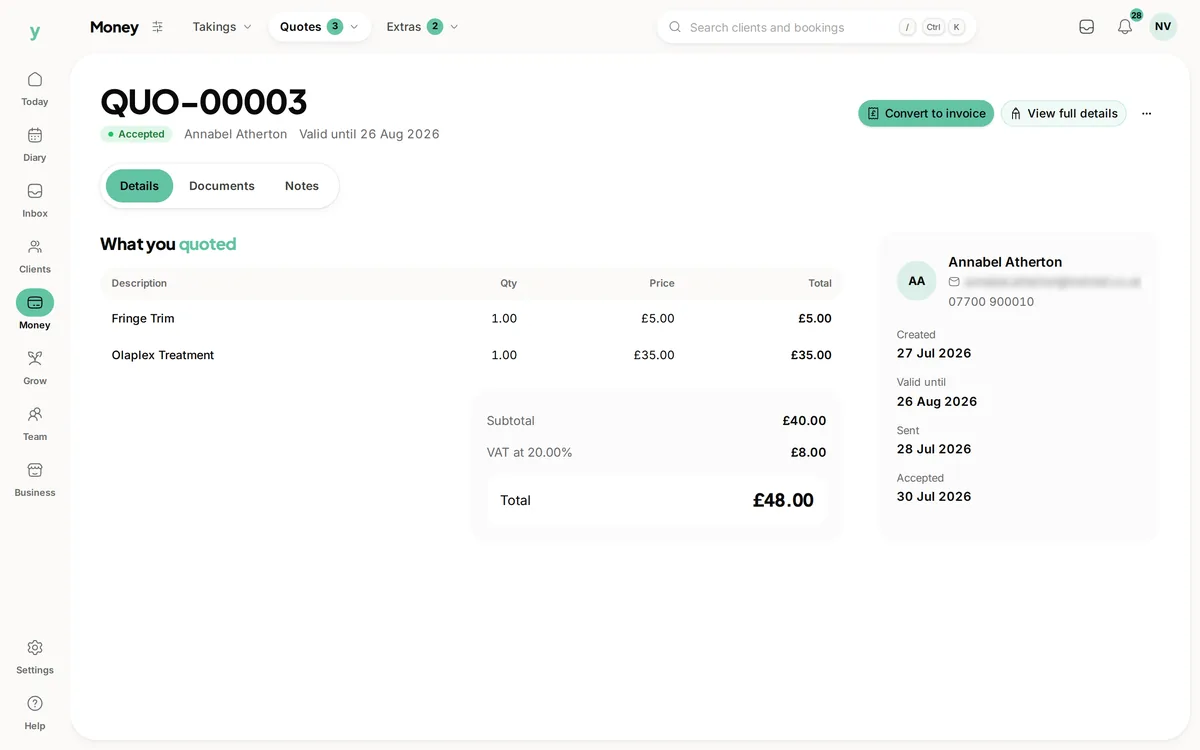
Real screens from The Cutting Room, our demo salon, with the numbers it shows today.
Check the outstanding balancesFind the invoices that still need attention alongside your customer records.
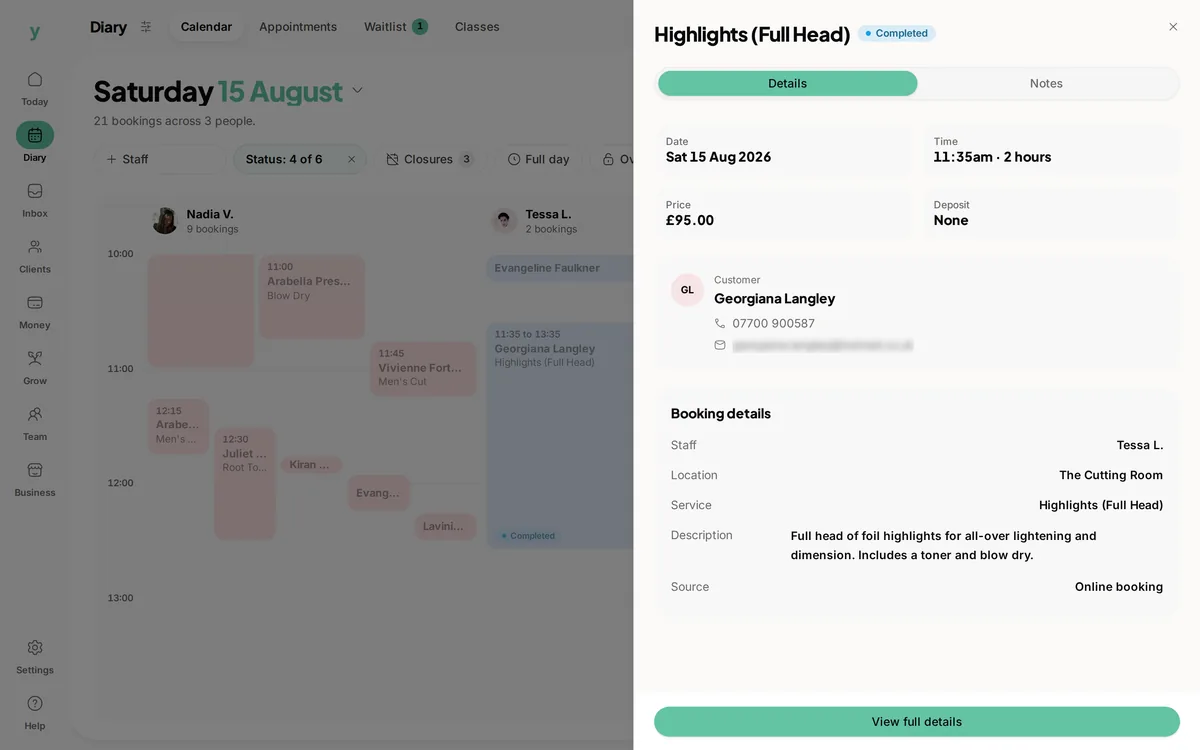 See the work ahead
The diary keeps appointments and the people doing the work together.
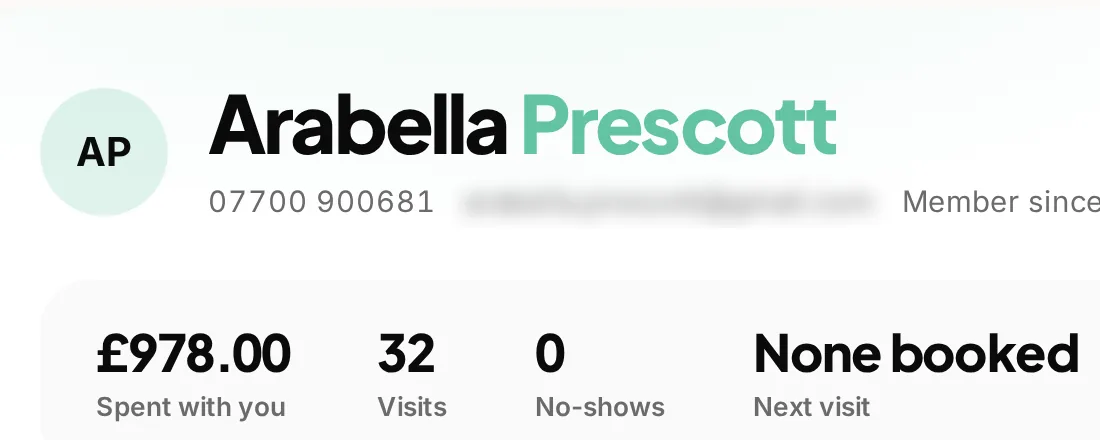 The details behind the conversation
Find visits, bookings and money together on the customer record.
A customer calls about a quote. The details are in one place, the booking is in another and you still need to check whether the deposit arrived. Youzse business management software brings those records together so you can pick up the conversation and get on with the work.
Receipt uploads, expense management, the AI assistant, staff roles and permissions and the interactive leads board are available in all Youzse mobile apps too. Keep working with the business records from your phone, with the access appropriate to your role.
Ease of use starts with a task you recognise. Find a customer, review the agreed work and check the invoice balance without reconstructing the story from separate files. A quote can become an invoice, a receipt upload can suggest expense details and the AI assistant can answer supported questions from the records you are allowed to see.
Try those short workflows during the trial using the work your business actually does. Ask a colleague to find a booking and explain the next step from the saved context. There is still a setup to review and a team to introduce to it, but the same records can support the next conversation instead of requiring another copy of the details.
Keep an enquiry with the customer it belongs to. Prepare an itemised quote with your prices and terms, send it for online acceptance and convert it to an invoice when you are ready. Payments stay recorded against the invoice, including part payments and the balance still due.
For an electrician, that means keeping the site address and agreed work with the quote. For a salon, it means keeping customer history, appointments and deposits close at hand. You choose the tools that fit the way you work.
Use the diary to see the work ahead and the invoice list to check what is outstanding. Customer records keep the history available to staff with permission to see it, so a colleague can pick up where you left off.
You can also ask the AI assistant about bookings, takings or invoices. It answers from records you are allowed to access. Supported actions are prepared for review and wait for confirmation.
Youzse One serves appointment and service businesses. Garage Pro adds vehicle records and workshop tools for garages. Team sizes and usage limits depend on the plan. Separate businesses have separate subscriptions, even when you switch between them from one login.
Start with a 30 day free trial, with no card required. Try a customer record, a quote and a booking using the work you actually do. Youzse keeps the day to day records together; it does not submit VAT returns to HMRC or provide live accounting sync.
A homeowner asks an electrician for a replacement consumer unit. Start with the enquiry and the customer details, then build the quote with the labour, materials and terms you have agreed. The site address can be different from the billing address, so keep both clear before sending the quote. This is an example workflow, not a promise that Youzse prices electrical work for you.
Once the customer accepts online, the quote records that decision. Arrange the work in the diary and keep the relevant notes and files with the job. When you convert the quote into an invoice, check that it reflects the work delivered and any changes you have agreed. You still decide what to charge and when to send it.
If the customer pays in stages, record the payments against the invoice and check the remaining balance. The next conversation can start from that record instead of a search through your bank, inbox and old documents. Card payments require the business payment account to be connected and ready.
A solo business needs a clear view of its own work. A growing team also needs to know who can see a customer record, change a booking or deal with an invoice. Review the available roles and permissions when you invite staff. Give people the access their work needs and check it as responsibilities change.
Additional locations and separate businesses serve different needs. Locations sit within one business and share its data. Separate businesses keep their records and payment setup apart, with their own subscriptions. One login can let you switch between businesses; it does not turn their customer lists into one shared list.
Before choosing a plan, count the people who need access and check current storage and marketing limits. A plan name is less useful than knowing whether the setup fits your week. The pricing page explains the current options for Youzse One and Garage Pro.
Choose a recent piece of work that you know well. Add the customer, prepare the quote or booking and follow it through to the invoice. Check how you find the details again after leaving the record. If a colleague normally takes over, have them try the same handover with the permissions they would actually use.
Bring a small sample of your existing records before importing everything. The available import depends on the export you can obtain. Review the preview and errors, check the customer matches and make sure the history you need is present. An import should help you carry on serving customers, not just increase a row count.
Finally, compare the work you completed with the tools you normally use. Notice where you stopped copying information and where you still needed another system. Keep your accounting, specialist certification and other requirements in that review. The aim is a connected working day, with clear boundaries around what Youzse handles.
| Question at work | Where to look | What the record tells you |
|---|---|---|
| What did we agree to do? | The accepted quote | The described work, prices and terms the customer accepted. Check any later agreed changes before billing. |
| When are we doing it? | The booking diary | The booked time and staff assignment. An accepted quote alone does not reserve time in the diary. |
| What does the customer owe? | The invoice | The invoiced amount, recorded payments and outstanding balance. Review how any deposit has been applied. |
| What happened on the last visit? | The customer history | Previous appointments and the relevant notes or files the staff member has permission to view. |
| Who needs a reminder? | The notification settings and records | The supported sequence, its timing and recorded sends. Check the actual delivery outcome before following up yourself. |
| What can the team member do? | Their role and permissions | The access granted to that person. Review access when someone takes on a new responsibility. |
Your subscription and your card processing are different costs. The configured standard UK card example is 1.5% + 20p, with no additional Youzse platform percentage. Other card types and countries have different processing rates. Check the current pricing for your business rather than treating one example as the price of every payment.
Extra locations and usage charges also need to be part of your comparison. SMS and WhatsApp are billed by usage, while plan limits affect the size of your team and marketing activity. Use the pricing page to review the full setup you need, including which product line fits the business.
Review a normal week rather than your busiest hour alone. Include enquiries that do not become jobs, appointments that move and invoices paid in stages. Those are the handovers where keeping records together matters most. Check the same examples with the people who will use Youzse, then choose the plan and product line that fit. The trial gives you space to work through those questions with your own processes.
Add the receipt and check the suggested details before saving.
Keep everyday purchases organised by category.
Choose access around the work each person does.
Follow the bill, part payments and the remaining balance.
See the working week behind the booking diary.
Customer details and the work behind each conversation.
Follow the agreed work from quote to payment.
Set up routine reminders and notification sequences.
The limits and the detail, answered before you spend an afternoon testing for them.
Yes. You can prepare itemised quotes, send them for online acceptance and convert them into invoices. Garage Pro adds workshop job management for garages. Check your own workflow during the trial.
We value your privacy
Cookies keep Youzse running, improve the platform and help deliver relevant content. Read our privacy policy and cookie policy.