
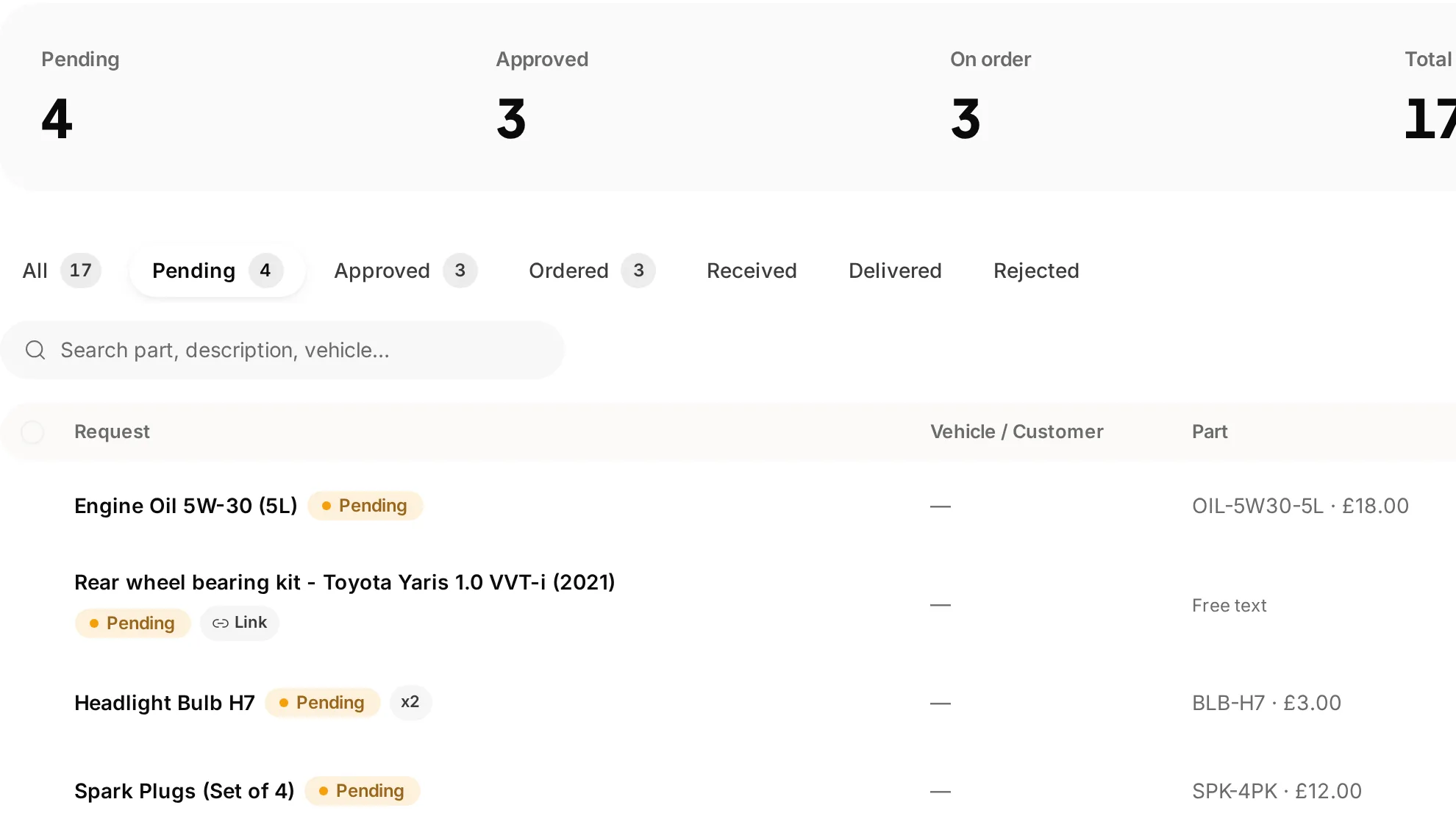
 Keep requests with the workshop work
Know what has been requested
Review part requests and their progress before promising a completion time.
Know what is booked, what is on the ramp and what is ready to go.
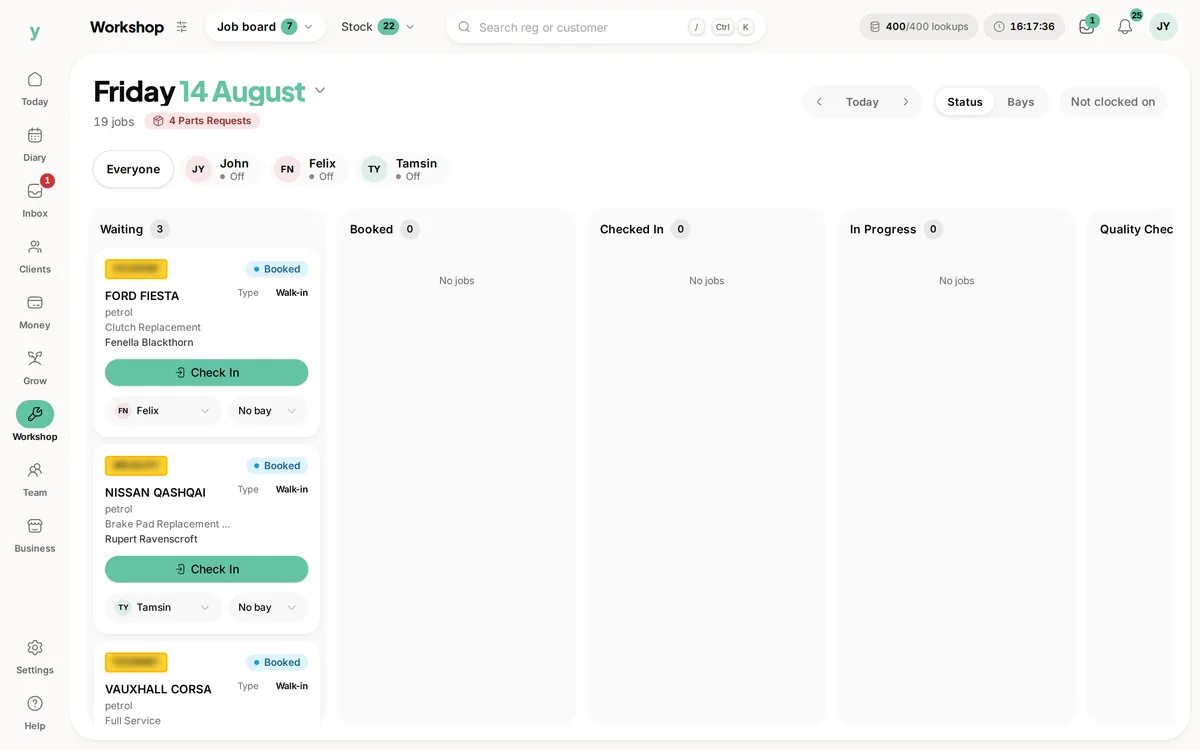
Real screens from Motorworks Garage, our demo garage, with the numbers it shows today. Number plates are blurred.
Keep requests with the workshop workReview part requests and their progress before promising a completion time.
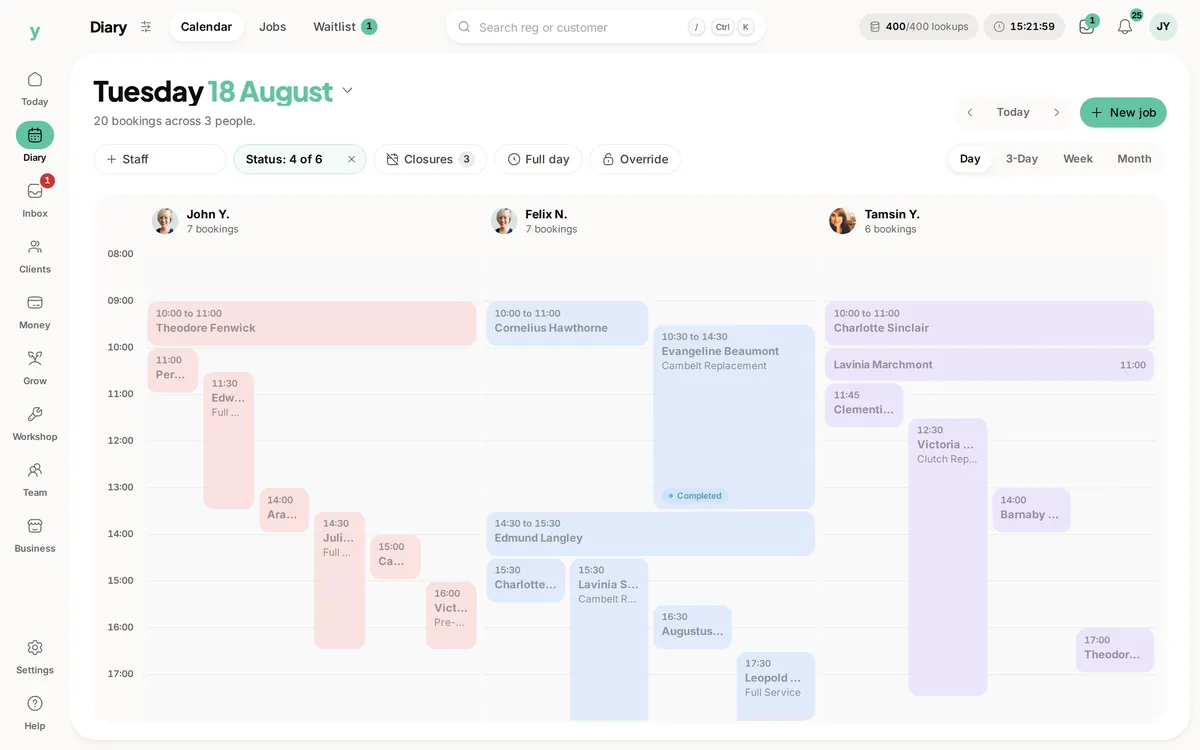 See the work booked for the day
The planned booking and the recorded job stage answer different questions.
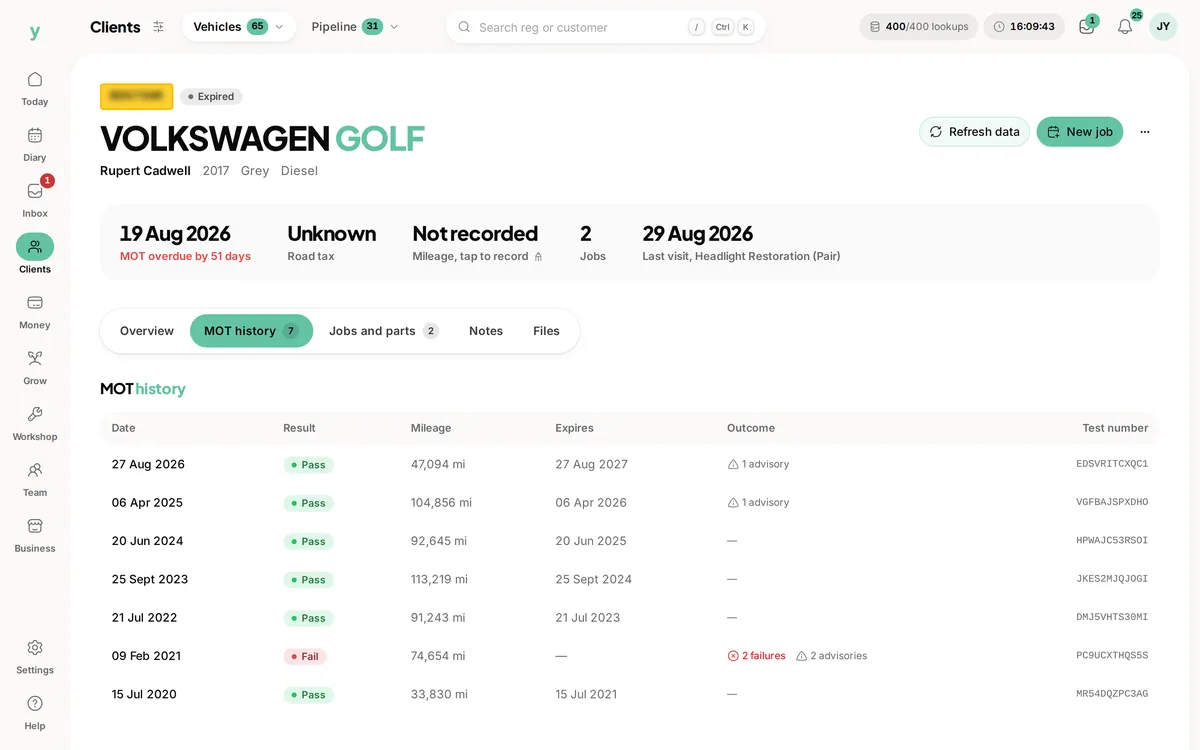 The vehicle behind the job
Review the vehicle record and UK MOT history alongside the workshop work.
A full diary does not tell you which car has arrived, who is working on it or whether it is ready for collection. Youzse Garage Pro job management software puts those questions on the workshop board. Keep the vehicle, customer, mechanic and bay with the job, then follow its progress from booking to handing the keys back. These workshop tools belong to Garage Pro.
The workshop board groups jobs by their stage. A booking starts as booked, moves through check in and work in progress, then goes through quality check, ready and collected. Those stages distinguish a car expected later from one already taking space in the workshop.
Keep the stage current as the work moves. A colleague answering the phone can then check the job rather than interrupting a mechanic for every update. The board reflects recorded progress; it cannot know that a vehicle has arrived or passed a check unless the team records it.
| Stage | What it means for the team | What to review |
|---|---|---|
| Booked | The work is expected. | Customer, vehicle and planned time. |
| Checked in | The vehicle has arrived. | The work requested and any details from the customer. |
| In progress | The job has started. | Assigned mechanic, bay and the work being recorded. |
| Quality check | The work is ready for the next check. | Required checks and any work that still needs attention. |
| Ready | The vehicle is ready for the collection process. | The invoice, remaining balance and customer arrangements. |
| Collected | The vehicle has been handed back. | The recorded payment or any explicit release with money owing. |
Assign the mechanic and the workshop bay so responsibility and space are visible. Garage Pro requires a bay before a job can move into progress. That check helps the board reflect the workshop rather than becoming a list of jobs that are all apparently happening at once.
The mechanic and the booked member of staff can be different parts of the record. Review assignments when the day changes, especially when someone covers a colleague or a car needs to move to another bay. A recorded assignment gives the next person a useful starting point for the handover.
The job detail brings together the vehicle, customer, notes and related work. Registration, make and model help the team identify the right car. Keep photographs and the relevant forms with the work so a question about what was found does not depend on whoever happened to see it first.
UK registration lookups and MOT history are available for UK garages. Those records can help with identification and future reminders, but an MOT history is not a diagnosis of the work needed today. Record the inspection findings and agree the scope with the customer before treating a possible repair as authorised work.
A mechanic can raise a part request against the job. The request has its own progress, so the person arranging parts can distinguish something requested from something approved or on order. Review the part and quantity in the job context rather than relying on a message that only names the vehicle.
Part requests, stock and purchasing remain separate records with different purposes. A request is not proof that a supplier has delivered the part. Check the relevant purchasing and stock records when deciding whether the work can continue, and keep any customer timing update tied to what the team actually knows.
The scheduled duration reserves time in the diary. Productive time entries record time spent on the job. Those numbers answer different questions, so do not assume a two hour booking proves two hours of labour were recorded or that the recorded time decides the customer price.
Garage Pro provides mechanic time and break records alongside the job workflow. Check that active work has been stopped when it should be, particularly if the team changes tasks during a busy morning. Use the record to review the job and the handover rather than asking the next person to remember when a timer was started.
A job that requires a vehicle health check must have that requirement met before it can be marked ready or collected. Record the required check against the work and review its findings. A workflow gate helps keep the record complete; it does not replace the judgement or procedures your workshop uses to assess the vehicle.
Quality check and ready are separate stages so the team can distinguish work waiting for review from a vehicle ready for the collection process. If a check finds more work, record that and take the job through the appropriate next step rather than leaving a misleading ready status on the board.
Before handing the keys back, review the invoice and remaining balance. Garage Pro checks money owing when a job moves to collected. Releasing a vehicle with a balance still due needs an explicit decision rather than an unnoticed status change.
The workshop stage and invoice payment status are different records. A completed repair does not prove the invoice is paid, and a customer paying early does not prove the vehicle is ready. Check both as part of collection so the person at reception can explain the work and the money clearly.
A car arrives for a clutch replacement while another is waiting for a service. Check the right vehicle in, assign the mechanic and bay and keep the agreed work with the job. If the mechanic finds another issue, record the finding and arrange the customer decision before treating it as extra authorised work. A busier board should still leave responsibility clear.
Later, another colleague takes over reception. They can open the job to see the recorded stage, notes and part requests, then check the bill before discussing collection. A part on order is still different from a vehicle ready to leave. Keeping those details current helps the handover without promising a completion time the team has not agreed.
This page is for garages managing vehicles, mechanics and bays. If you run a plumbing, building or other service business, start with the connected enquiry, quote, booking and invoice tools on the business management page. The shared records can support that work without suggesting you need a workshop board or have access to every Garage Pro tool.
Use the trial to follow the type of repair your workshop handles regularly. Include a job with a required check and one where parts need arranging. Review what each staff role can see and do before asking the whole team to rely on the board.
See how Garage Pro brings workshop jobs and customer records together.
Vehicle identification, test history and the dates behind MOT reminders.
Keep the invoice balance clear when the vehicle is ready for collection.
Review planned working hours alongside the jobs in the diary.
The limits and the detail, answered before you spend an afternoon testing for them.
The workshop board, bay assignments and vehicle workflow described here belong to Garage Pro. Youzse One has connected customer, booking, quote and invoice tools, but this page describes the garage workflow.
We value your privacy
Cookies keep Youzse running, improve the platform and help deliver relevant content. Read our privacy policy and cookie policy.