
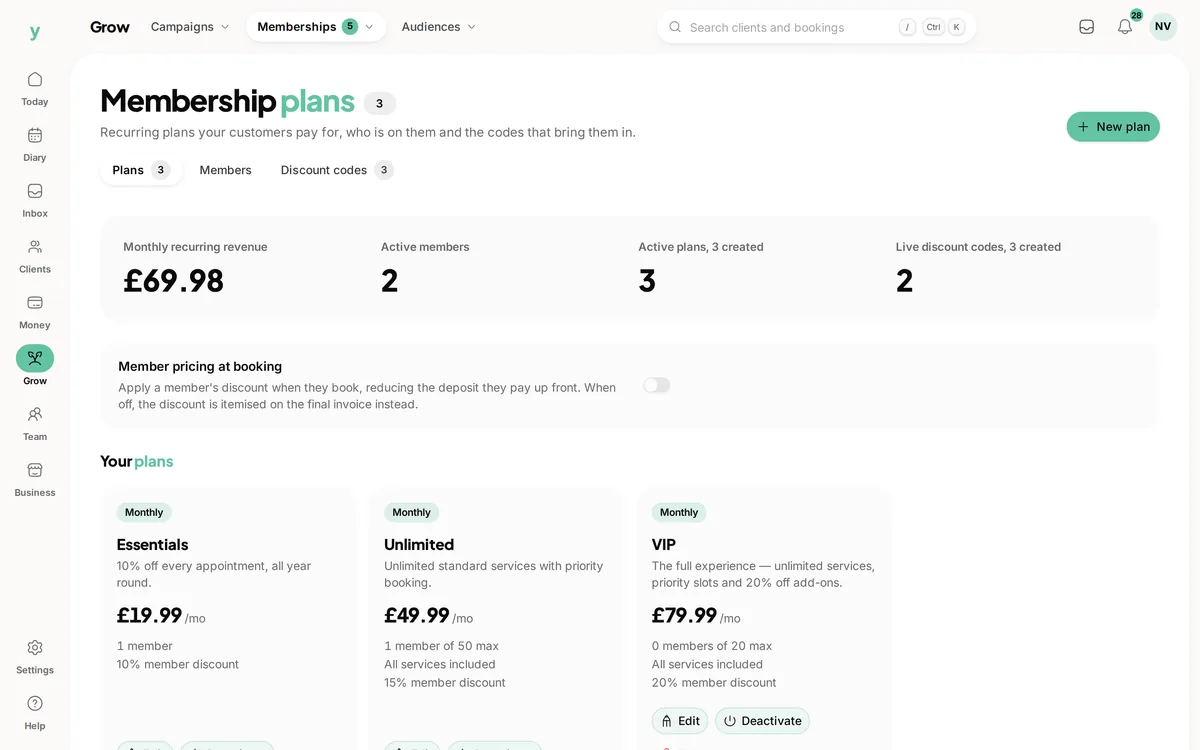
 Give the offer a clear name
Make the plan understandable
Review the membership price, interval and benefits before making the offer.
Make the offer clear, know who is a member and keep changes easy to follow.
Real screens from The Cutting Room, our demo salon, with the numbers it shows today.
Give the offer a clear nameReview the membership price, interval and benefits before making the offer.
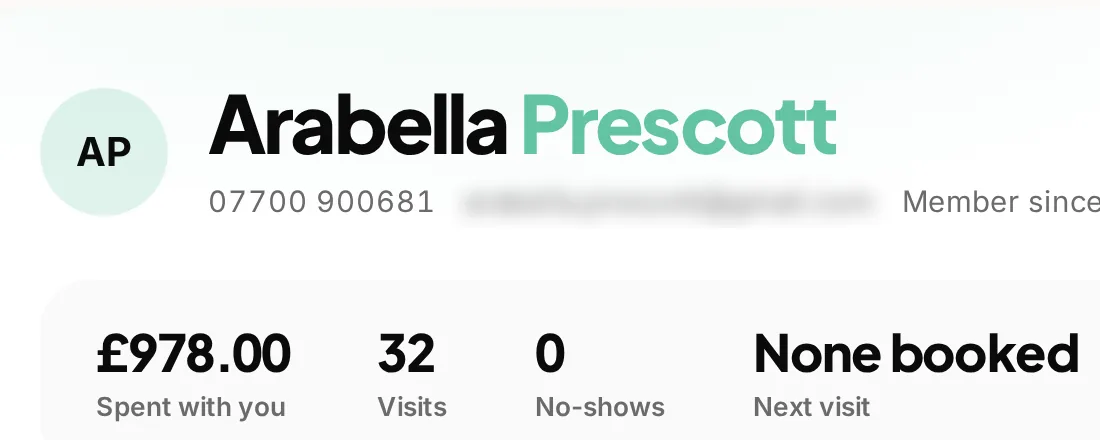 The customer relationship around the plan
Use customer history as context when discussing a membership or the next visit.
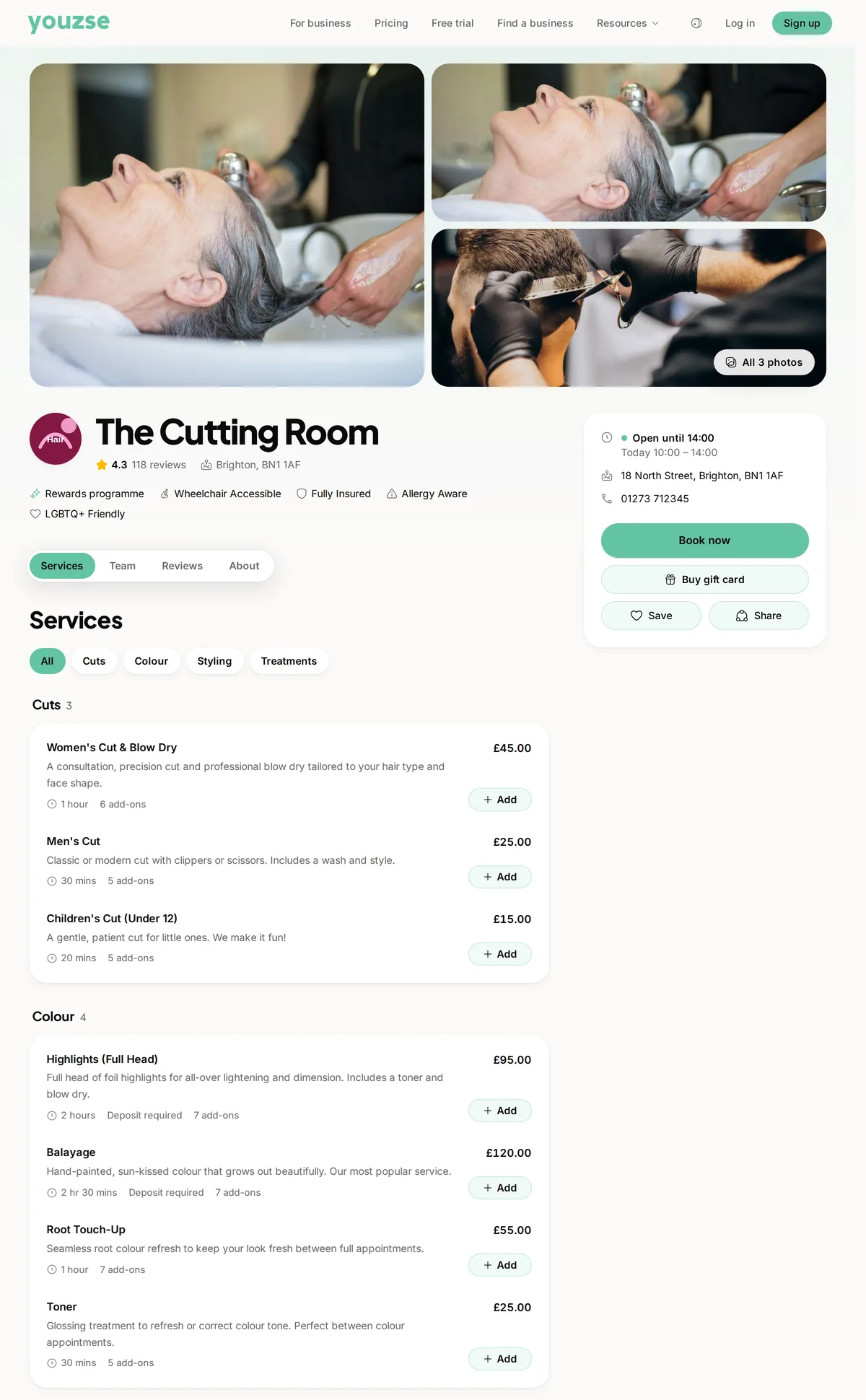 A separate step for the appointment
A membership offer and an available appointment need their own clear arrangements.
A membership is an ongoing promise to a customer. Youzse membership management software keeps the plan, the person and the membership status together, so the team can explain what someone has joined and what happens next. Create the offer, review the payment setup and manage changes from the same business workspace as your customer records and bookings.
Give the plan a useful name, description, price and billing interval. Record the benefits and any member limit you want to apply. A customer should be able to understand what is included without interpreting a long list of exceptions, and the team should be able to give the same explanation.
Describe the service promise before promoting the recurring payment. A membership benefit, a discount and a prepaid class credit are different offers. Choose the tool that matches the promise you intend to make rather than using the word membership for every kind of repeat visit.
The plan describes the offer. A customer membership records the person subscribed to it and their current state. That distinction matters when one customer pauses or leaves while other members continue on the same plan. Changing a person's arrangement should not require you to rename the whole offer.
Use the member list to search for a customer and filter by plan or status. Review the current period information and any recorded cancellation when dealing with a query. A recognisable plan name helps, but the individual membership record is the place to check what applies to that person now.
| Offer | What it represents | What to check |
|---|---|---|
| Customer membership | An ongoing plan with its own benefits and payment arrangement. | The member status, billing setup and terms of the offer. |
| Class pass | Prepaid credits for eligible class bookings. | Credits, expiry and the classes the pass can be used for. |
| Loyalty programme | Rewards earned through eligible completed activity. | The earning mode, balance and reward terms. |
| Gift card | Purchased value to spend with the issuing business. | The remaining balance and any applicable conditions. |
These products can sit alongside one another, but they do not automatically reserve appointments or provide the same entitlement.
Customer memberships use the business payment setup when charging through the connected account. Make sure that account is ready and review the plan before inviting customers to subscribe. A plan existing in the settings is not by itself proof that a recurring payment has been set up for a customer.
Where a membership is charged through the payment provider, the first payment can leave the membership incomplete until the payment state is confirmed. Check the member record rather than treating every newly created subscription as active. Your customer explanation should reflect what has actually happened, including anything they still need to complete.
A customer may ask about a member benefit when booking rather than when they joined. Keep the plan description specific enough that a colleague can explain it at that moment. Check the membership status and how the relevant service or discount is configured before confirming what will apply.
Review supported benefit settings with a realistic service before advertising them. Do not assume that a sentence in a plan description creates an automatic entitlement to any treatment, class or date. The description explains the promise; the supported booking and benefit settings determine the workflow behind it.
Youzse has separate workflows to pause an active membership and resume a paused one. Use those controls for the recorded membership, then review the resulting status. A note saying someone is away is not the same as changing their membership or payment arrangement.
Before pausing, explain what that means for the customer's benefits and billing in your setup. Check the payment record as well as the membership status when answering a question about a charge. The software gives you the controls and history; the business still needs a clear policy for how a pause is offered.
Cancellation is a separate membership action with a recorded reason. Confirm which customer and plan you are changing, then review the result. Someone deciding to cancel a membership is not necessarily cancelling an appointment already in the diary, so deal with booked work explicitly.
Be clear about timing and any benefits or payments already involved. Do not promise that a cancellation automatically refunds earlier charges or rearranges every future booking. Review the relevant payment and appointment records before explaining what has changed and what still needs attention.
A salon customer asks whether their membership is active before arranging the next visit. Find the member record, check the plan and current state and review the benefit relevant to the service. If a colleague handles the booking, they can work from the same recorded arrangement rather than an old note at reception.
If the customer later pauses, record that through the membership workflow and explain the result. When they return, use the resume route if appropriate and check the current state again. The value is a history the next person can follow, not a promise that the business never needs to speak to the customer about their arrangement.
A new price or benefit deserves a review of both the plan and the people already on it. Do not assume editing an offer silently moves every existing member to the new terms. Check the individual membership and supported plan-change workflow before explaining a change to a customer.
Use a clear name and description for the offer you are actually making now. If a plan is no longer available to new members, review its active setting and existing members rather than deleting history to tidy the list. Keeping the records understandable helps with later questions about what someone joined.
Your business subscription pays for your Youzse workspace. The customer memberships described here are offers your business makes to its own customers. They have different records and payment arrangements, so keep those two meanings clear when the team talks about a plan.
Review current Youzse pricing and your payment processing setup when working out the cost of running the offer. Choose a benefit you can sustain and deliver. Software can keep the membership record organised, but it cannot make an impractical service promise easier to honour on a busy Saturday.
Prepaid class credits when the offer is a fixed number of eligible sessions.
Rewards earned after eligible activity rather than an ongoing paid plan.
Plan useful reasons to return with the customer history in view.
Review the business subscription separately from the memberships you sell to customers.
The limits and the detail, answered before you spend an afternoon testing for them.
No. A membership is an ongoing plan with its own benefits and payment arrangement. A class pass holds credits for eligible class bookings. Neither should be described as reserving every appointment or class date.
We value your privacy
Cookies keep Youzse running, improve the platform and help deliver relevant content. Read our privacy policy and cookie policy.