
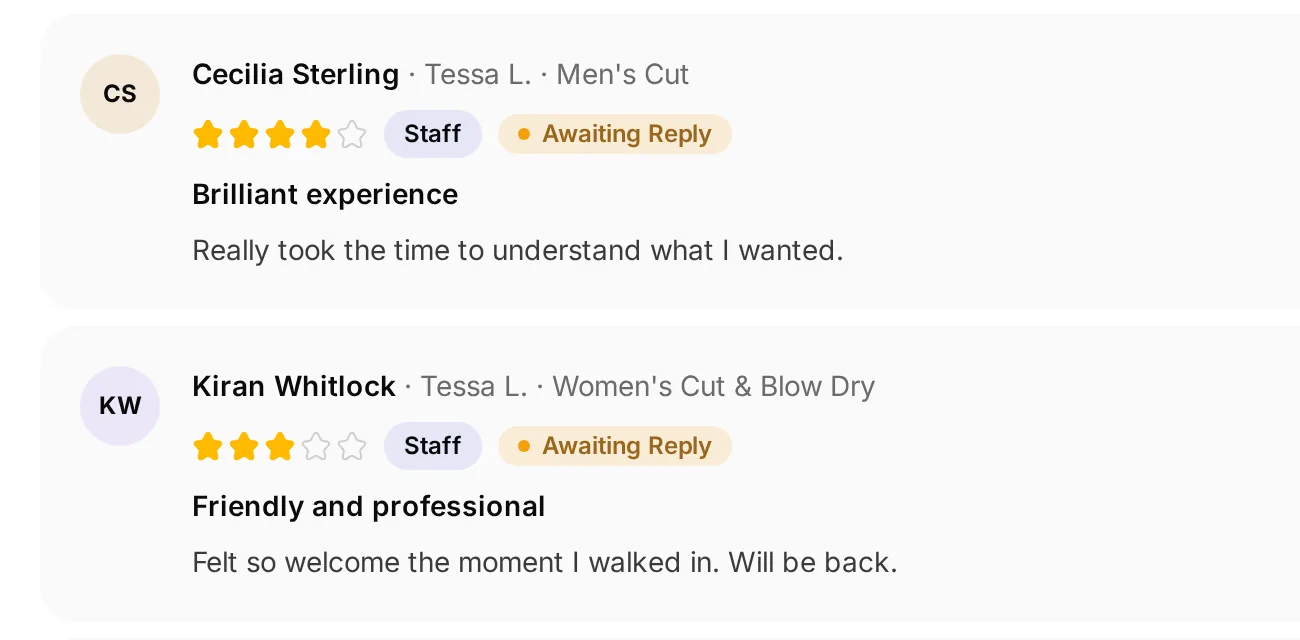
 Read the visit behind the rating
Give feedback your attention
Review the comment and available service context before preparing a response.
Read the feedback, understand the visit and give a useful reply.
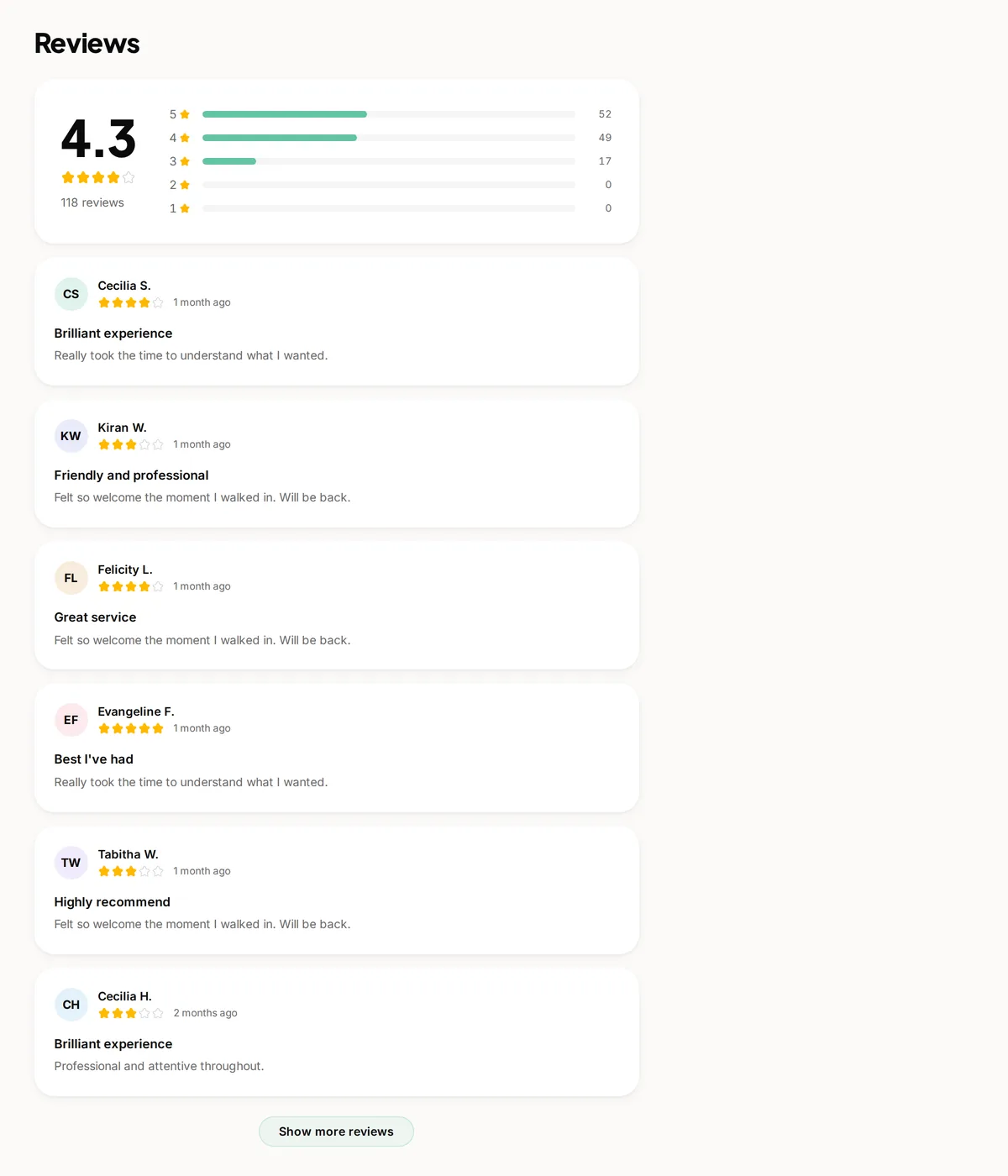
Real screens from The Cutting Room, our demo salon, with the numbers it shows today.
Read the visit behind the ratingReview the comment and available service context before preparing a response.
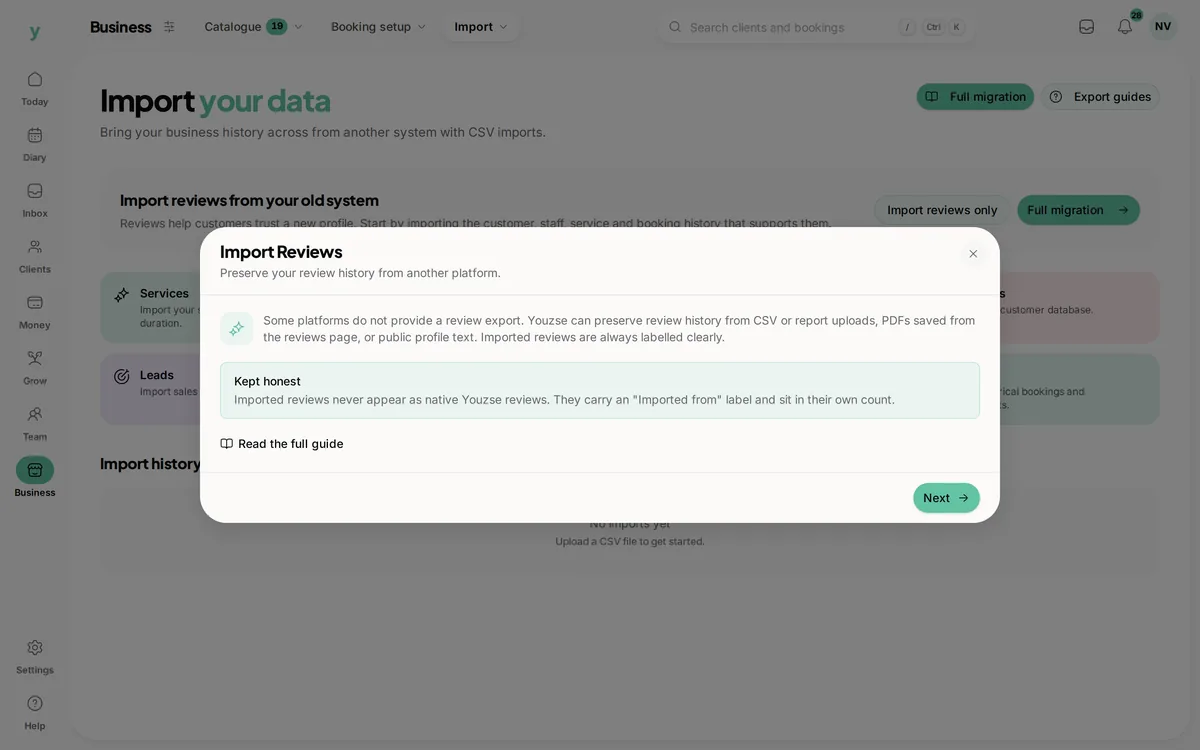 Imported feedback keeps its source
Review supported imports without turning older feedback into native Youzse reviews.
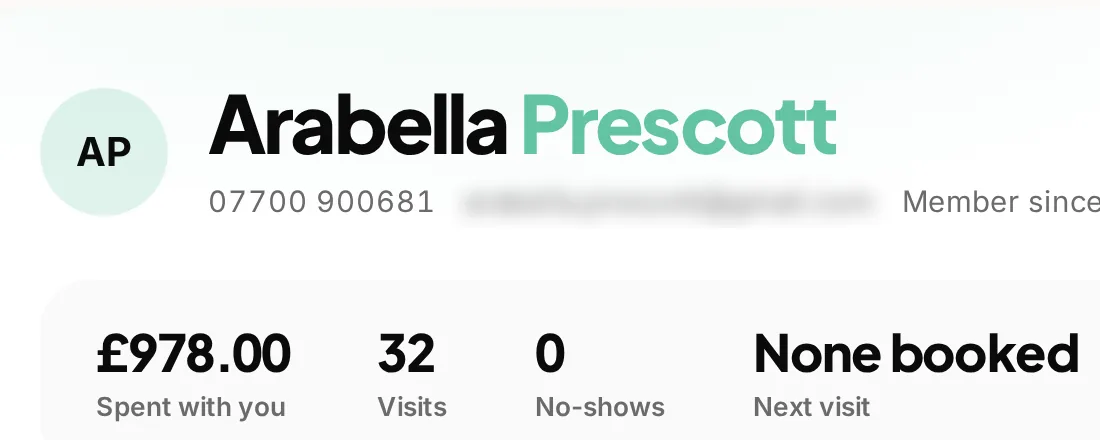 The wider customer conversation
Use customer history to understand the visit while keeping private details out of a public reply.
A review is part of the customer relationship, not just a number on a profile. Youzse review management software keeps feedback close to the business, with filters to find the relevant reviews and replies for eligible native reviews. When you switch systems, supported imports let you bring existing feedback with its origin kept clear rather than pretending it was collected through Youzse.
Review the list using search, rating, service, staff and date filters. Those views help when you need to understand feedback about a particular part of the business rather than reading the whole list again. Keep the filter in view when discussing a total or summary with a colleague.
Use the review and its available customer, service and staff context to understand the visit. A brief comment may need a conversation with the team before a public reply. Start from the recorded details rather than assuming the star rating tells the whole story.
Authorised staff can reply to eligible native reviews in Youzse. The available permission may cover all reviews or only those relating to the staff member. Check the actual role used by the person handling feedback so the responsibility is clear before the first reply is needed.
Read the response carefully before posting. Youzse prevents a second reply from overwriting an existing response through that route. Treat the published reply as something a future customer may read, and keep any private details about the visit out of the public conversation.
| Review source | How to use it | A useful boundary |
|---|---|---|
| Native Youzse review | Read the available visit context and reply where permitted. | Reply access follows the staff permissions and review state. |
| Imported review | Keep supported feedback from a previous system with its origin clear. | New replies are not available for imported reviews. |
| Public profile feedback | Check what a prospective customer can read about the business. | A visible comment does not justify sharing private customer information in a response. |
| Review campaign response | Use the campaign and review context to understand how feedback was requested. | A sent invitation does not guarantee a review or a positive rating. |
If your previous provider supplies a supported review export and you have the right to reuse it, review the available import workflow. Keep a copy of the export, check the preview and read any row errors before completing the import. The records you can bring depend on what that provider supplies.
Imported feedback stays distinct from native reviews. That protects the meaning of the record for the business and the reader. Youzse does not turn a review written elsewhere into a newly verified visit, and the import does not create a live connection to every external review platform.
The review list separates native and imported feedback, and the summaries use those origins for different measures. A total containing imported reviews is not automatically the same set used for response rates or recent native activity. Read the measure before comparing two figures.
Use the appropriate tab and date range when checking what has changed. Importing a large history is useful for continuity, but it should not be mistaken for a sudden wave of new visits. The origin and the period help the team understand what a number actually describes.
Youzse provides review campaign tools with a draft message, channel and recipient workflow. Review the invitation and its next step before scheduling or sending. The campaign setup includes the required recipient eligibility and opt out checks; use that process rather than assuming every customer record is a suitable audience.
Keep the request neutral and easy to understand. A campaign asks for feedback about the business, not a guaranteed rating. Review channel setup and any usage charges, especially for SMS, and make sure the invitation reflects the service and the customers you intend to contact.
A customer leaves feedback about waiting longer than expected for their appointment. Check the available service details and speak to the relevant colleague before replying. Acknowledge the part you can address and give a useful route to discuss the visit privately if more detail is needed.
A positive review can deserve a short, specific reply too. Keep it natural and avoid turning every response into another sales message. The useful outcome is a response the customer recognises as coming from the business, with the same care you would give the conversation at reception.
Open your business profile to see the feedback in the context a prospective customer sees. Check the business details, services and booking route around it. A review helps someone understand the experience, but it is only one part of deciding whether the service fits their needs.
Keep imported material and any reuse permissions in mind when publishing existing feedback. Do not invent a testimonial, change what the customer meant or describe an external review as though it came from a Youzse booking. A smaller set of understandable records is more useful than a larger total with an unclear origin.
Decide who checks the list and who can post responses. A team member may recognise the service detail while the owner handles a more sensitive conversation. Keep that handover clear so a review is not left waiting because everyone assumes someone else is dealing with it.
Use patterns in the comments to ask practical questions about the service, not to promise a result from the software. Review tools do not guarantee more bookings, higher ratings or the removal of a difficult review. They give the business a clearer way to read and respond to feedback.
Bringing older feedback into the business and asking customers for new feedback are different jobs. An import needs the existing records and their source. A campaign needs the appropriate audience, a clear invitation and the required communication checks. Choose the route that matches what you are trying to do.
Review a small sample before relying on either journey. Check an imported comment against the supplied export and read a campaign preview as the customer would. The details matter more than making the review total look larger.
Check available exports, mapping and results before relying on a move.
Keep customer history close when understanding a visit or preparing a reply.
Use the wider relationship to plan thoughtful customer follow ups.
Review the supported import routes and the records your old provider lets you export.
The booking journey around the business profile and its feedback.
The limits and the detail, answered before you spend an afternoon testing for them.
No. New replies are available through the supported route for eligible native reviews, not imported reviews. Imported feedback keeps its source distinct.
We value your privacy
Cookies keep Youzse running, improve the platform and help deliver relevant content. Read our privacy policy and cookie policy.