
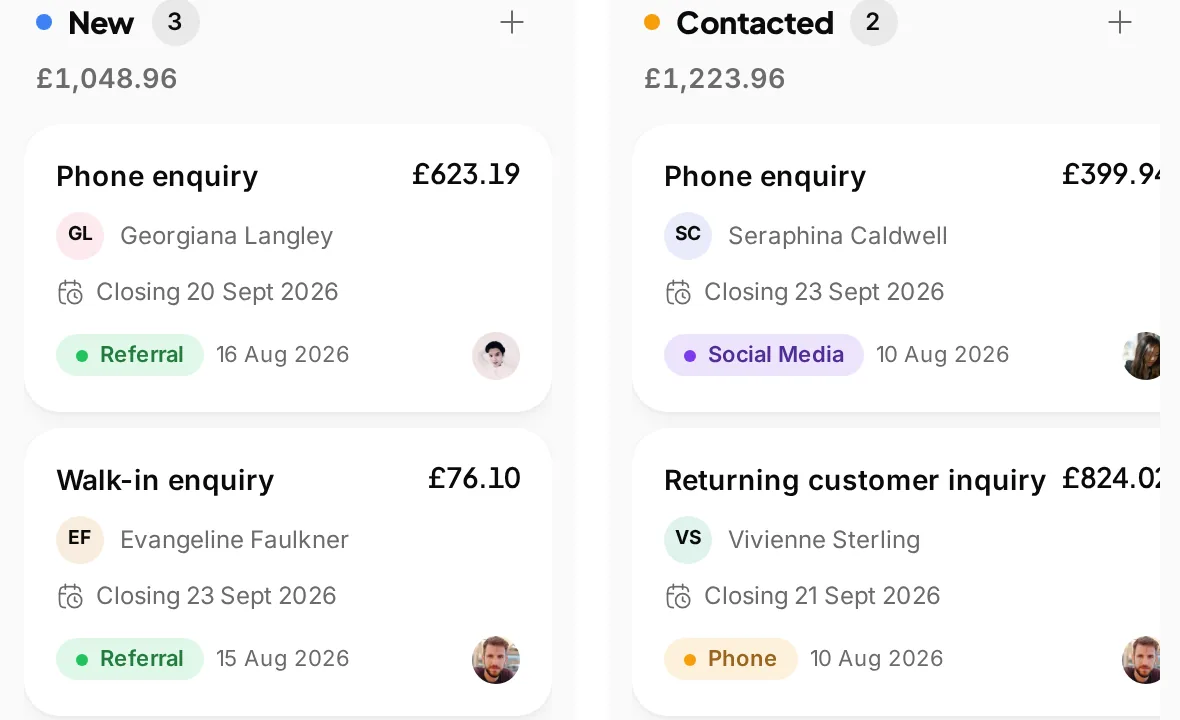
 A next step for a suitable enquiry
Follow the opportunity
Use the lead workflow when the request needs another conversation before work is agreed.
A place for the first question, the reply and the work that follows.
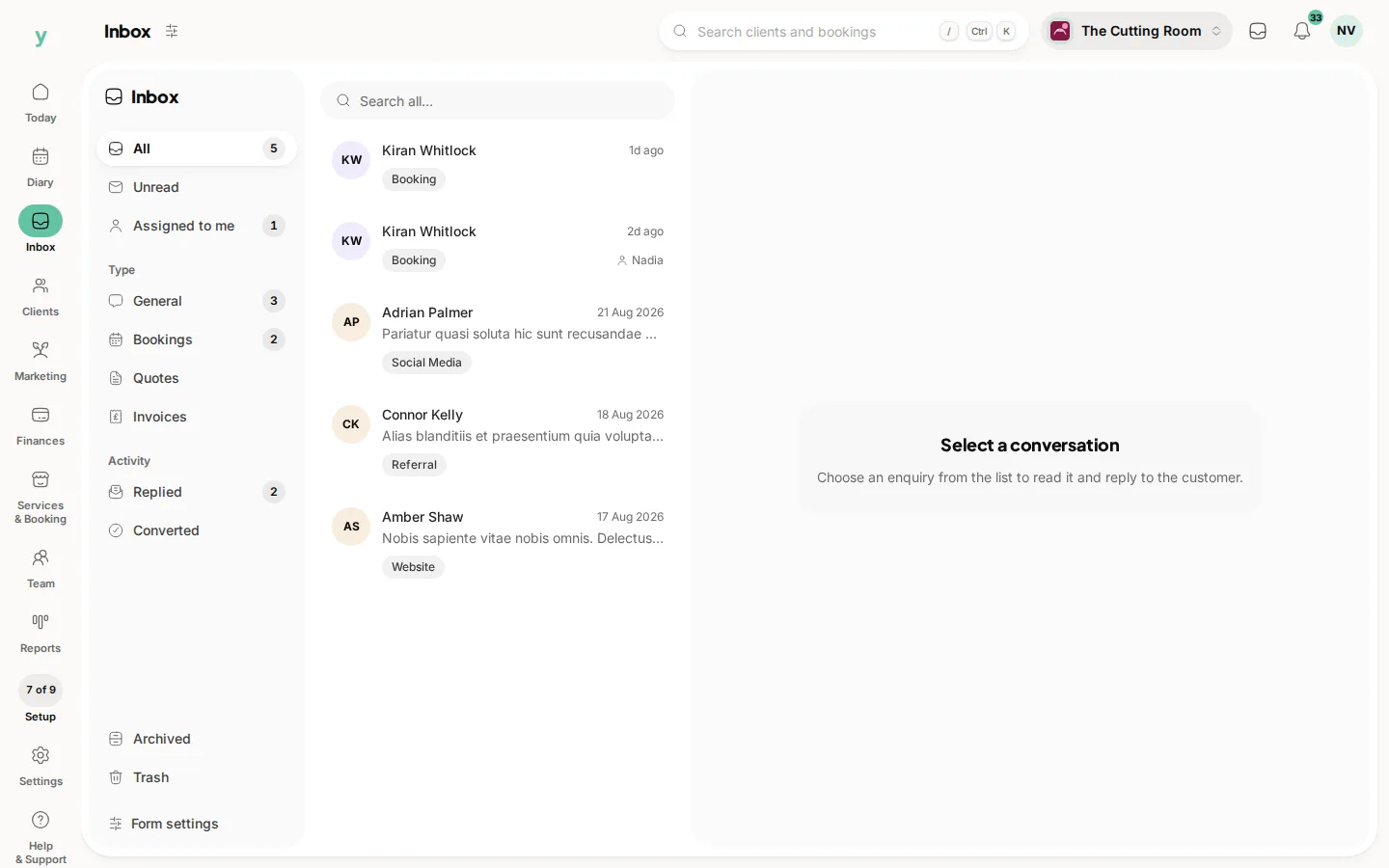
Screens from The Cutting Room, our demo salon, showing the inbox and the records used as an enquiry becomes work.
A next step for a suitable enquiryUse the lead workflow when the request needs another conversation before work is agreed.
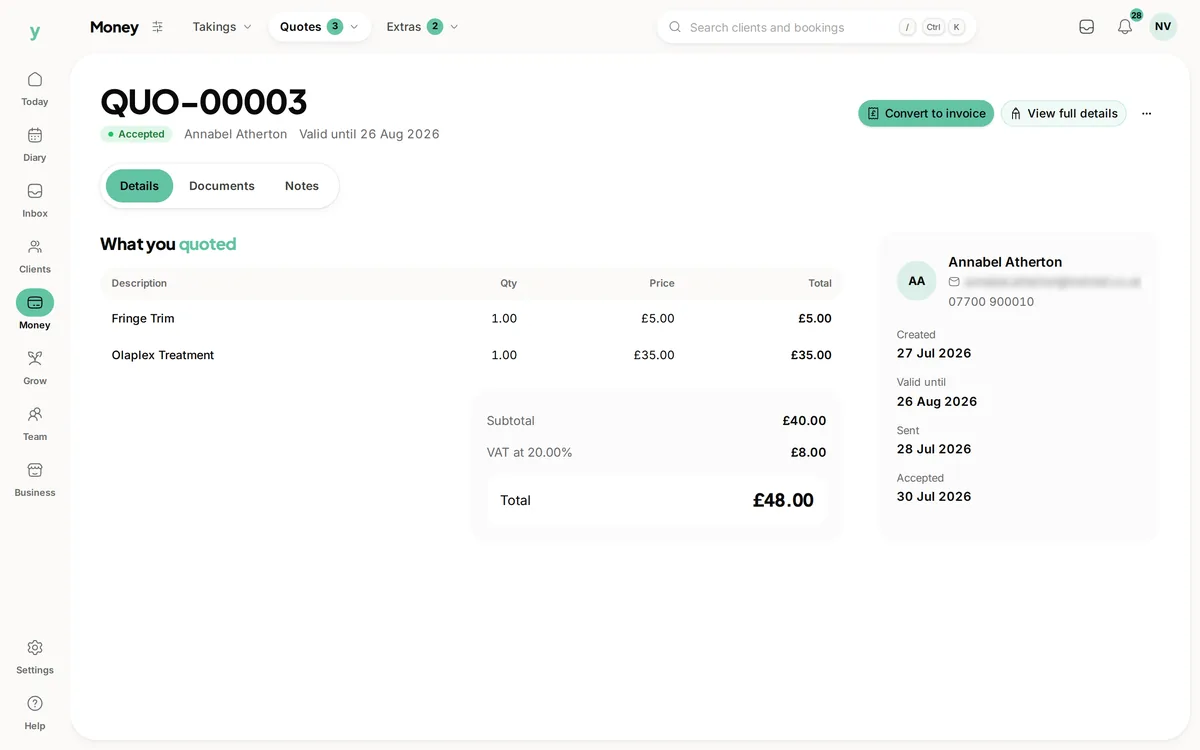 The scope and price in writing
Move into quoting when you have the details needed to describe and price the work.
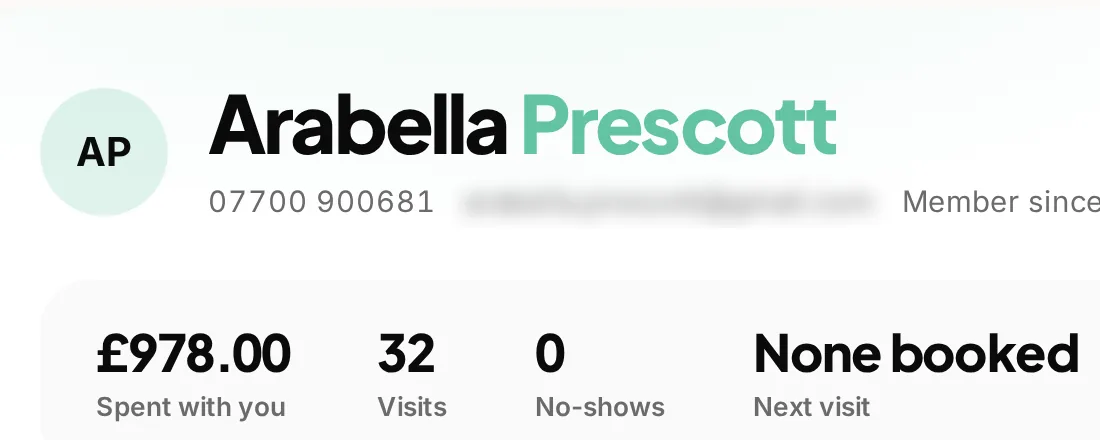 The person behind the request
Find the customer history alongside the work that follows the enquiry.
Some customers can book straight away. Others need to explain a job, ask about a service or check a price first. Youzse enquiry management software gives those conversations a place in the business, with the request, replies and customer context together. You can see what needs an answer and who is dealing with it before the conversation becomes agreed work.
An enquiry from your public form carries the details the customer supplied. Open the conversation to review the message, contact information and any relevant service or form details. That gives the person replying more to work with than a name copied into a separate list.
Read the original request before deciding what comes next. A question about a boiler visit may need more information before a plumber can quote. A salon enquiry may be about a service the customer cannot choose confidently online. Keeping the wording helps the team answer the actual question rather than guessing from a short label.
The inbox has views for unread, assigned and replied conversations, alongside categories such as general, booking, quote and invoice enquiries. Use the view that fits the work you are reviewing. The unread list answers a different question from the conversations already assigned to you.
Opening a conversation marks it read, but reading is not the same as resolving it. Check the reply history and the next step before assuming someone else has dealt with the request. The useful handover is a clear responsibility and an answer the customer can act on.
Assign a conversation to the staff member who should handle it. A colleague covering reception can then distinguish a request waiting for allocation from one already being dealt with. Review the assignment when responsibility changes rather than relying on a message outside the record.
Keep the reply useful to the next person as well as the customer. Say what is needed, what has been agreed and whether a quote or booking is the next step. Clear wording reduces the need for the customer to repeat the same details when another authorised colleague opens the conversation.
| What the customer needs | A useful next step | What to keep clear |
|---|---|---|
| An answer about a service | Reply in the enquiry conversation | The question answered and any detail still needed. |
| Work that needs pricing | Use the supported quote route | The requested work is not yet an accepted agreement. |
| An opportunity to follow up | Convert a suitable enquiry to a lead | Who is responsible for the next conversation. |
| A customer record for future work | Use the customer route where appropriate | Check existing details before creating another person. |
| A question about an existing invoice | Open the linked record and conversation | Keep the bill and its history attached to the question. |
A suitable enquiry can move into the supported lead, quote or customer workflow. A lead is useful when you still need to follow up. A quote is useful when you can describe the proposed work and price. A customer record gives the person a place in the wider business history.
Those choices serve different purposes. Turning an enquiry into a lead does not book a date, and preparing a quote does not mean the customer has accepted it. Follow the relevant record through its own next step so the enquiry, agreement and appointment do not become three competing versions of the job.
Some inbox conversations already belong to a quote, invoice or another business record. Open the linked work to understand the question in context. The existing customer and document history are often more useful than starting a new lead for someone who is already dealing with the business.
Linked conversations have their own conversion limits because they already belong to a record. Use the link rather than treating every message as a fresh sales enquiry. For Garage Pro, supplier conversations can also relate to purchasing work; those should remain distinct from a customer asking for an appointment.
A homeowner asks about replacing a radiator and includes the room details. A colleague opens the request, checks the contact information and assigns the conversation to the person who can price the work. That person asks for the missing measurements in the same conversation, keeping the original request close to the reply.
Once the scope is clear, prepare the quote through the supported route and review the customer and site details. The customer can then consider the proposed work through the quote journey. Agree the date separately when the work is ready to book. The enquiry started the conversation; it did not silently promise a price or reserve time.
Keep a reply about the requested service separate from a later marketing campaign. Contact information supplied for a question is useful for answering that question, but it should not be treated as blanket permission for unrelated promotions. Review the relevant communication choices before adding someone to a campaign audience.
Keep attachments and personal details within the access the team needs. Use the conversation to support the service rather than copying private information into general notes or forwarding it widely. Staff permissions and a clear handover matter just as much at the enquiry stage as they do after the first booking.
Choose when the team checks unread and assigned requests, and who covers them when the usual person is away. The inbox can show recorded activity, but it does not decide which enquiry deserves a same day call or whether your business can deliver the work being requested.
Archive conversations when that fits your process and use the relevant views to find earlier work. Keep the distinction between a quiet conversation and an agreed job clear. A tidy inbox is useful because the next action is easier to see, not because every request must become a booking.
A customer who has already booked may send a question rather than starting new work. Check the matched customer and any linked record before creating another lead. The appointment or invoice history may already contain the answer, and keeping it connected avoids asking the customer to repeat information they have supplied.
If the contact details have changed or more than one person shares a company account, review the match carefully. The useful result is the right conversation with the right record, not simply converting every message because the control is available.
Collect structured service details when the work calls for a reusable form.
Keep the customer details and the wider relationship close to the conversation.
Turn a clear scope into a quote the customer can accept online.
Connect the initial request to bookings, customer records and the bill.
Give customers a booking route when they are ready to choose a service and time.
The limits and the detail, answered before you spend an afternoon testing for them.
Yes. Enquiries support staff assignment and an assigned view, so the team can see who is handling the conversation. Keep the assignment current when responsibility changes.
We value your privacy
Cookies keep Youzse running, improve the platform and help deliver relevant content. Read our privacy policy and cookie policy.