
Your public page is your shopfront on Youzse. It pulls in your profile, branding and services. You choose how customers get in touch from it.
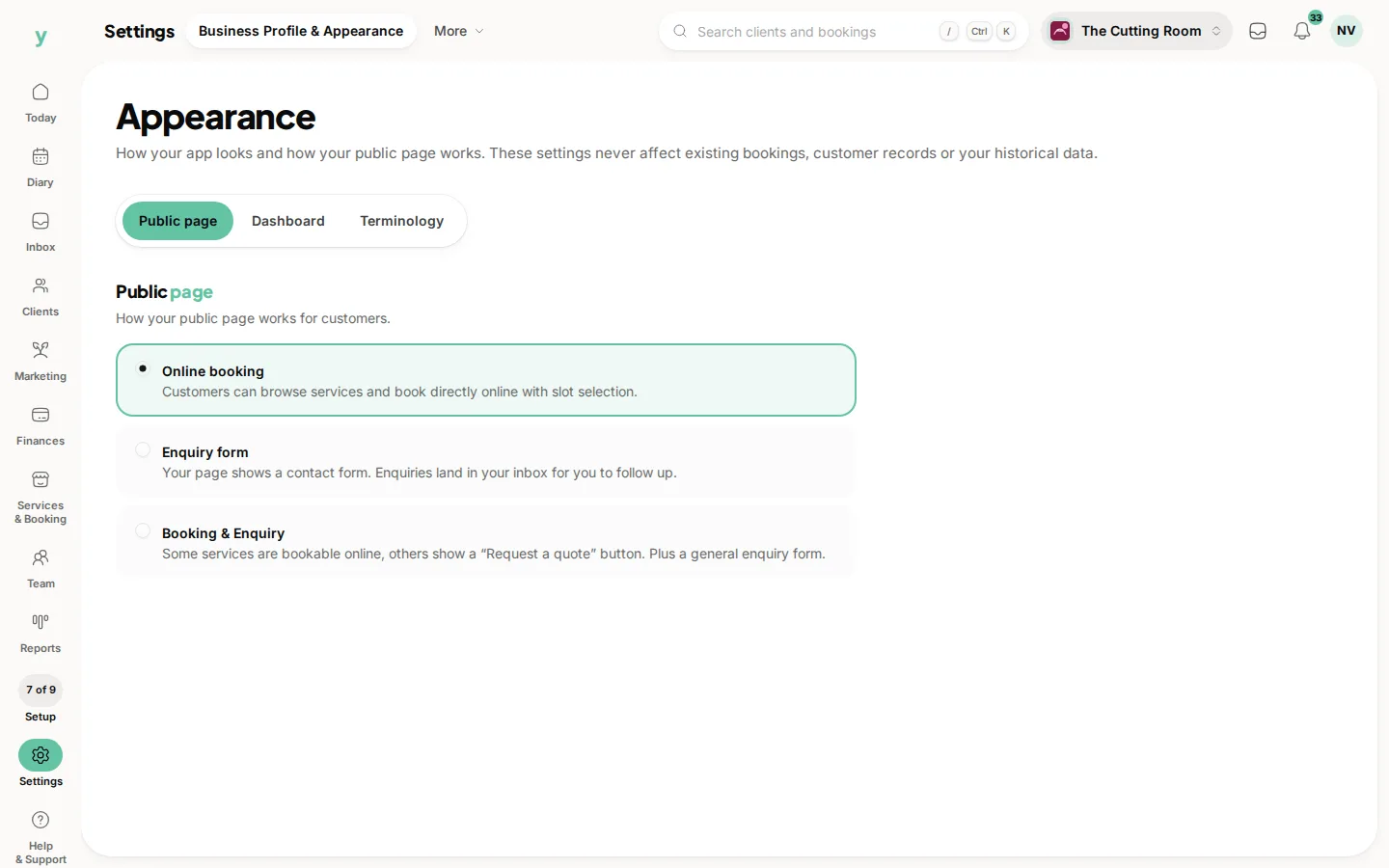
The main control is the Public section under Settings, then Business Profile & Appearance. Open the Public page tab. The heading on that tab is Public page. You need the Edit settings permission.
How customers reach you
You decide what happens when someone lands on your page by choosing one of three options there
- Online booking: Customers book a service and time themselves, there and then. Best if you want a self-serve diary.
- Enquiry form: Customers send you an enquiry instead of booking directly. Best if every job needs a quote or a quick chat first.
- Booking & Enquiry: Offer both, so customers can book straightaway or get in touch when they would rather ask first.
Some trades start with a sensible default for their type. You can change it whenever you like.
Shaping the rest of your page
- Profile and branding: Your logo, cover image, bio and gallery live under Services & Booking, then Booking Page & Brand, so keep that up to date.
- Services: The services you publish are what customers can book or enquire about. Tidy names, durations and prices make the page easy to use.
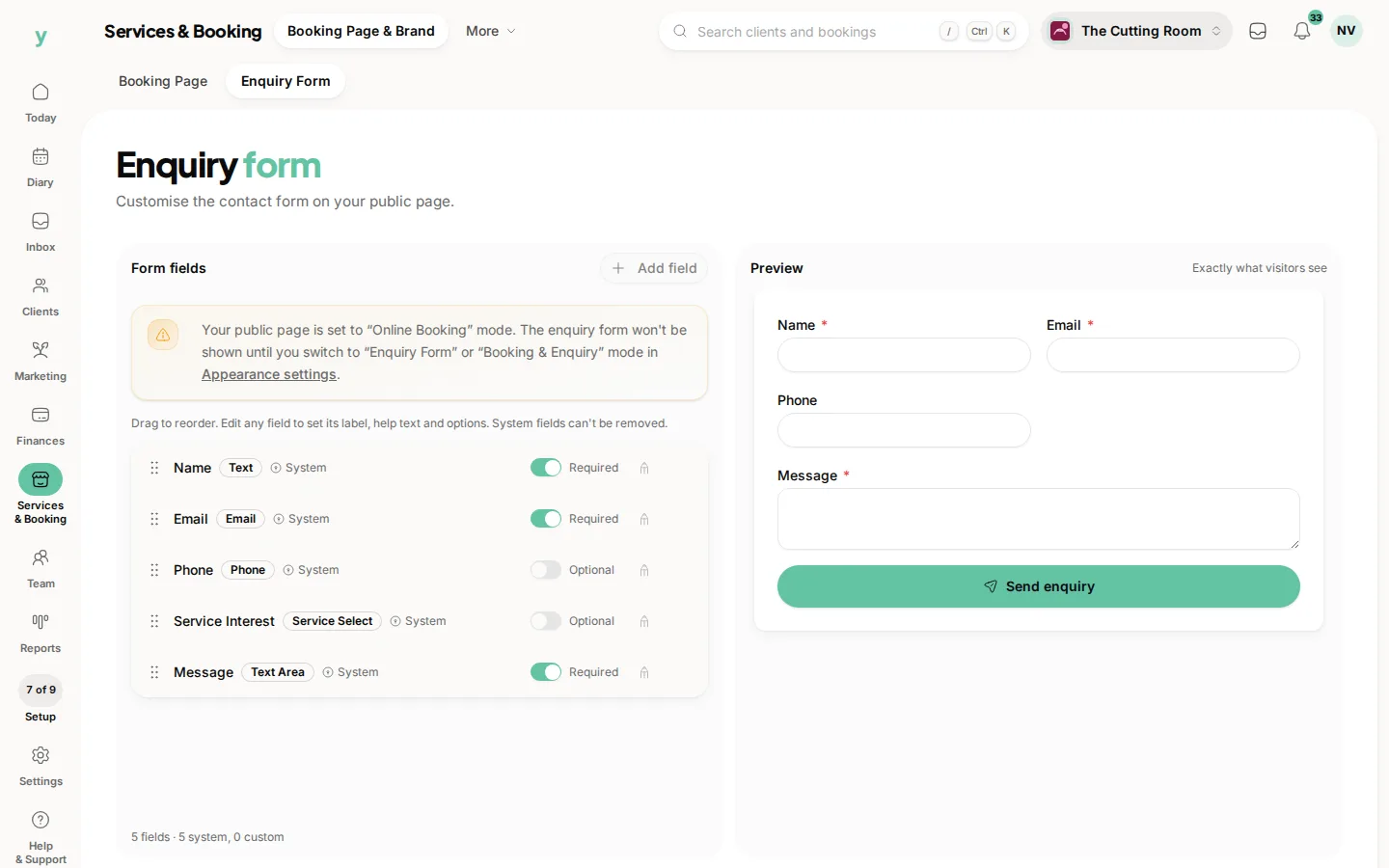
- Enquiry form: If you use enquiries, you can tailor the questions on your form so you gather what you need up front.
Previewing
You can view your own public page at any time to see exactly what customers see. Make a change, refresh the public page and check it reads well on a phone, since that is where most customers will find you.
Common questions
Can I take enquiries instead of bookings?
Yes. Choose Booking & Enquiry on the Public page tab under Settings, then Business Profile & Appearance and set the form's fields under Services & Booking, then Booking Page & Brand, then Enquiry Form.
I changed something and the page looks the same. Why?
Your browser is showing a stored copy. Check in a private window and allow a few minutes for public pages.
Can I have both booking and an enquiry form?
Yes. Most businesses do. Booking for standard work, enquiries for anything needing a price first.