
Your public page is where customers find you, see what you offer and book. It pulls everything together, your profile, your services, your team and your hours, into one page with its own web address.
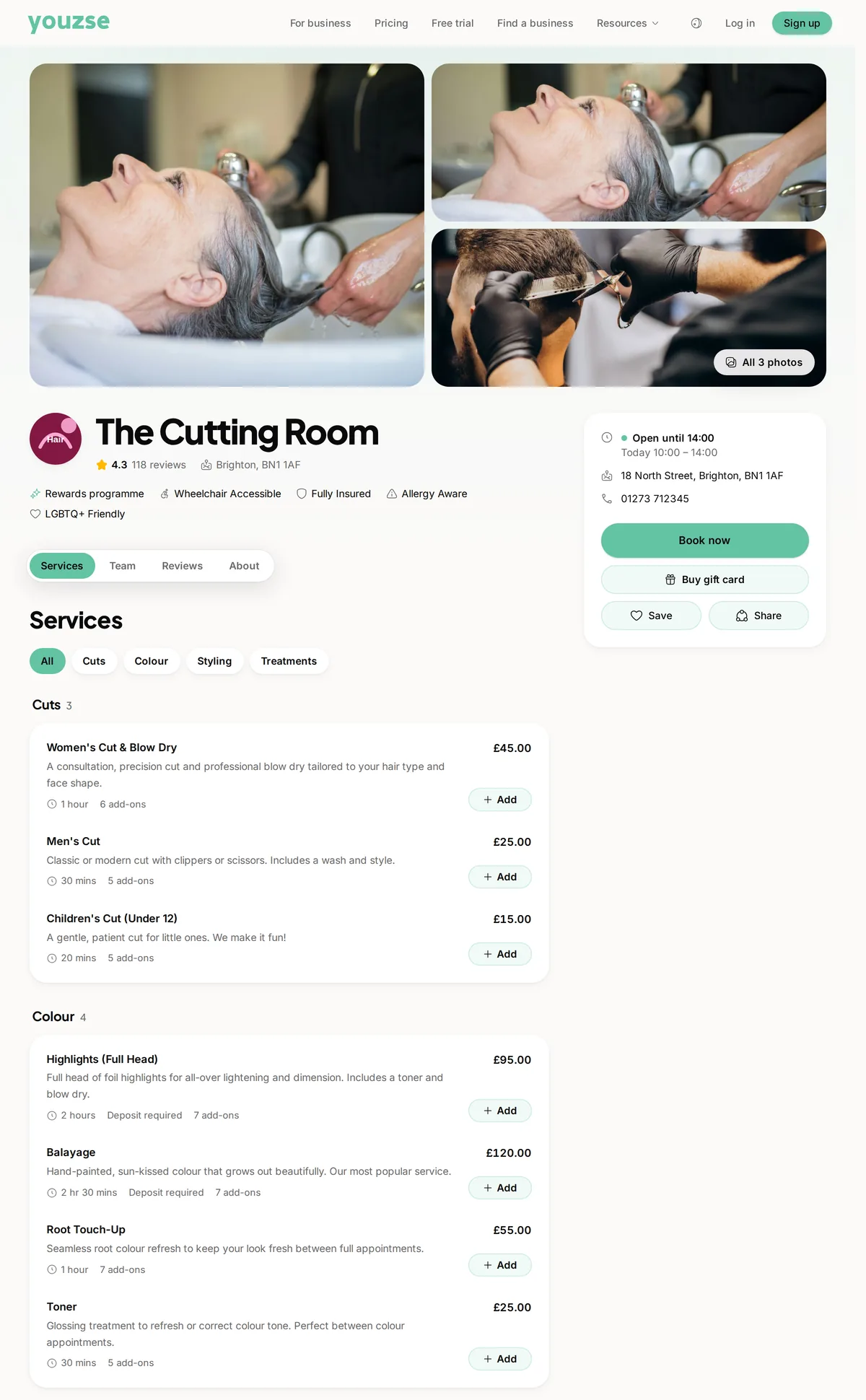
How customers reach it
Every business gets a tidy link based on your name. Share it on social media, in your email signature and on your existing website. When a new client books through it, you pay 0% commission on that booking.
Choosing how your page works
Go to Settings, then Business Profile & Appearance and open the Public page tab.
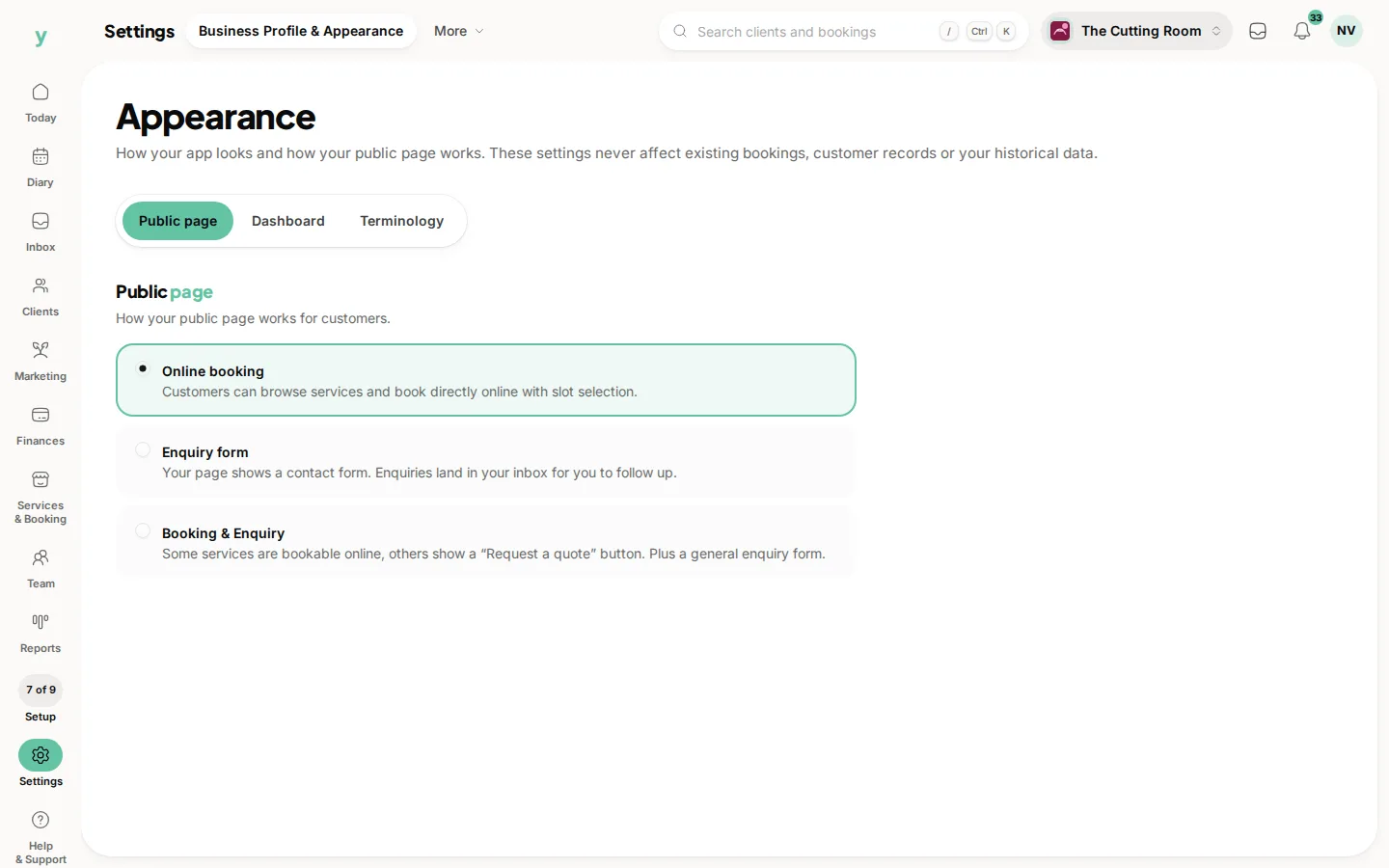
You can choose
- Online booking, customers pick a service, a person and a time and book themselves in
- Enquiry form, customers send you a message and you book them in yourself
- Booking and enquiry, offer a form alongside instant booking
Pick whatever suits how you like to work. Plenty of trades start with enquiries and switch on instant booking once they are comfortable.
What makes a page convert
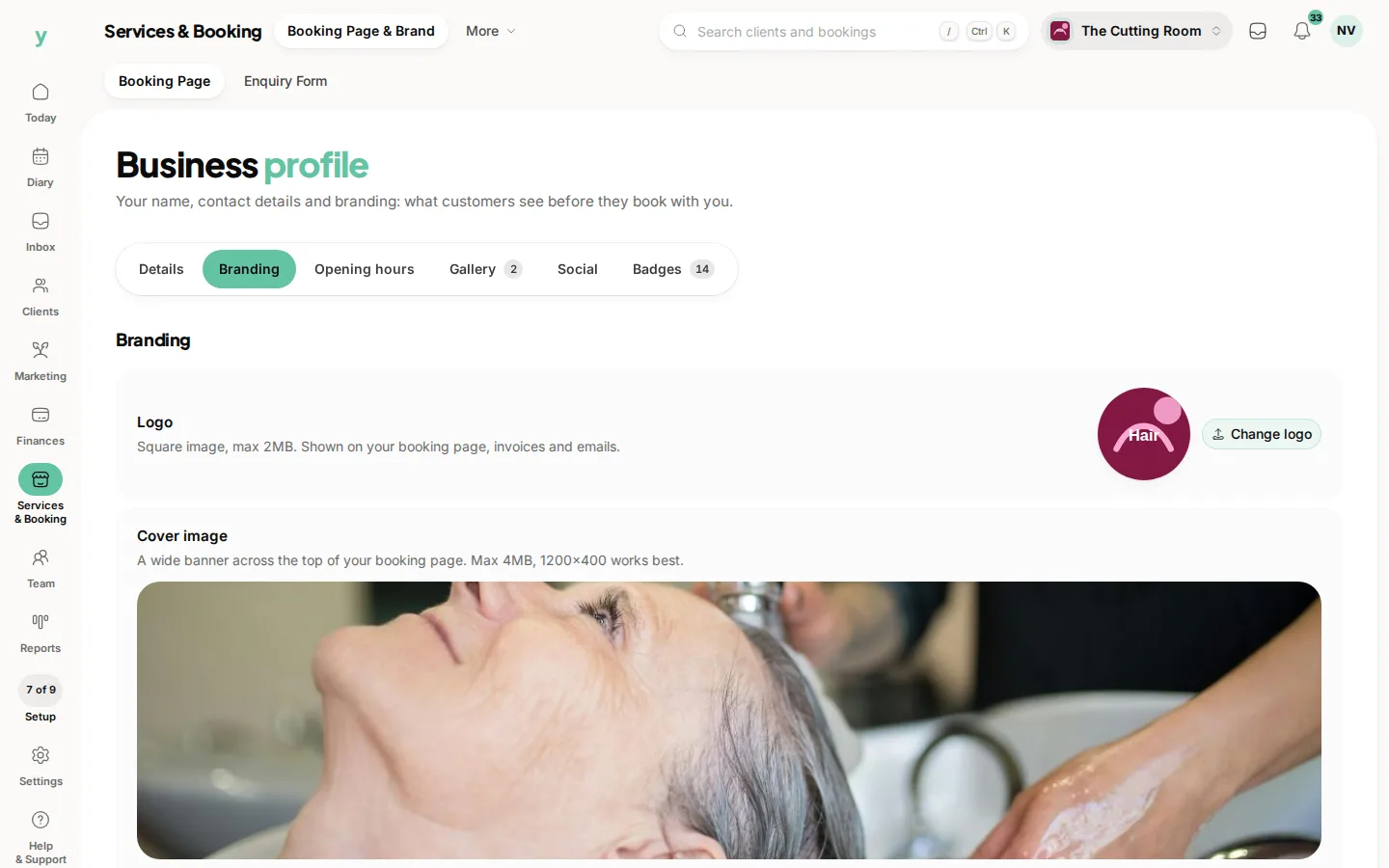
- A clear logo and a warm cover photo
- Services with sensible prices and lengths
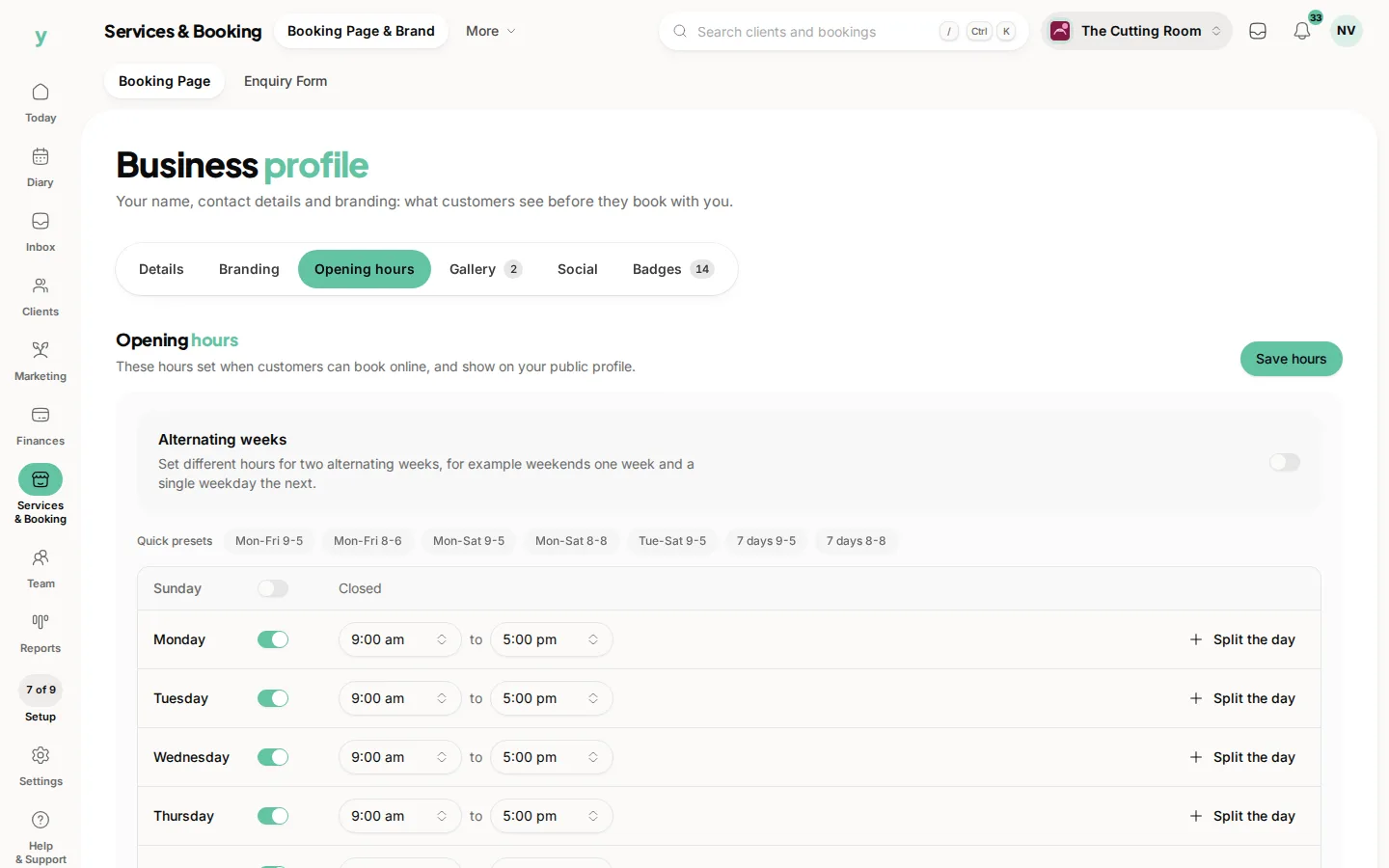
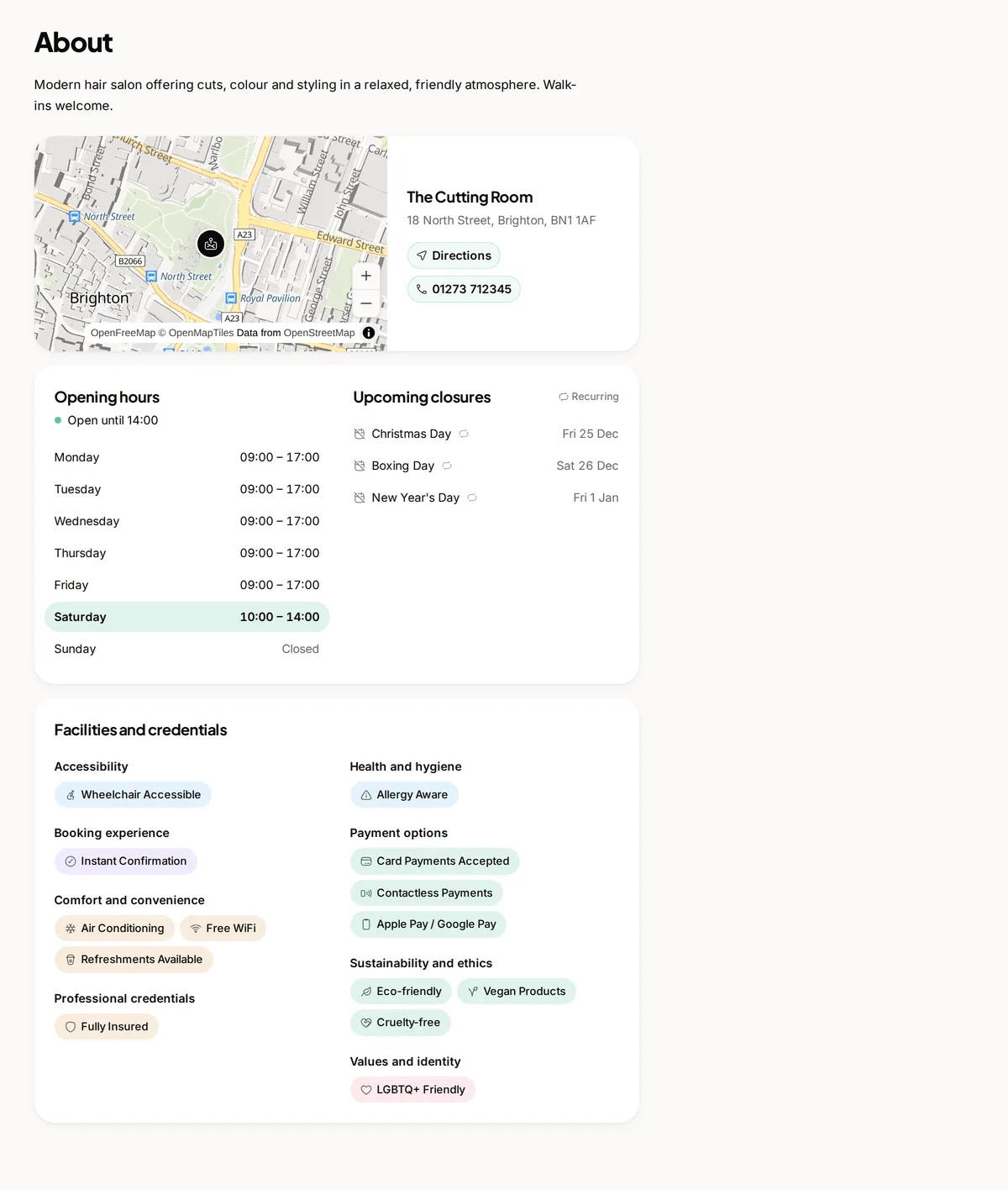
- Accurate opening hours so the times shown are real
- Your address and contact details filled in
Check it before you share it
Open your own page and run through a booking the way a customer would. Make sure the right services show, the times look right and the wording reads well. Once it feels right, share the link far and wide.
Common questions
How do I see what customers see?
Open your own page in a private browser window. Normal browsing shows you a stored copy that may be out of date.
Why is a service missing from my page?
It is either set not to show publicly or nobody with working hours is assigned to it.
Where do I get the link to share?
From your public page settings. It is what you put on social profiles, in your email signature and on printed material.