
Every page in Youzse sits in one menu, laid out the same way for everyone in the business. The small number beside a menu item tells you what is waiting there and you choose what that number counts.
On the web
The rail down the left holds the categories
Today, Diary, Inbox, Clients, Marketing, Finances, Services & Booking, Team and Reports, with Settings and Help & Support at the bottom. A garage with the workshop switched on gets Workshop as well. Click a category and the section name is the heading, with its pages as pills across the top.
Finances and Workshop group some of those pills. Open Takings & Payments for Overview, Payments and Payouts and open Invoices & Quotes for Invoices and Quotes. Diary, Clients, Marketing, Services & Booking, Team and Settings list their pages as pills straight away. If the row is full, the rest sit under More.
A few pills open a second row. Documents & Templates has Design, Defaults and Documents. Booking Page & Brand has Booking Page and Enquiry Form.
Customer messages have their own place
Inbox in the rail and an inbox button in the top bar so a new enquiry is never more than a click away. Your account menu is your picture or initials at the top right, with My account, Support, Help and Sign out.
On a phone or a narrow browser window, the categories move to a dock along the bottom of the screen. The first four sit in the dock and More holds the rest, Settings and Help included. The category's menu shows as its own row under the top bar.
What you see depends on your role and your plan. A page your role does not cover or a feature your business has not switched on is not in your menu.
Search
The search in the top bar finds any page you can open, so if you know what a screen is called you do not need to remember where it lives.
The counts
The small number beside a menu item is its count. Invoices can count the ones that are unpaid or overdue, bookings can count today's or the ones waiting for confirmation, the inbox can count unread or active conversations and so on. Pick the one that matches how you work or switch it off.
To change what a count shows
- 1Open the screen whose count you want to change, for example Finances, then Invoices & Quotes, then Invoices.
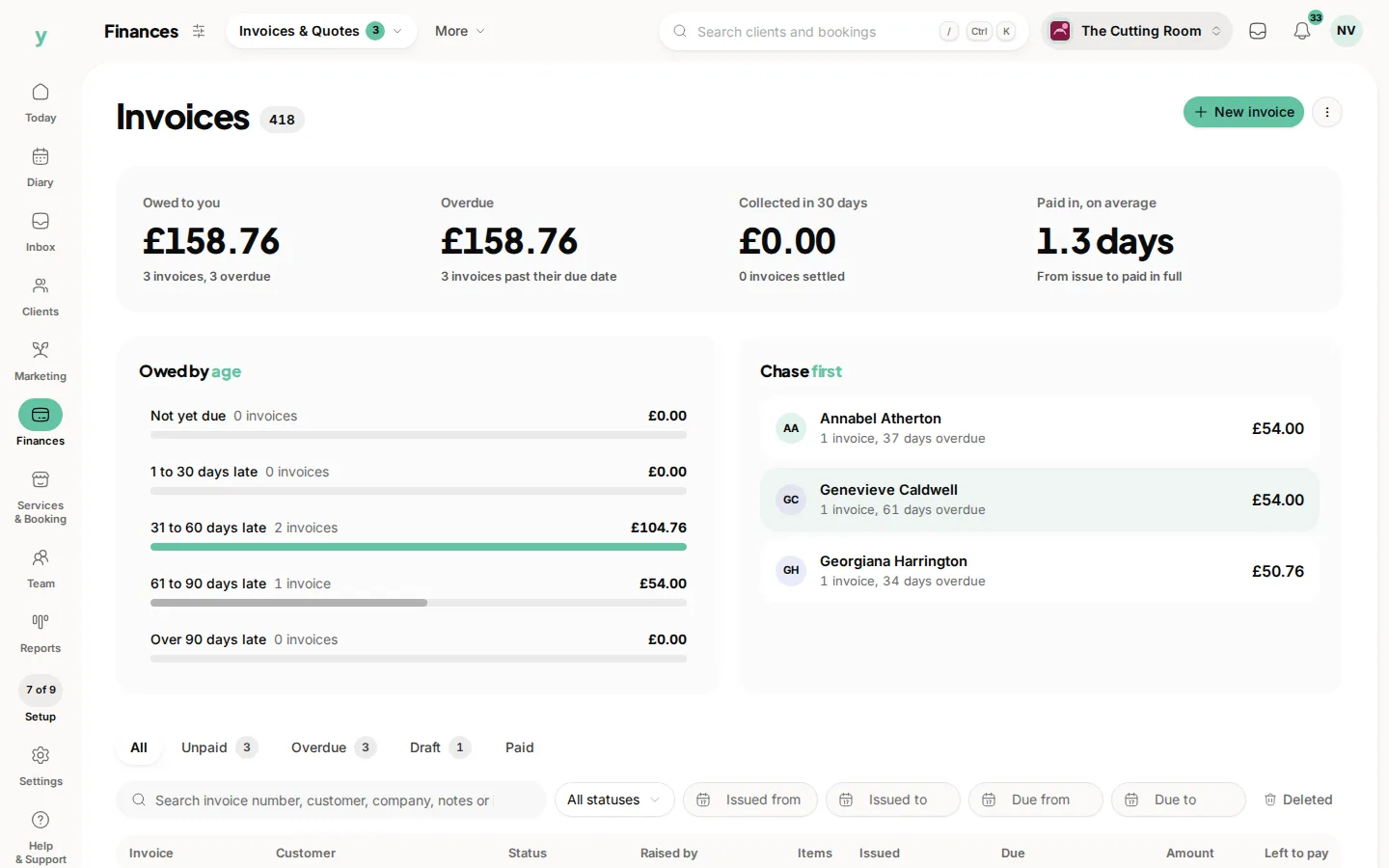
- 2Click the small sliders beside the section name. It only appears on screens whose menu item can carry a count.
- 3Under The count beside Invoices in the menu, choose what it should count or Off to switch the count off.
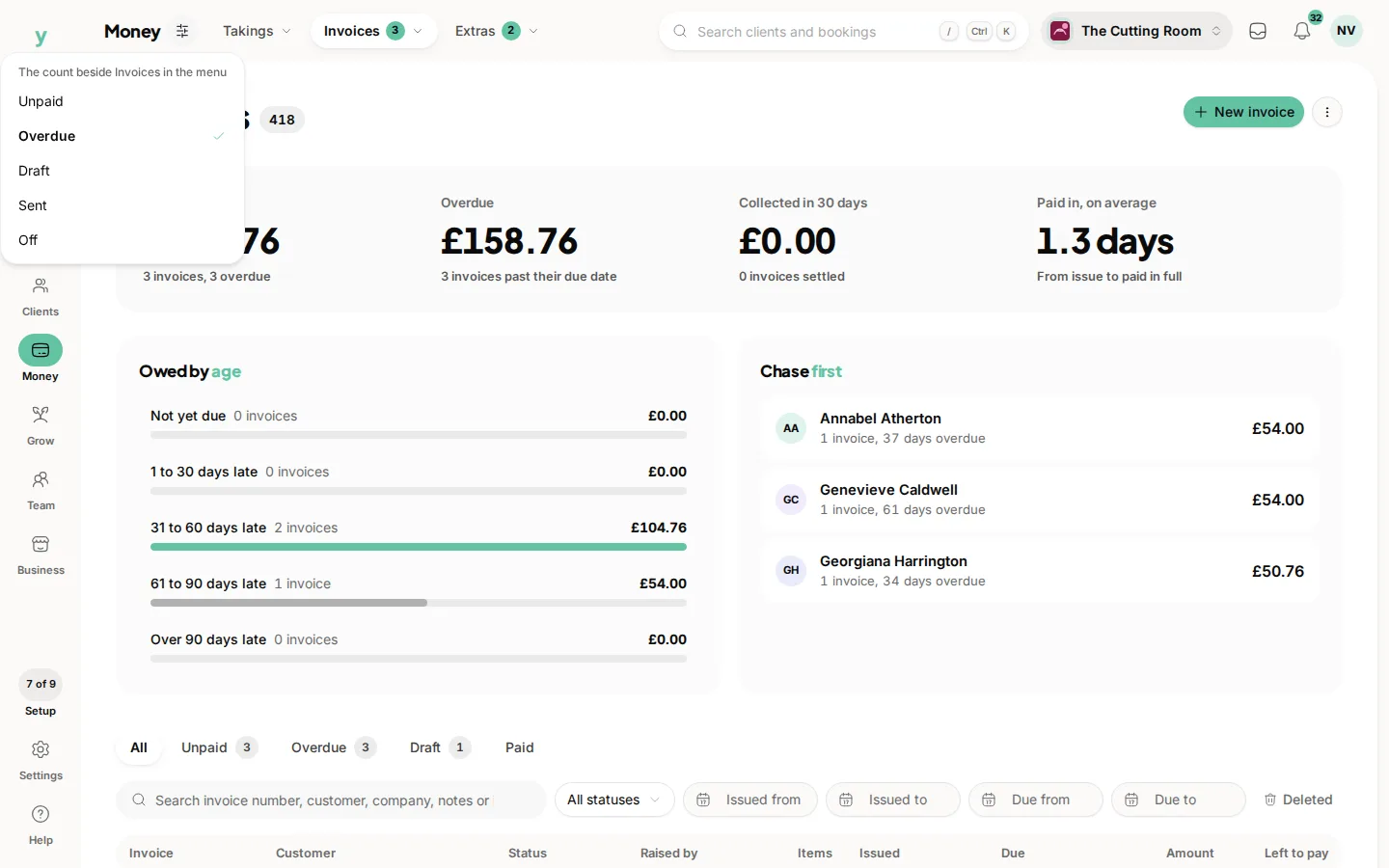
The change saves straight away and applies to everyone in the business, so agree it with your team first. You need the Edit settings permission, which owners and managers have by default. Without it your choice is not saved and the count stays as it was.
Inbox and Team also show a red dot on the rail when something is waiting: unread enquiries on Inbox and leave waiting for approval on Team. The dot follows the standard count for that item, so it goes if you change that count or switch it off.
On the app
Go to More, then App Customisation, then Tab Bar. You get three slots between Dashboard and More. Add or remove items, reorder them with the arrows, then tap Apply. Everything you leave out is still reachable from the More menu.
Your tab bar is saved on your own device for your own login, so your phone and a colleague's phone can be set up completely differently.
Common questions
How do I switch a count off?
Open that screen, click the small sliders beside the section name and choose Off. Choose a count again whenever you want it back.
Why is there no settings icon on this screen?
Its menu item does not carry a count, so there is nothing to choose.
Is a count change just for me?
No. Counts are set for the whole business, so everyone sees the same number beside the same item.
Can I take pages I never use out of the menu?
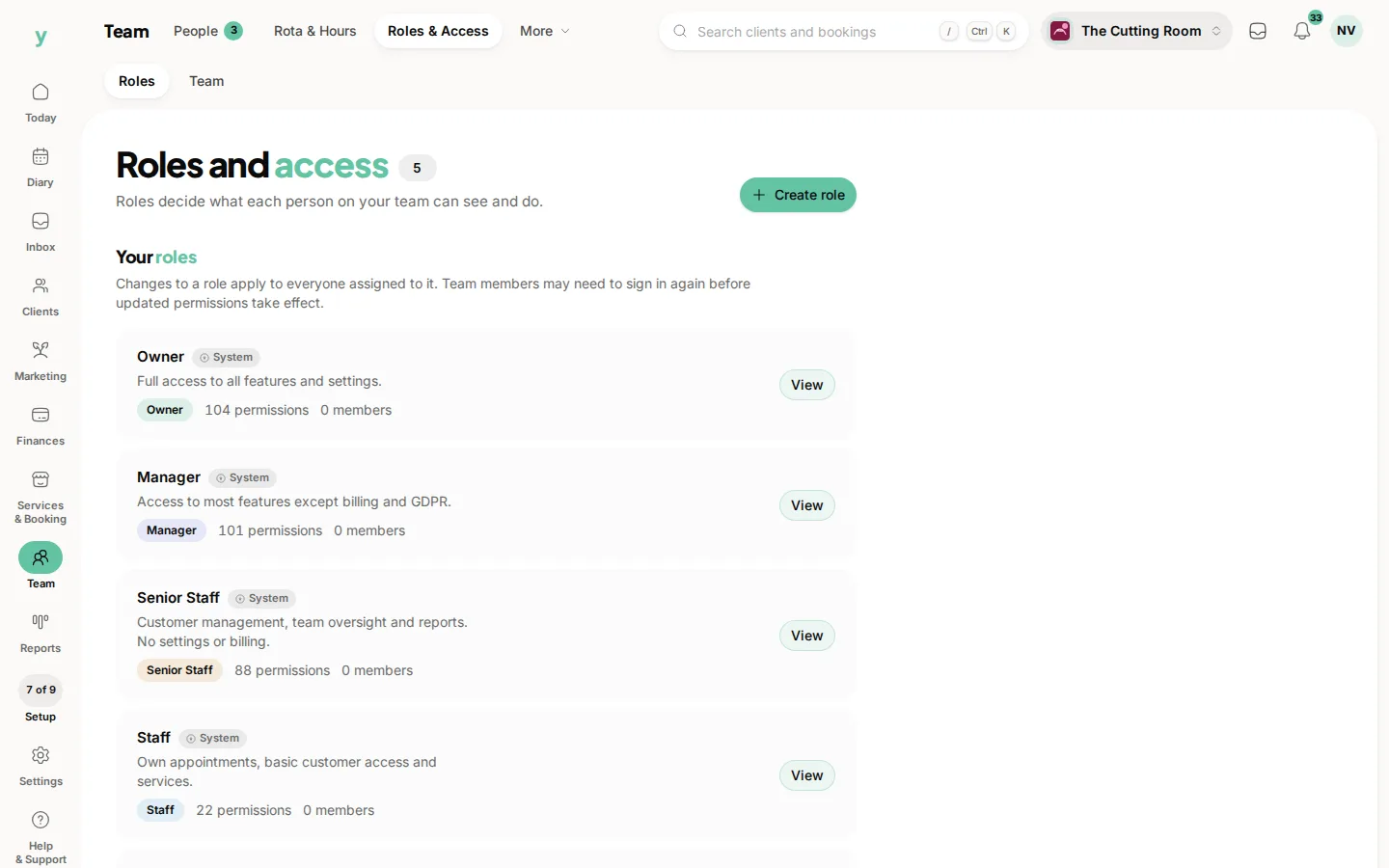
No. The web menu shows every page your role and plan allow. If somebody should not reach a page at all, change their role under Team, then Roles & Access.
Why has a page I used to use disappeared from my menu?
Usually because your role changed or a feature was switched off for the business. Ask an owner or see why a feature is missing from your menu.
Does the web menu carry over to the app?
No. The web menu is the same for everyone in the business. The app tab bar is your own choice, per person and per device.