
Document defaults are the values Youzse fills in for you every time you raise an invoice or a quote. Set them once and you stop retyping the same payment terms forever.
Find them under Settings, then Documents & Templates, then Defaults. You need the Edit settings permission.
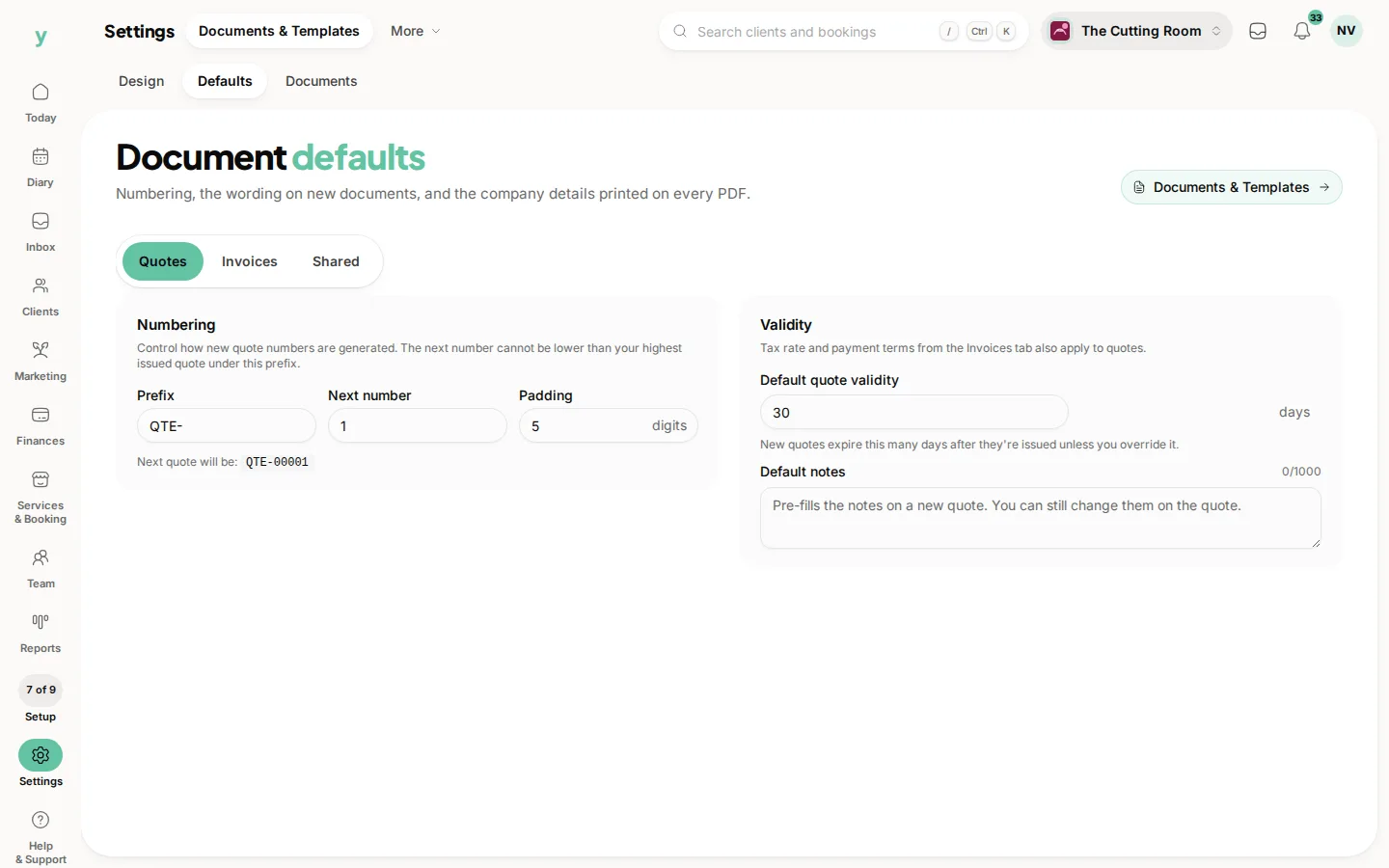
Invoice defaults
- Due days: how long a customer has to pay. This sets the due date on every new invoice.
- Tax rate: the rate applied by default to new lines.
- Payment terms: the sentence explaining how and when you expect to be paid.
- Show site address: include the job site address, which matters if you work at the customer's property rather than yours.
Quote defaults
- Valid for: how many days a quote stands before it lapses. A short window creates useful urgency and thirty days is a common choice.
Shared across your documents
- Terms and conditions: your small print, up to two thousand characters.
- Bank details: the account information for customers paying by transfer.
- Footer: a short line at the bottom of every document, often your company number or a thank you.
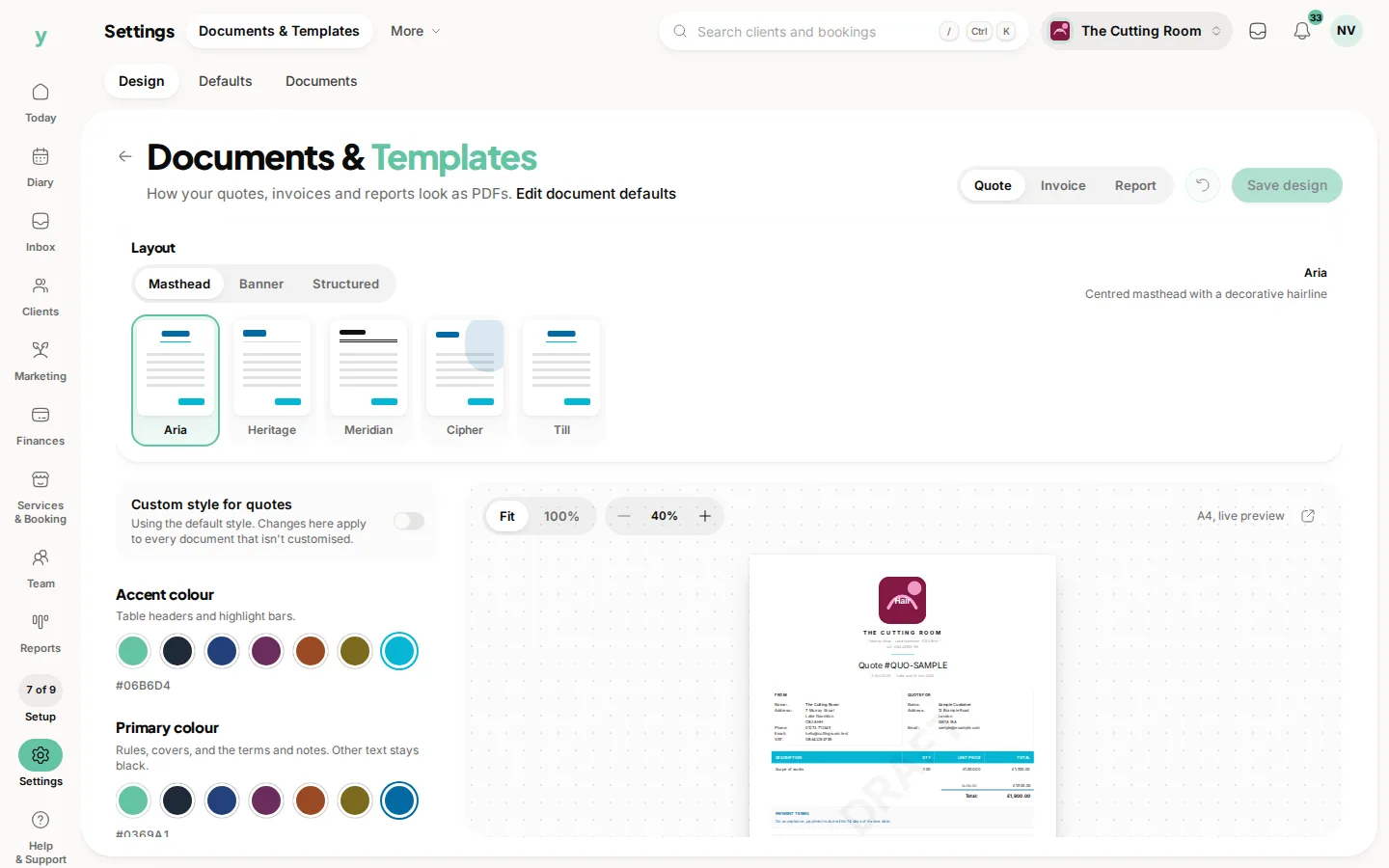
Each of these only appears if the matching switch is on in your PDF template, which is what lets you print bank details on invoices while leaving them off quotes.
Numbering
Invoices, quotes and, on Garage Pro, purchase orders each have three numbering settings.
- Prefix: the letters in front of the number, such as INV or 2026. Letters, digits, hyphens, slashes, dots and spaces are allowed.
- Next number: the number the next document will take.
- Digits: how many digits the number is padded to, from one to ten. Five digits turns 42 into 00042.
Youzse will not let you set the next number at or below the highest number you have already issued under that prefix. That guard exists to stop two documents ever carrying the same number, which is the sort of mistake that only surfaces at year end in front of an accountant.
Changing your prefix is fine and numbering carries on. If you are moving from another system, set your prefix and next number to continue your old sequence rather than starting again at one.
A word on VAT
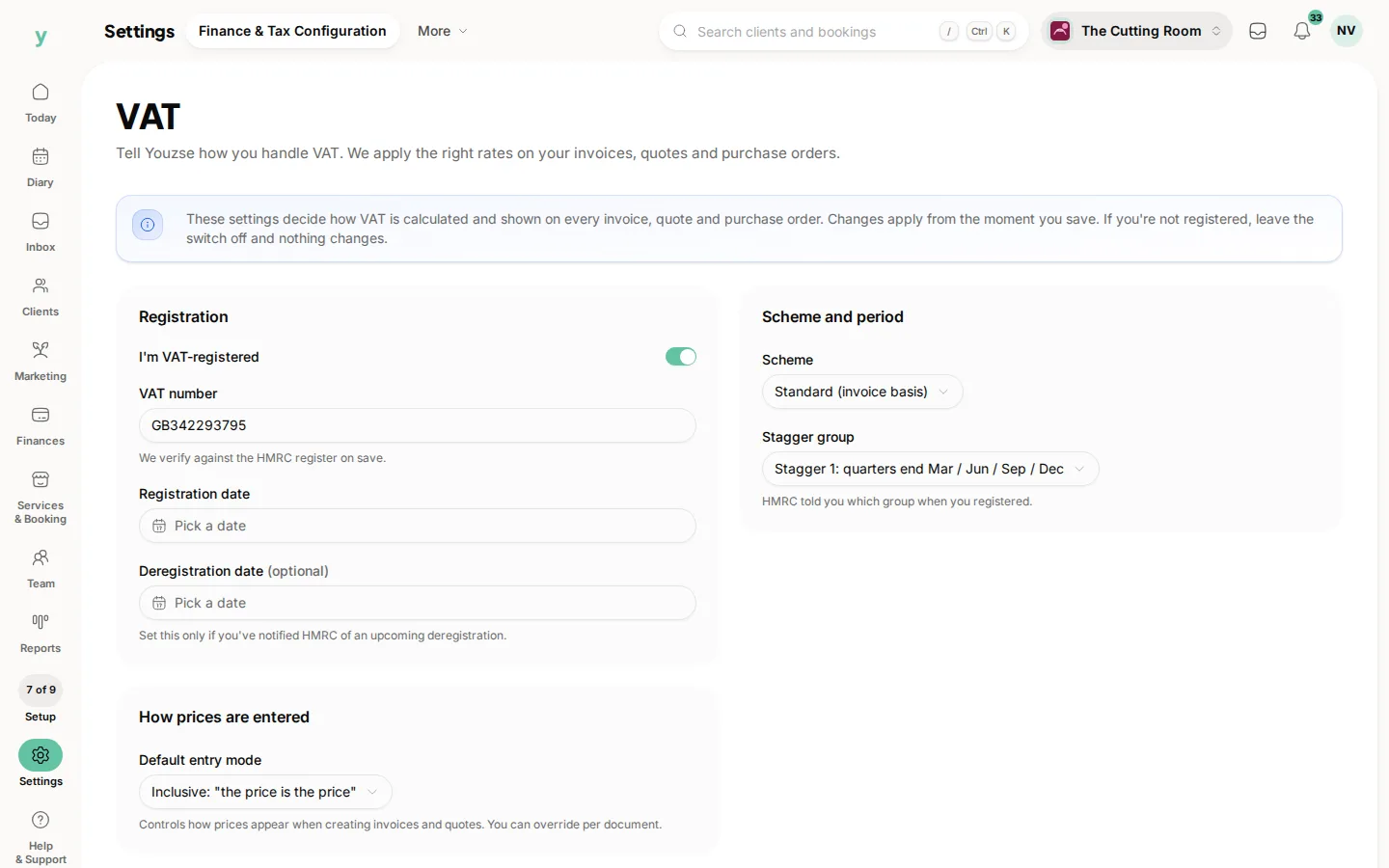
If you are VAT registered, your invoice numbers need to be unique and sequential. Your invoices need to carry the details HMRC requires. Youzse handles the numbering as long as you do not reuse a prefix and count backwards. Your VAT number and rate are set under Settings, then Finance & Tax Configuration.
Purchase orders
Garage Pro adds purchasing terms, payment terms, notes and a footer for purchase orders, kept separate from your customer facing sales terms. Suppliers should not be reading the small print you wrote for customers.
On the app
Go to More, then Business Settings, then Document Defaults. Every field is there and saves to the same place, so a change made on the shop floor is live on the web immediately.
Common questions
Can I change my invoice prefix part way through the year?
Yes. Numbering continues from your next number under the new prefix. Keep a note of the change so your records make sense later.
Why will Youzse not let me set the next number lower?
Because a number below one you have already used would produce two documents with the same reference. Choose a number above your highest issued one or use a new prefix.
Can I carry on my numbering from my old system?
Yes. You should. Set the prefix to match your old one and set the next number to one above your last invoice.
Where do payment terms actually appear?
On the document, as long as the payment terms switch is on in your PDF template under Settings, then Documents & Templates.
Do these defaults change invoices I have already sent?
No. They apply to documents created after you save them. An invoice already raised keeps the terms and numbering it was issued with.
Can I override a default on a single invoice?
Yes. Defaults are a starting point. Change the due date, the rate or the terms on any individual document as you create it.