
Notifications can go by email, push, SMS or WhatsApp. Email and push are on by default. SMS and WhatsApp are off until you turn them on, because they cost money per message.
Why the defaults are what they are
Email and push cost nothing extra, so they are safe to have on from the first day. Turning SMS on silently would mean a business discovering a bill they never agreed to, which is why it waits for a deliberate decision.
The default for everything. Cheap, detailed and easy to keep a copy of.
Push
Goes to the customer's phone through the app. Immediate and free. It only reaches people who have the app.
SMS
A short message sent to the customer’s phone number. SMS is billed per message. Choose the events and timing you need, and check delivery results rather than assuming a message has been read.
More room than a text and more conversational. It carries a per-message cost like SMS.
Turning a channel on
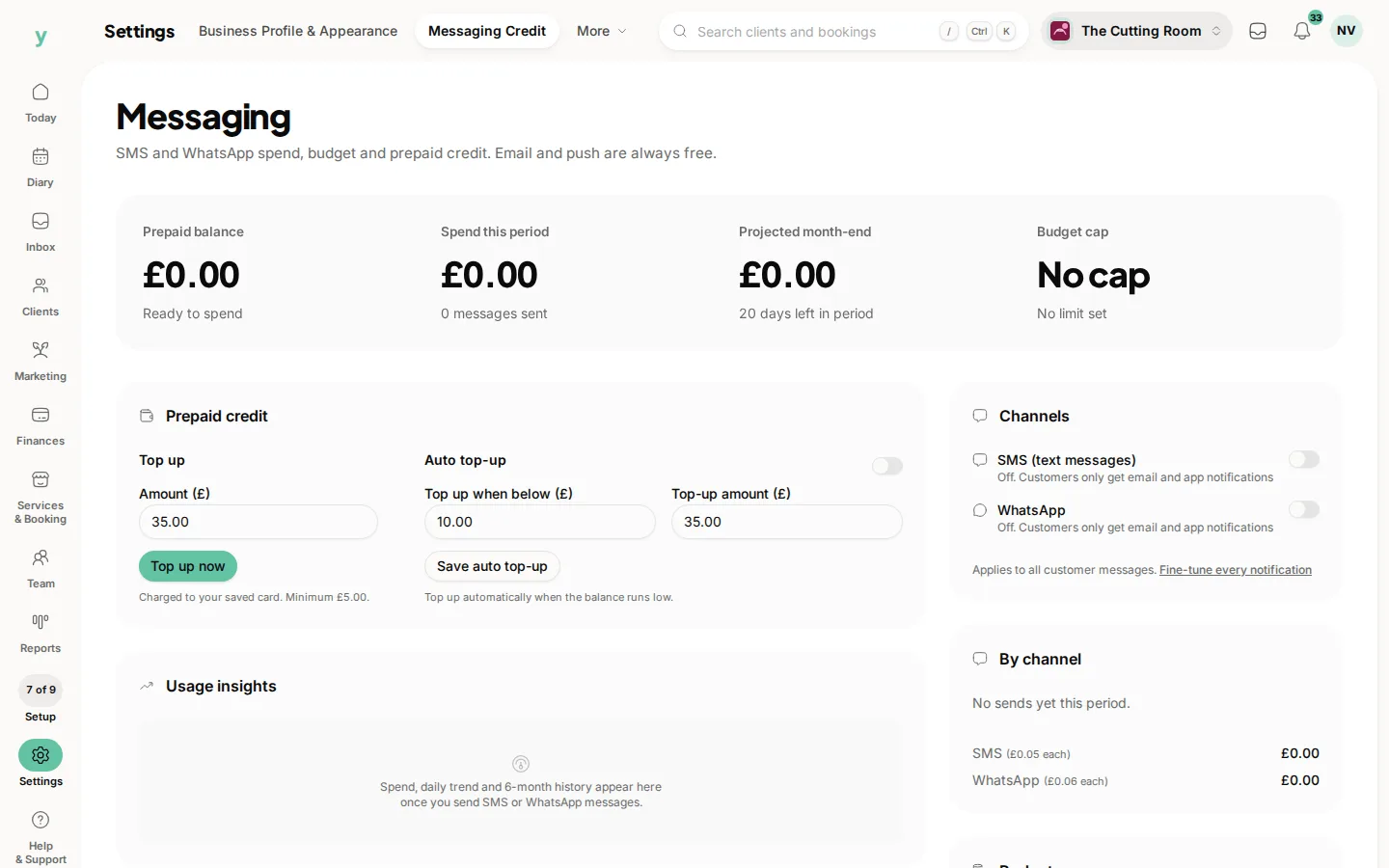
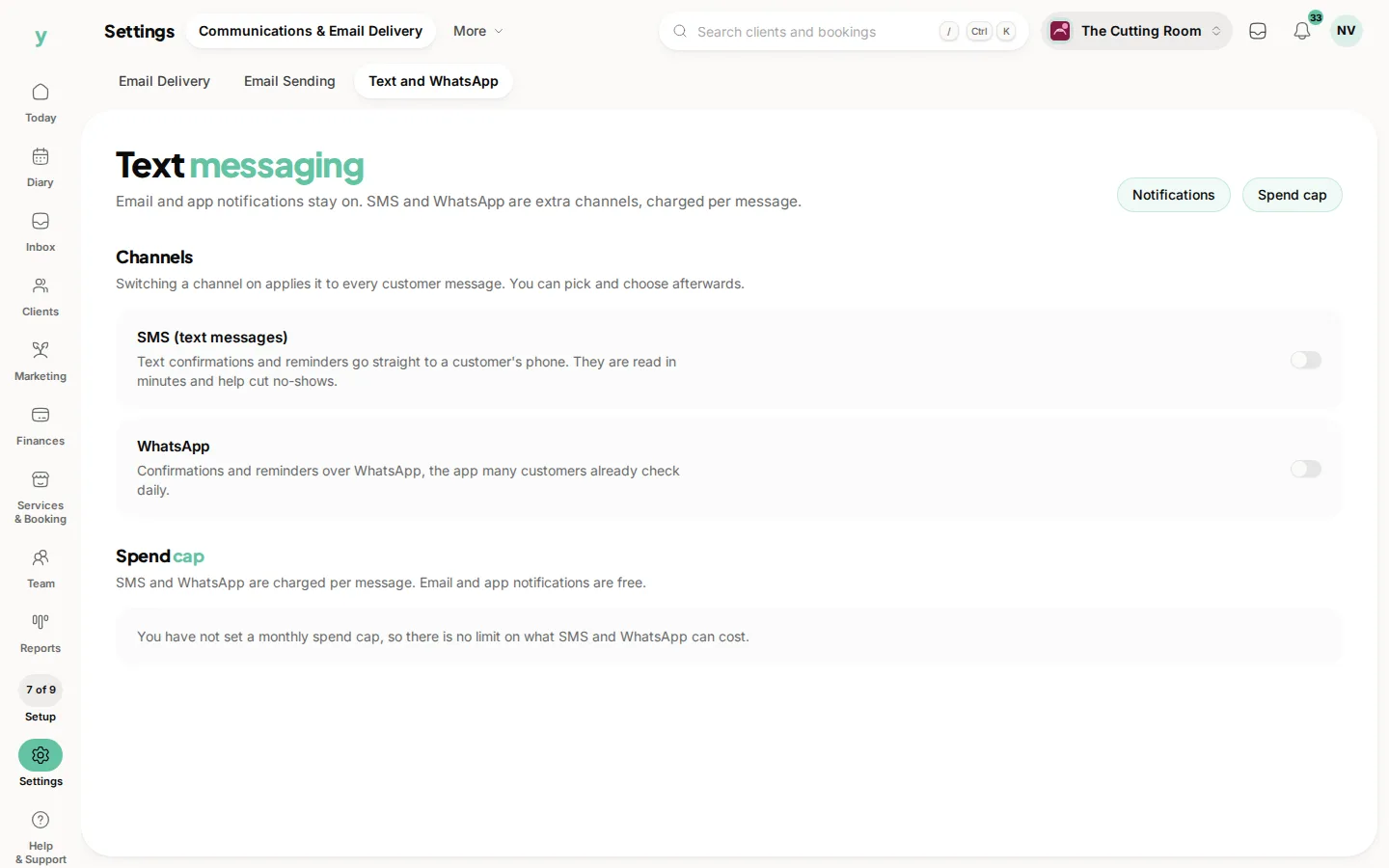
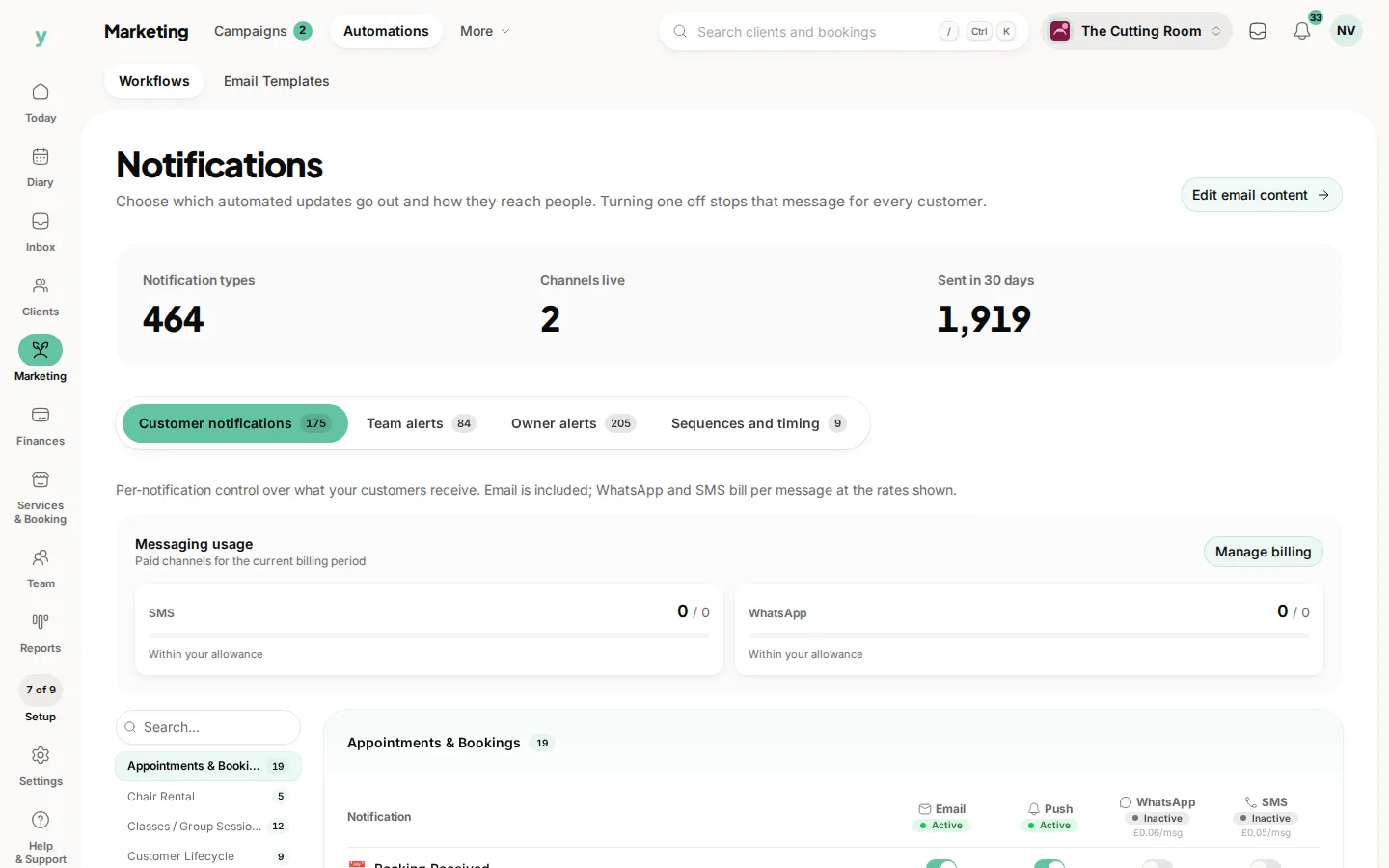
SMS and WhatsApp are switched on for the business under Settings, then Communications & Email Delivery, then Text and WhatsApp. They are paid from prepaid credit, topped up under Settings, then Messaging Credit. Then choose which messages use them in the grid under Marketing, then Automations. A channel switched on with no credit behind it produces messages that never send.
Common questions
Why are my customers not getting texts?
SMS is off by default. Switch it on under Settings, then Communications & Email Delivery, then Text and WhatsApp, check your balance under Settings, then Messaging Credit, then make sure the messages you want are ticked for SMS under Marketing, then Automations.
Do customers choose their own channel?
No. What you tick under Customer notifications is what goes out. Marketing still only reaches people who have opted in.
Is push the same as an SMS?
No. Push goes through the app and is free. SMS goes to any phone and costs per message.