
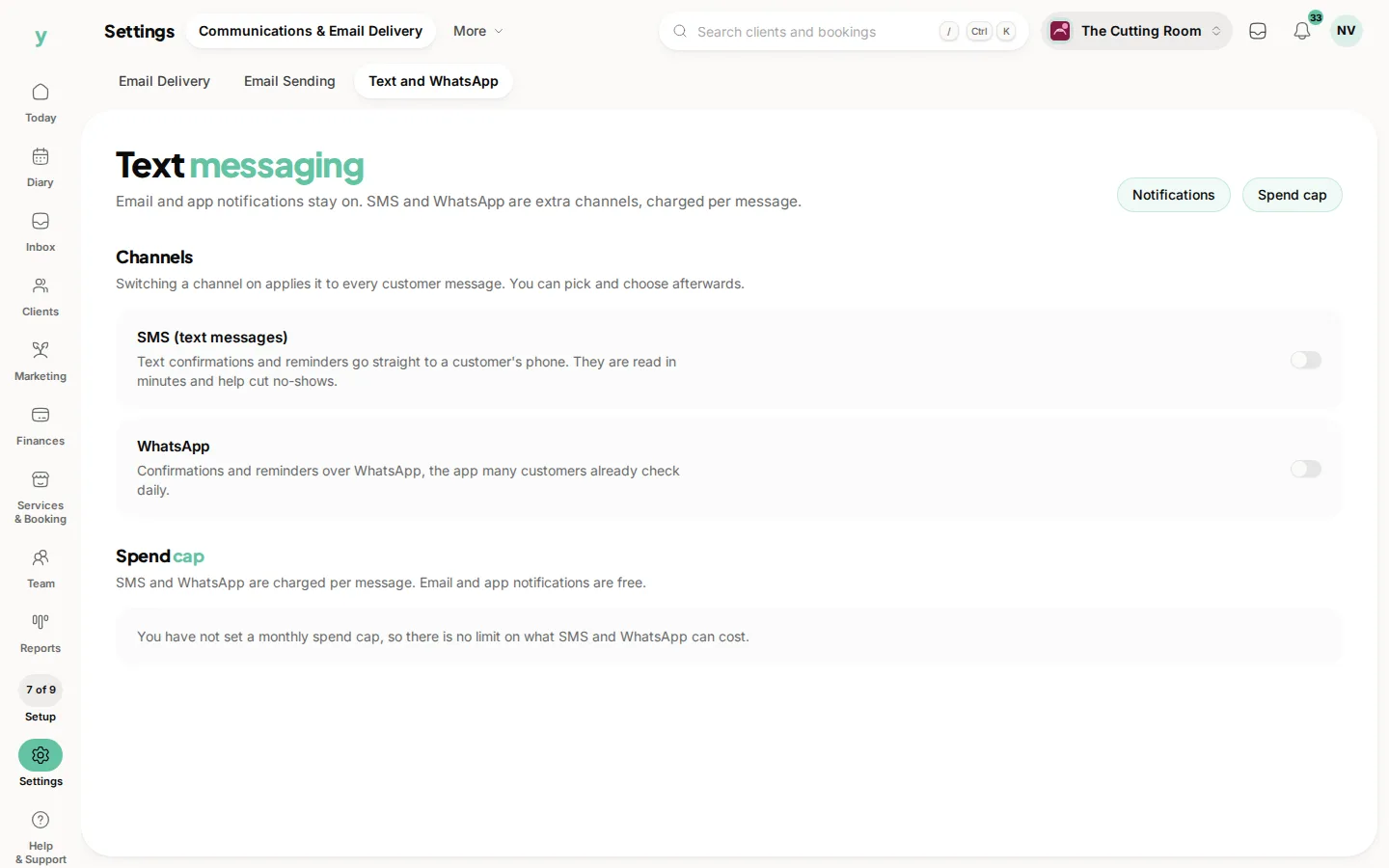
Email and app notifications work from the start. SMS and WhatsApp cost per message, so they stay off until you set them up.
Switching them on
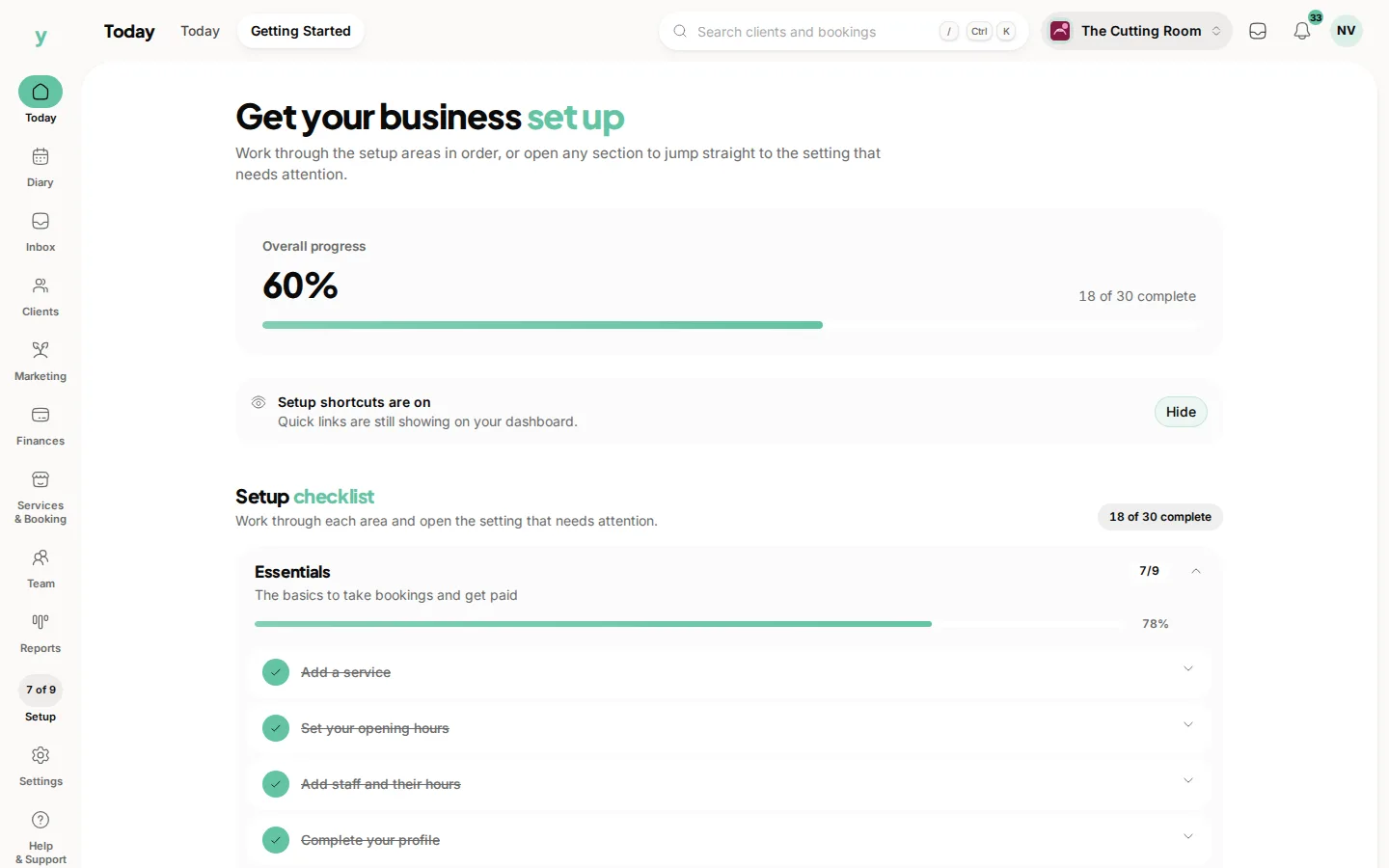
Go to Settings, then Communications & Email Delivery, then Text and WhatsApp. The SMS and WhatsApp switches there turn each channel on or off for every customer message at once. The same screen holds the business details your texts are sent under. You need the Edit settings permission. While setup is unfinished, Turn on SMS reminders and Turn on WhatsApp messages on your Getting started list (Today, then Getting Started) open the same screen.
Paying for them
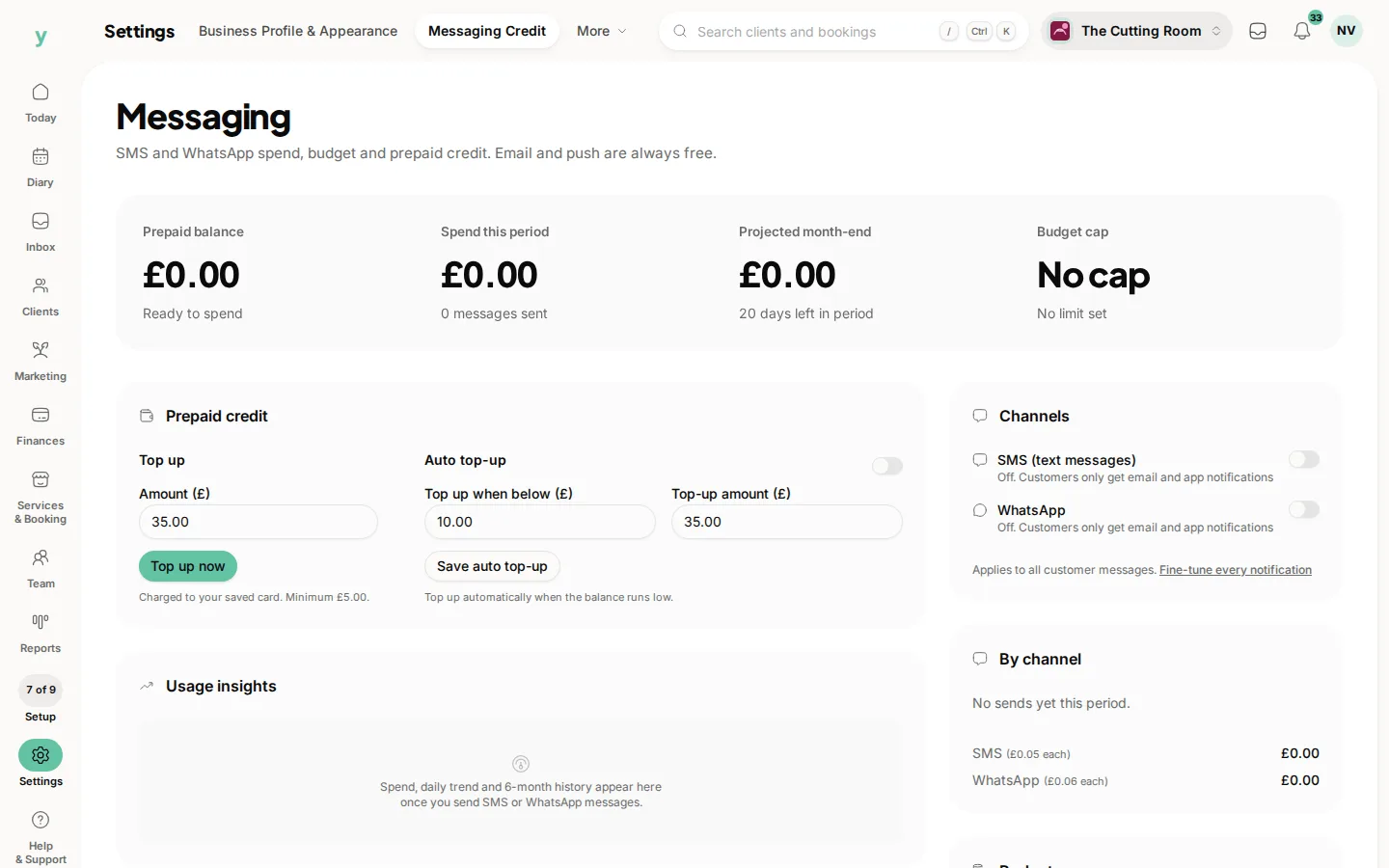
Go to Settings, then Messaging Credit. It holds your prepaid balance, what you have spent this period, a projection to month end, top ups, auto top-up and a monthly budget cap, along with the same SMS and WhatsApp switches. Opening it needs the Manage billing permission, which owners have.
Choosing which messages use them
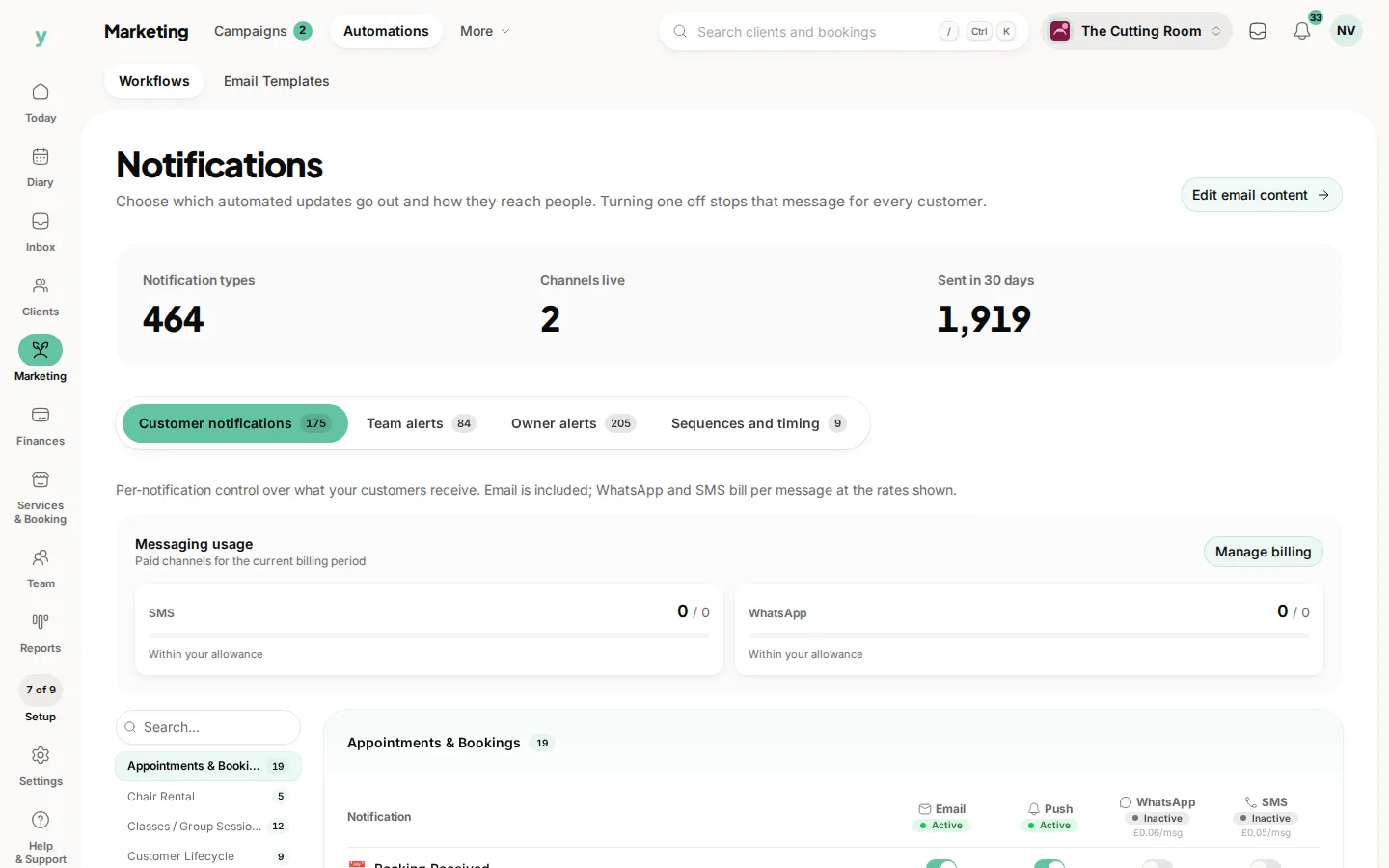
Go to Marketing, then Automations. The grid of notifications and channels decides which messages go by text or WhatsApp, so you can keep the paid channels to the ones that earn their cost.
Before you enable a paid channel
Work out roughly what you will send. A hundred bookings a month with one reminder each is a hundred messages and knowing that number in advance is better than discovering it on a bill.
What to use SMS for
The day-before reminder and cancellations somebody needs to know about now. Both are worth paying for because both directly protect revenue.
What not to use it for
Anything that could wait for an email. Newsletters, offers and general updates all belong on a channel that costs nothing.
Keep an eye on it
Check what you are spending occasionally rather than never. Messaging costs creep up quietly as your booking volume grows.
Common questions
Do I need to set anything up to send email?
No. Email works from the start. Messaging setup is only for SMS and WhatsApp.
What happens when I run out of credit?
Sends stop rather than failing silently, so you find out before your customers do.
Can I cap what I spend?
Yes. Set a monthly budget cap under Settings, then Messaging Credit. Once it is reached, SMS and WhatsApp pause until the next period and email carries on as normal.