
On a phone, Youzse is on the bar along the bottom of the staff screens. Tap it and you are in the conversation. The message box stays at the bottom, so you can type while the keyboard is open.
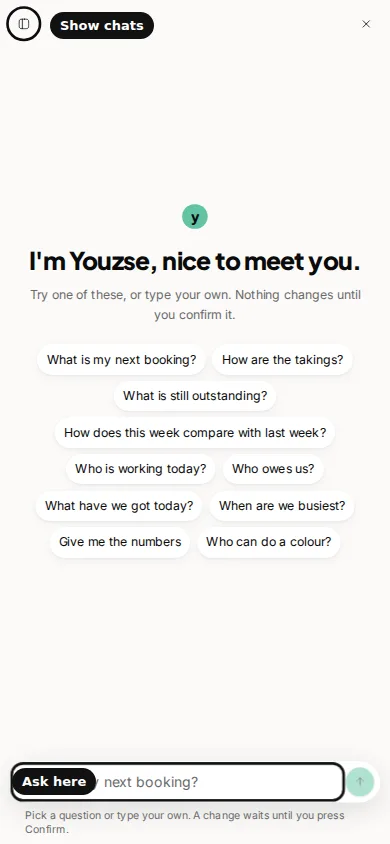
Your chats are tucked away, to leave room for the reply. Press Show chats to open the list. From there you can open an earlier chat or start a new one. Account is in that same list. The owner uses Account to save a model key and to connect Claude, ChatGPT or Cursor.
Asking works the same way as on a large screen. Ask about bookings, takings, customers or the diary. Tap a suggested question on the greeting, or type your own. When the answer is a set of figures, the card draws the bars and the sentence is the headline.
Confirming works the same way too. The card shows Confirm and Deny. Nothing changes until you press Confirm. Deny dismisses the card. The card expires after 10 minutes.
The business you are signed into is still the one Youzse answers for. On a phone you switch business from More, on the bottom bar. Switch first, then ask.
Common questions
Is the phone version a different assistant?
No. It is the same Youzse, for the same business, with the same Confirm card.
I cannot see my other chats.
Press Show chats. The list opens over the conversation.
Can I confirm a change from my phone?
Yes. Press Confirm on the card. It still expires after 10 minutes if you leave it.