
Youzse recognises QuickBooks's column names, so a QuickBooks export imports with the mapping already done for you. Export your data, upload the files and check the Mapping step rather than filling it in.
Exporting from QuickBooks
Sign in at quickbooks.intuit.com.
- 1Open Sales, then Customers and export the list.
- 2Open Sales, then Invoices, filter by date range and export.
- 3Save both as CSV if QuickBooks offers you a choice of format.
Uploading to Youzse
- 1Go to Services & Booking, then Import
- 2Choose Full migration and add your files at the Files step
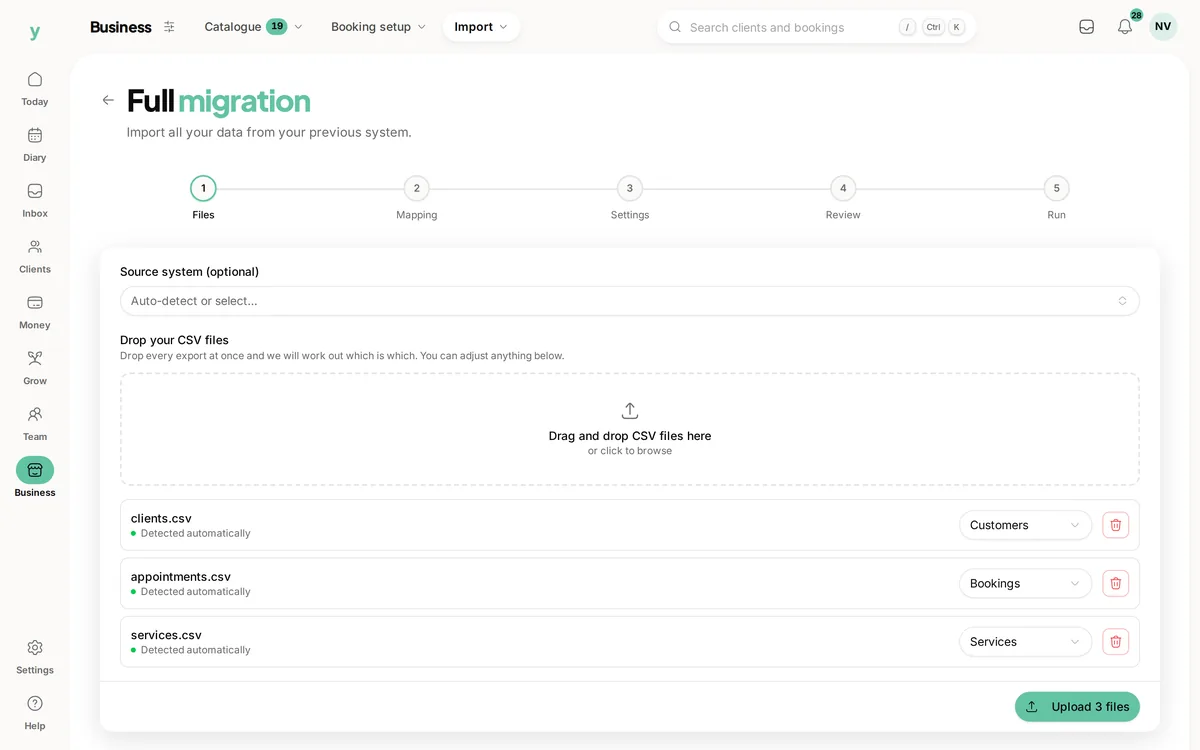
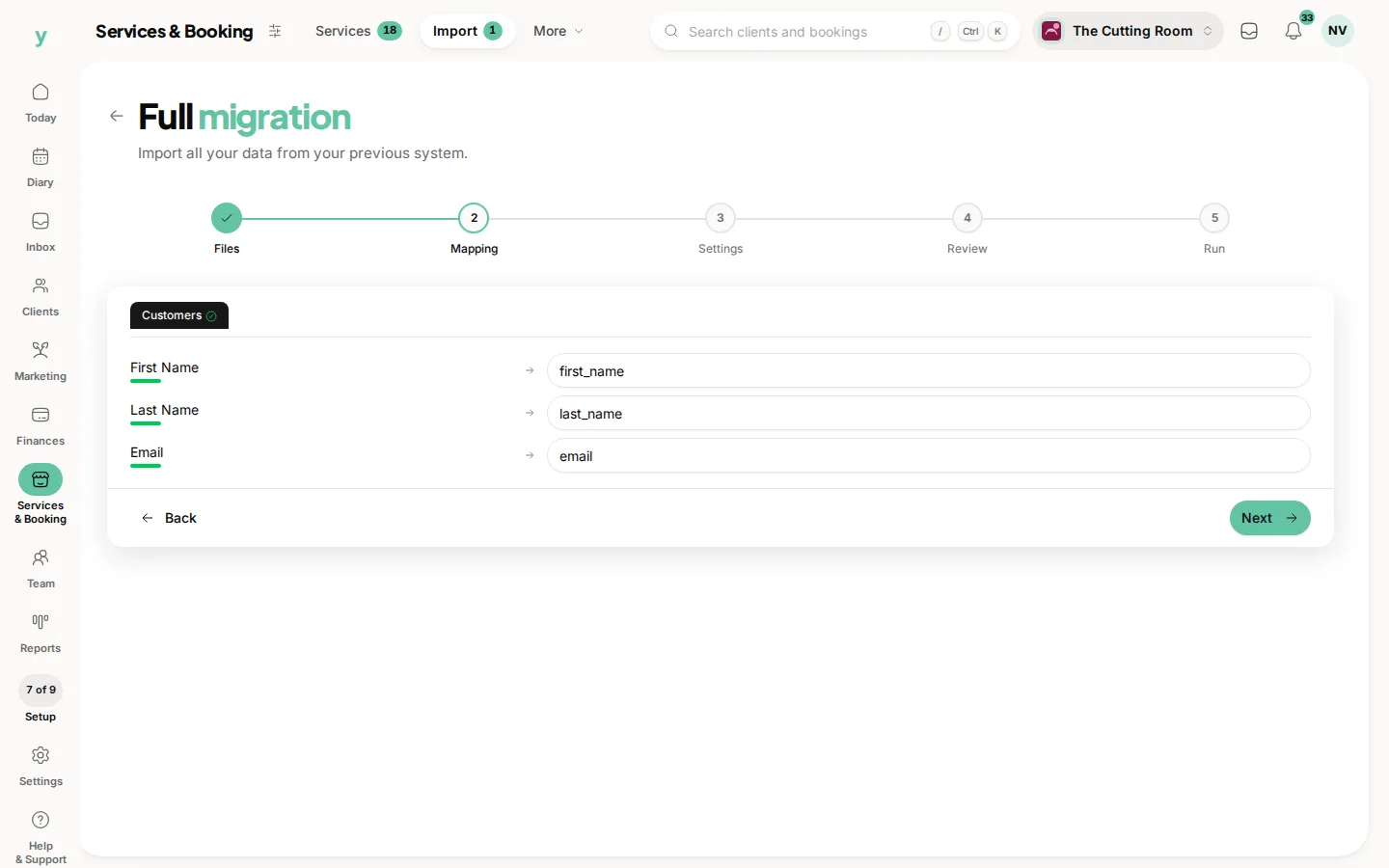
- 3At the Mapping step, check what has been matched, which coming from QuickBooks should already be right
- 4At the Settings step, describe where the data came from and pick your lawful basis
- 5Review the counts and run it
Leave Source system on Auto-detect. Youzse works out that the file came from QuickBooks from the headers.
Columns Youzse recognises
- Customers: Customer, Display Name, Company, Email, Phone, Mobile, Street, City/Town, County, Postcode/Zip, Country and Notes
- Companies: Company, Phone, Email, Website, Street, City/Town, County, Postcode/Zip, Country, VAT Reg No and Company Number
- Invoices: Invoice No., Date, Due Date, Customer, Amount, Tax, VAT, Total, Balance Due, Status and Memo
Worth knowing
- QuickBooks holds a customer name in one column, which is split into first and last name automatically
- Invoice statuses map across, so paid stays paid, past due becomes overdue and open or unpaid becomes sent
- VAT Reg No and Company Number are imported onto company records, which matters if you invoice businesses
What will not come across
- Saved card details, which no platform can transfer
- Photos and attachments
- Staff logins, because staff are invited to set their own password
Common questions
Should I keep using QuickBooks for accounts?
Many businesses do. Youzse handles bookings, invoicing and payments day to day. You can keep your accountant on QuickBooks.
Do payments come across with the invoices?
The status does, so a paid invoice arrives marked paid. Individual payment transactions are not imported.
What is the difference between customers and companies?
A customer is a person and a company is a business you invoice. Import companies first if your invoices are addressed to businesses.