
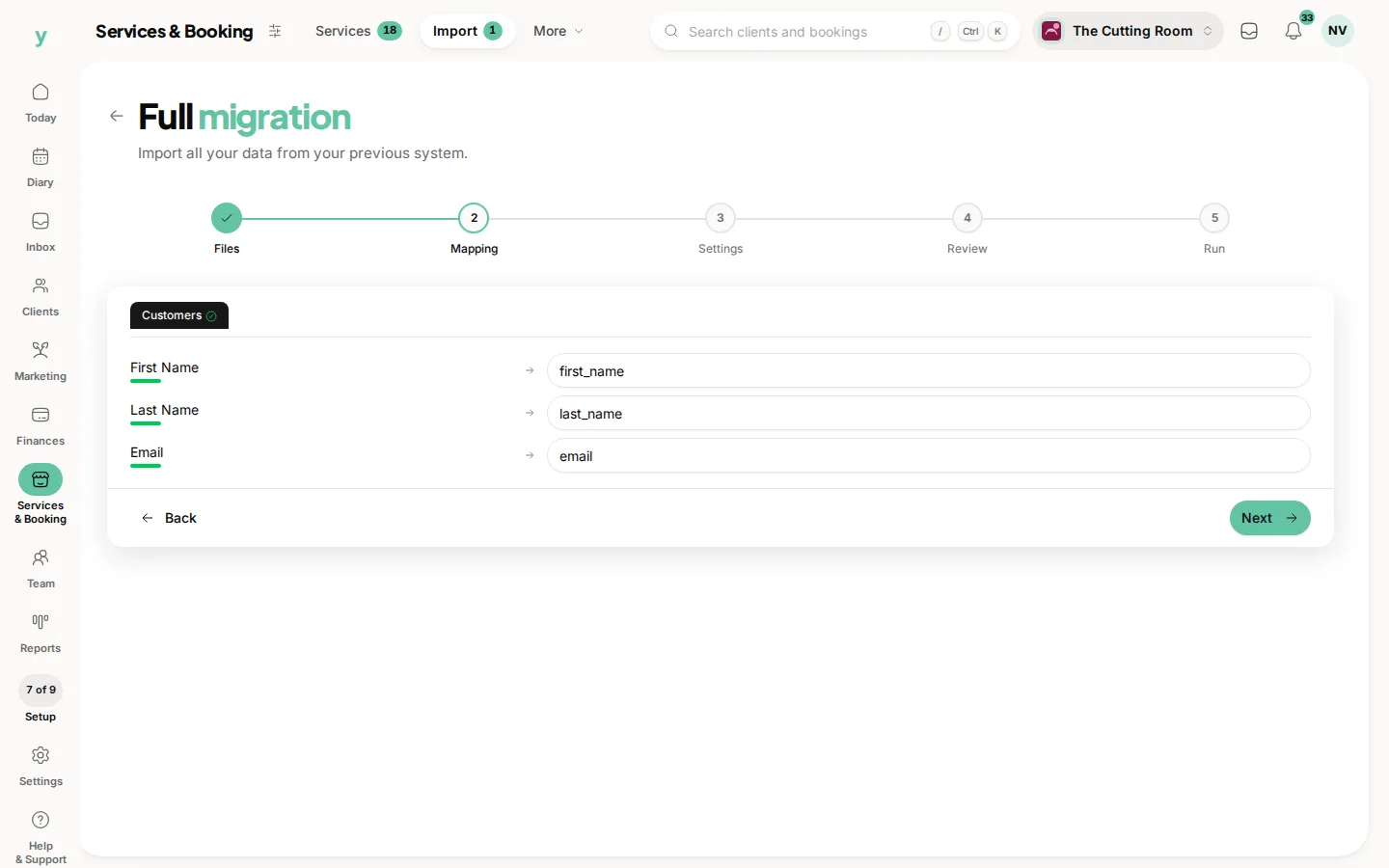
At the Mapping step every column in your file is listed with the Youzse field it has been matched to. You can change any of them. You can leave a column out.
When you will need this
If your export came from one of the ten recognised platforms, most columns are already matched and you are only checking. If it came from anywhere else or from a spreadsheet you keep yourself, this is where the work happens.
How to map a column
Each row on the Mapping step is one column from your file. Pick the Youzse field it belongs to. Anything you leave unmapped is ignored, which is the right answer for internal reference numbers and columns you no longer need.
The fields worth knowing
- Customers: first name, last name, email, phone, date of birth, address, city, county, postcode, country, notes, marketing opt-in and source
- Services: name, category, duration in minutes, price and description
- Staff: display name, first name, last name, email, phone and job title
- Appointments: start date and time, service name, customer name, customer email, staff name, duration, price, status, notes and location
- Invoices: invoice number, issue date, due date, customer name, subtotal, tax, total, amount due and status
Names in one column
If your file has a single full name column, map it to the full name field and Youzse splits it. Do not split it yourself in the spreadsheet, because middle names and double-barrelled surnames go wrong far more often by hand.
Dates and times in separate columns
Where a platform is recognised, a separate time column is joined onto the date automatically. For an unrecognised export, the tidiest fix is to combine date and time into one column in your spreadsheet before you upload.
Prices
Enter prices as you normally write them. Youzse converts to pence on the way in, so 42.50 is understood.
Common questions
What happens to a column I do not map?
Nothing. It is ignored and not stored, which is the right choice for old system IDs and internal codes.
Can I map two columns to the same field?
No, one column per field. If you have both Mobile and Phone, map whichever is more reliably filled in.
Do I have to map every field Youzse offers?
No, only what you have. A customer import with nothing but name and email works perfectly well.