
Youzse recognises Fresha's column names, so a Fresha export imports with the mapping already done for you. Export your data, upload the files and check the Mapping step rather than filling it in.
Exporting from Fresha
Log in at partners.fresha.com.
- 1Open Clients from the left-hand menu to see your full client list.
- 2Use the export option at the top of the list and choose CSV.
- 3Open Calendar, then the Appointments tab. Set the date filter as far back as it goes, then export.
- 4Take your service menu export too if Fresha offers one separately.
Uploading to Youzse
- 1Go to Services & Booking, then Import
- 2Choose Full migration and add your files at the Files step
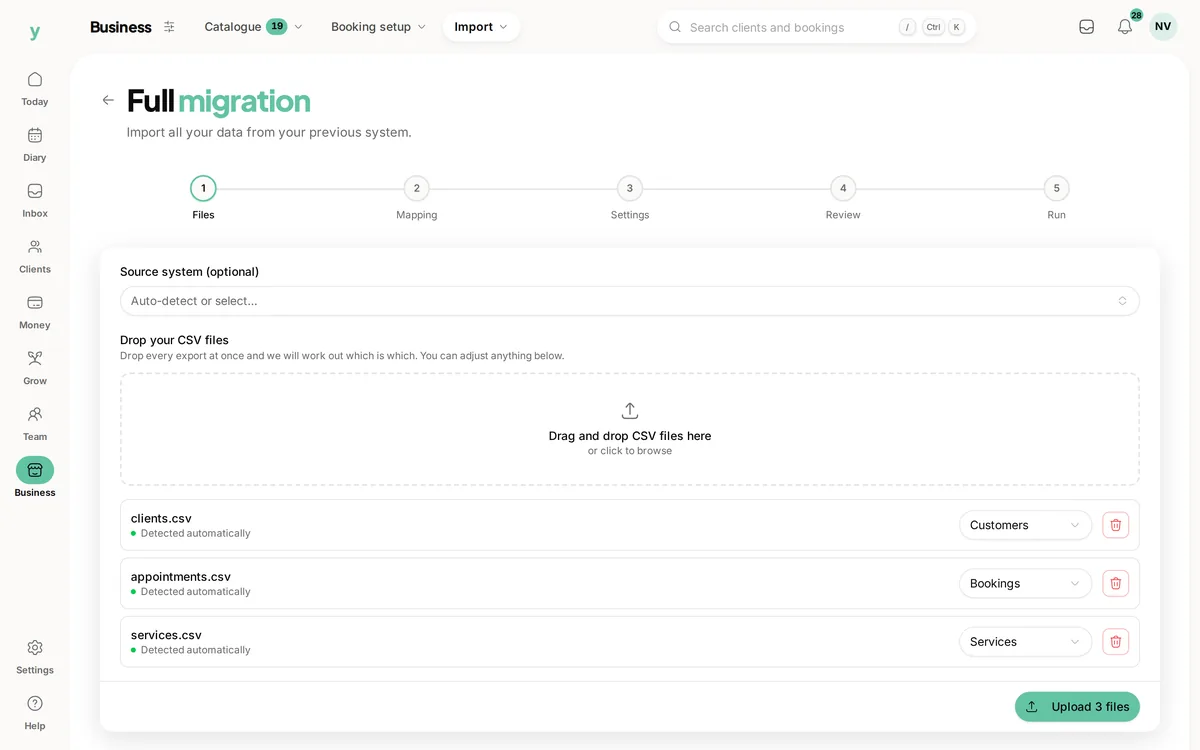
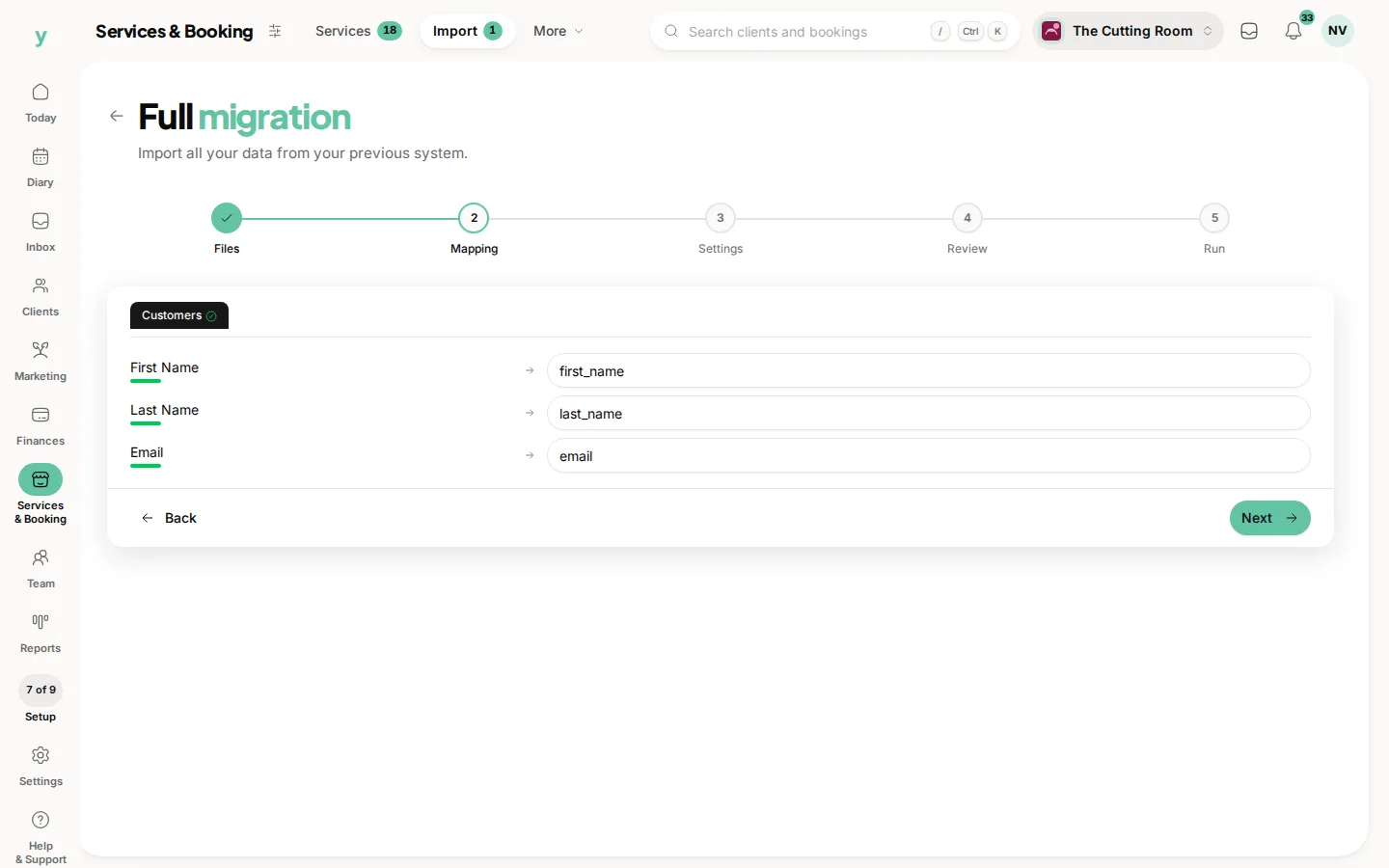
- 3At the Mapping step, check what has been matched, which coming from Fresha should already be right
- 4At the Settings step, describe where the data came from and pick your lawful basis
- 5Review the counts and run it
Leave Source system on Auto-detect. Youzse works out that the file came from Fresha from the headers.
Columns Youzse recognises
- Clients: Client First Name, Client Last Name, Client Email, Client Mobile, Client Birthday, Client Notes, Client Address, Client City, Client Postcode, Client Country and Marketing Consent
- Services: Service Name, Service Category, Duration (min), Price and Description
- Appointments: Appointment Date, Appointment Time, Service, Client, Client Email, Team Member, Status, Price, Location and Notes
- Team: Team Member Name, First Name, Last Name, Email, Phone and Job Title
Worth knowing
- Marketing Consent is imported and honoured, so people who opted out in Fresha stay opted out
- Appointment Date and Appointment Time are joined into one timestamp automatically
- Fresha statuses map across, so completed, confirmed, cancelled, no-show and pending all land correctly
What will not come across
- Saved card details, which no platform can transfer
- Photos and attachments
- Staff logins, because staff are invited to set their own password
Common questions
Does my Fresha marketing consent come across?
Yes. Fresha exports a Marketing Consent column and Youzse imports it, so anyone who opted out stays opted out.
Will my Fresha reviews transfer?
Not in the CSV, but there is a separate review import that takes Fresha reviews pasted straight in. See Bringing your reviews across.
How far back does the appointment export go?
As far as you set the date filter. Fresha defaults to a short recent range, so widen it before exporting or you will only get a few weeks.