
Full migration has five steps
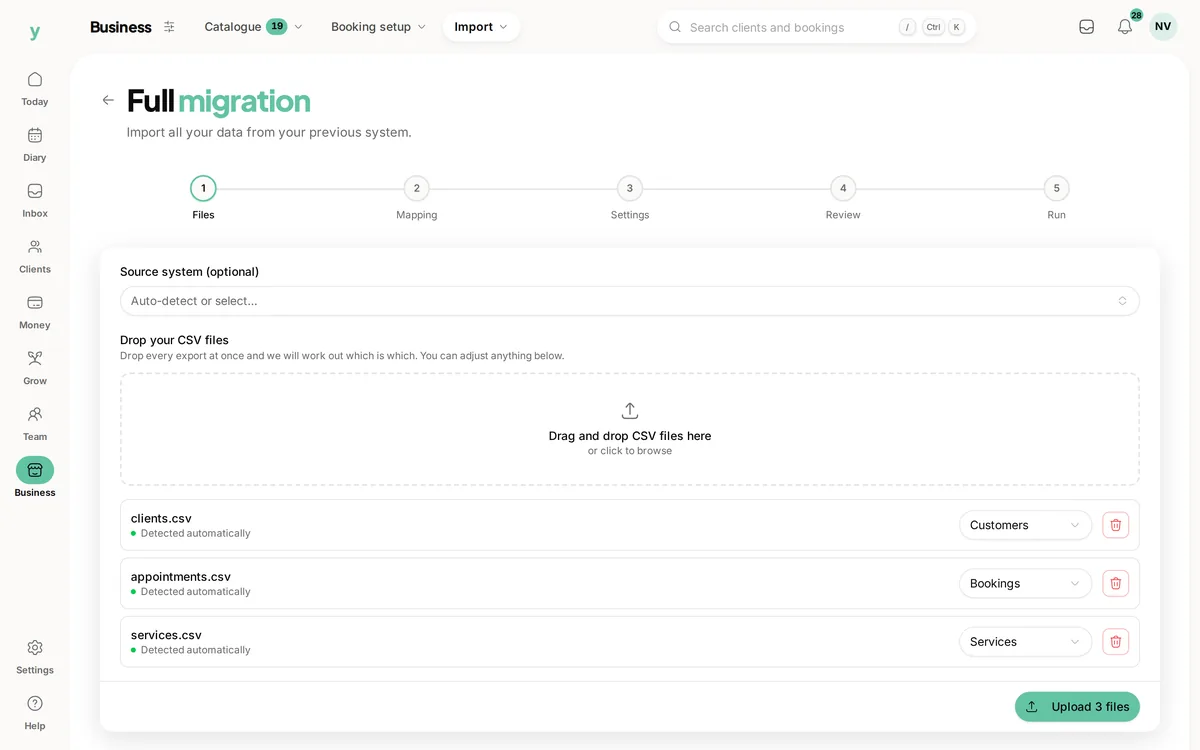
Files, Mapping, Settings, Review and Run. On the Files step you can leave Source system on Auto-detect, because Youzse works the platform out from the column headers in your file.
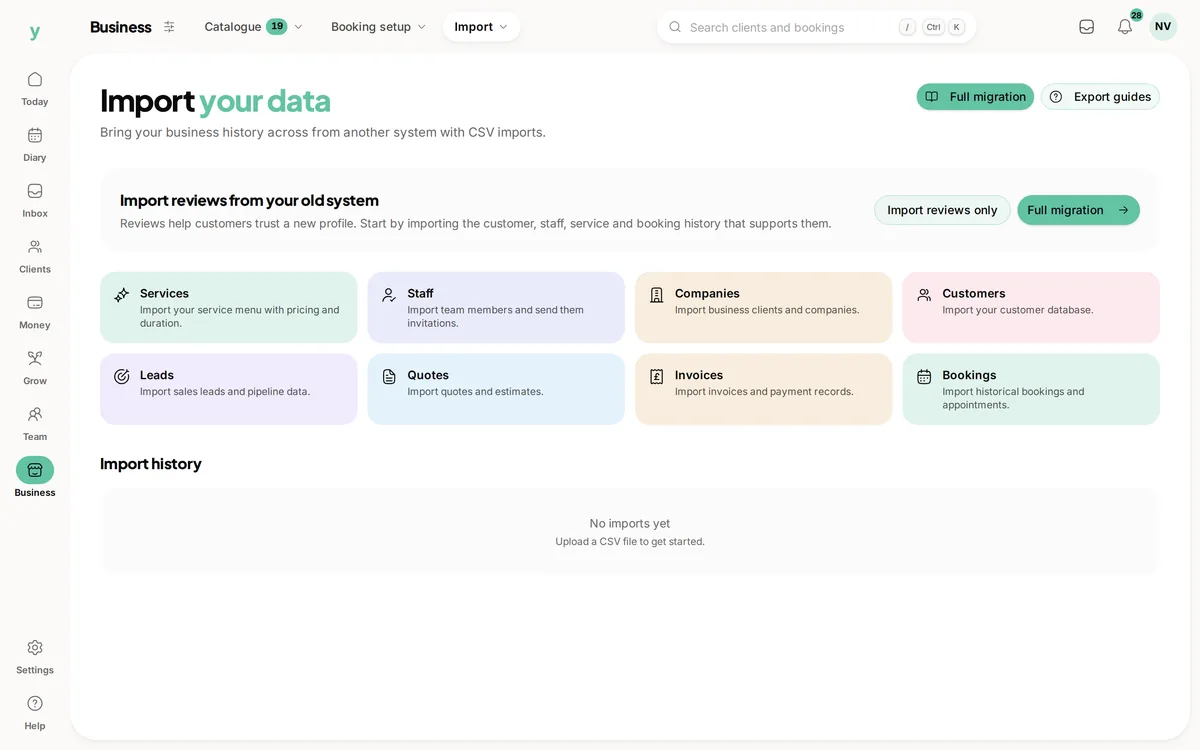
Where to find it
Go to Services & Booking, then Import. Choose Full migration for a full move or click a single record type to import just that.
The five steps
- 1Files. Upload your CSVs. Youzse reads each filename and header row and works out whether it holds customers, appointments, invoices, services, staff, companies, leads or quotes
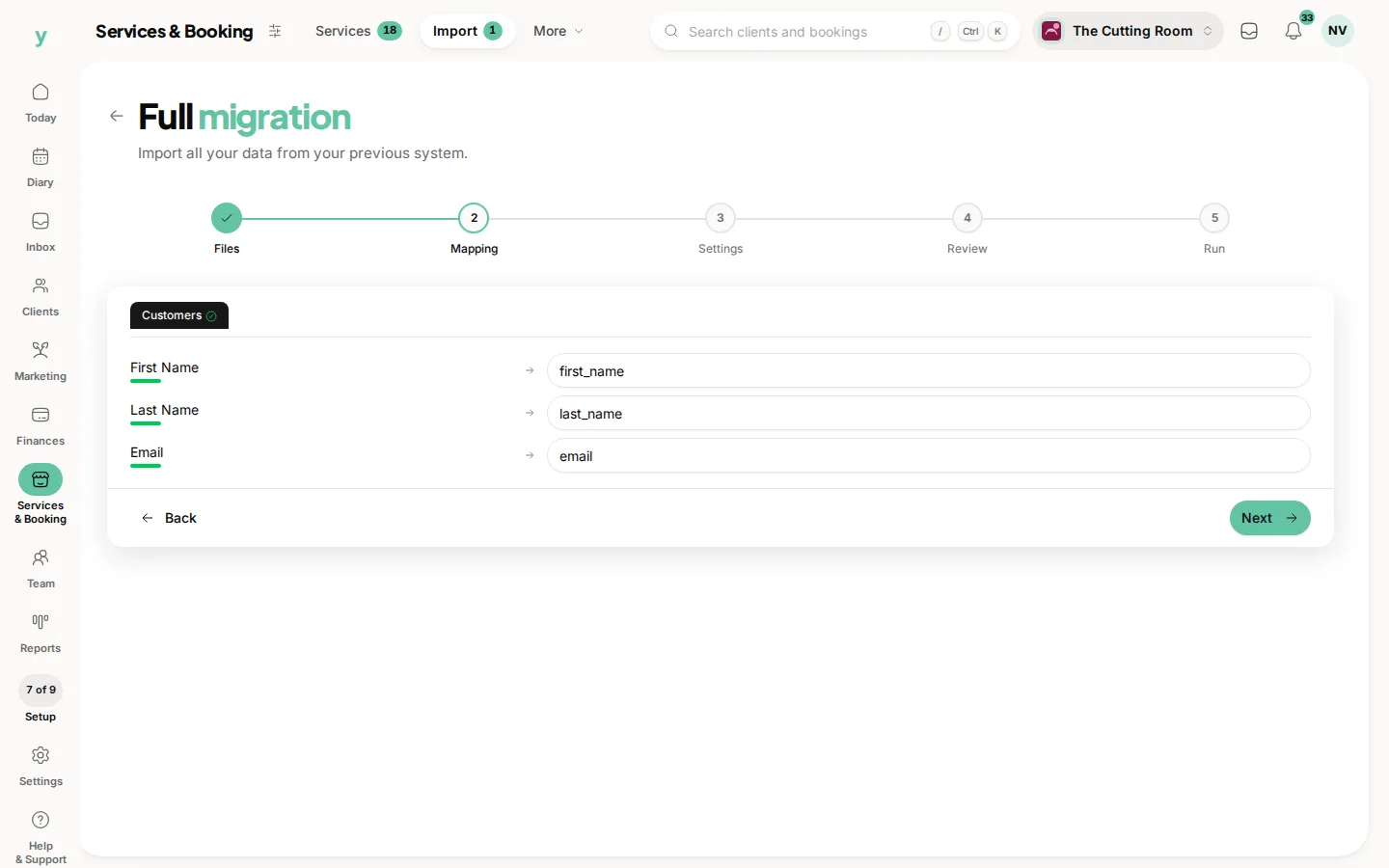
- 2Mapping. You are shown which column has been matched to which Youzse field. Where a platform is recognised its own column names are used, so Client First Name from Fresha or Given Name from Square lands in the right place without you touching it
- 3Settings. Where the data came from, your lawful basis for processing it and what to do when a row matches a record you already have
- 4Review. A count of the rows about to be imported and what they will become. It is your last chance to go back
- 5Run. It processes and shows a live count of created, updated, skipped and errored rows
Importing one type on its own
Clicking a record type on the Import page opens a shorter version of the same thing: Upload CSV, Map Columns, Import Settings, Preview & Confirm, then Results. Same engine, fewer files.
You can leave and come back
Full migration keeps its place in the page address, so refreshing or closing the tab does not lose your progress.
Common questions
Where do I choose which system I am importing from?
The Files step has Source system, which you can leave on Auto-detect. Youzse still reads the column headers. If your platform is not one of the recognised ten, you map the columns yourself at the Mapping step.
What if Youzse guesses the wrong record type?
Change it at the Mapping step before you continue. Naming files clearly, like clients.csv, makes the guess right far more often.
Can I stop halfway through?
Yes, up until you press to run it. Once processing starts, let it finish and then roll it back if it was wrong.