
Every team member has a role and the role is a set of permissions. Manage them under Team, then Roles & Access, where you create and edit roles to control what people can access.
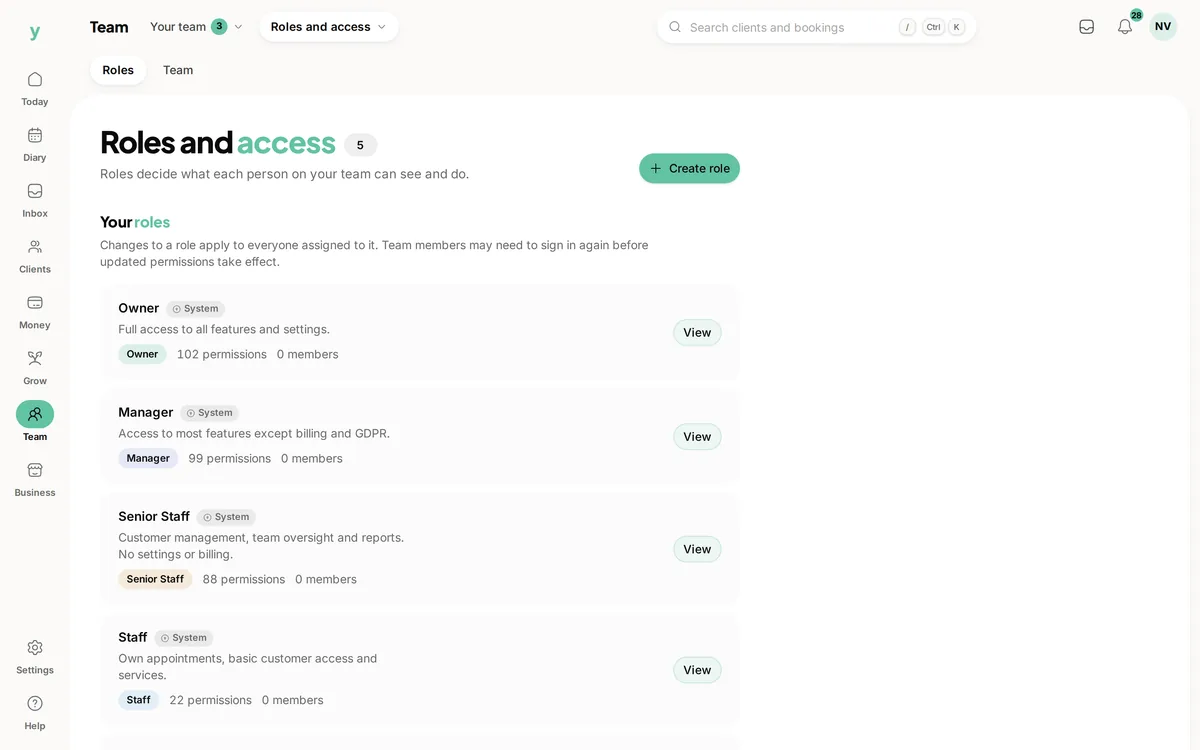
Why permissions rather than trust
It is not about whether you trust your team. It is about limiting what a mistake can do, keeping customer data seen only by people who need it and being able to answer honestly if a customer asks who could see their record.
What permissions cover
Each area has its own. Viewing customers, editing them, seeing appointments, taking payments, running reports, changing settings, reading enquiries and approving leave are all separate.
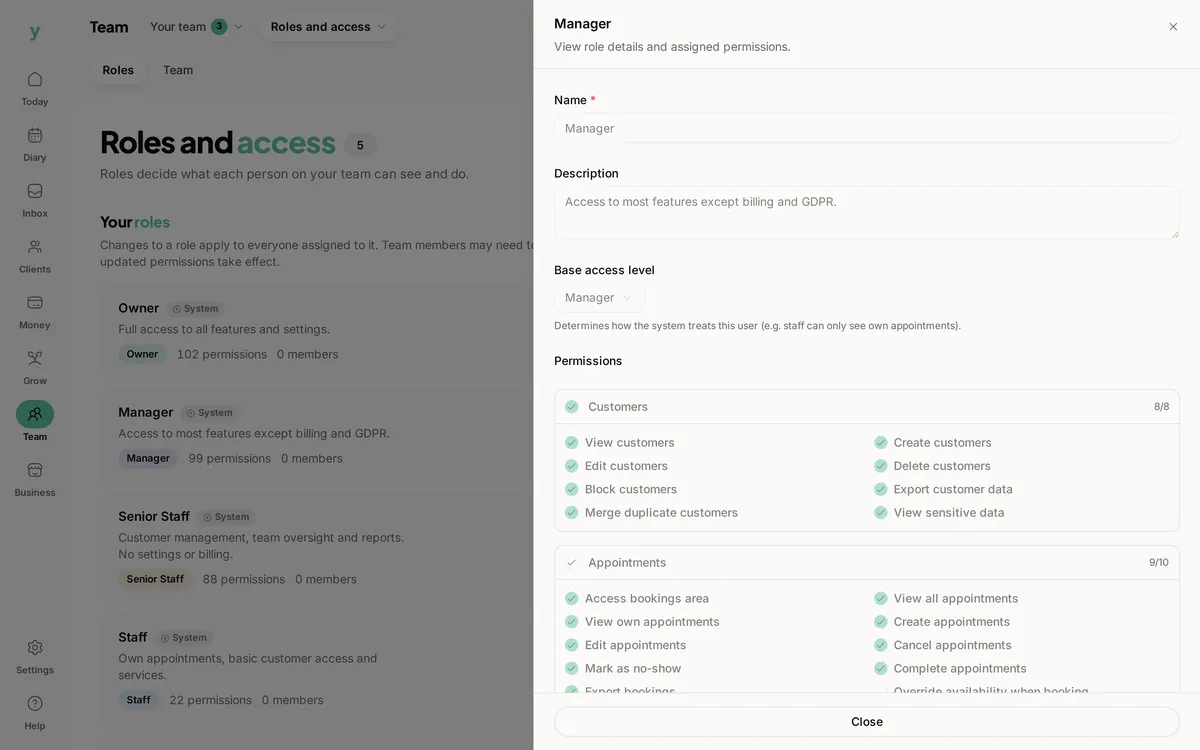
The principle to follow
Give people what their job needs and nothing beyond it. A stylist needs the diary and their own clients. They do not need billing and giving it to them helps nobody.
Data protection expects this
Restricting access to personal data to people who need it is part of handling it properly. If everyone can see everything, that is difficult to defend.
Common questions
Can one person have two roles?
Each team member has one role. Where somebody genuinely does two jobs, create a role that covers both.
Will changing a role log people out?
No, but permission changes take effect for that person. Someone mid-task may be told they no longer have access, which is working correctly.
Who can change roles?
Only somebody whose own role allows managing settings. That is the permission to be most careful with.