
You can move from Treatwell to Youzse with a CSV export. Treatwell is not one of the platforms whose column names Youzse recognises on sight, so you match the columns yourself at the Mapping step, which takes a couple of minutes per file.
Exporting from Treatwell
Sign in to Treatwell Connect.
- 1Open your client list from the Connect dashboard.
- 2Use the export or download option and choose CSV.
- 3Export your appointment history from the calendar or reporting area, with the widest date range available.
- 4If no export is offered, contact Treatwell support and ask for a copy of your client data.
Save each export as CSV. If it arrives as an Excel file, open it and use Save as to produce a CSV, because the importer accepts CSV only.
Uploading to Youzse
- 1Go to Services & Booking, then Import
- 2Choose Full migration and add your files at the Files step
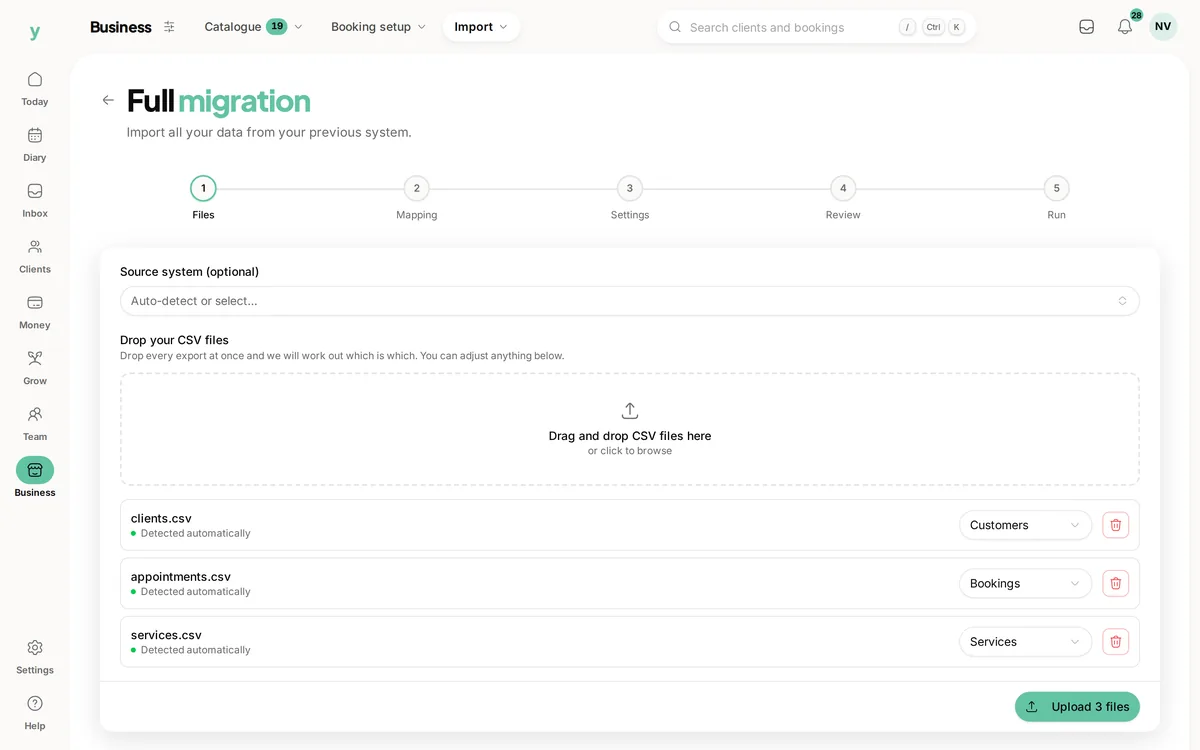
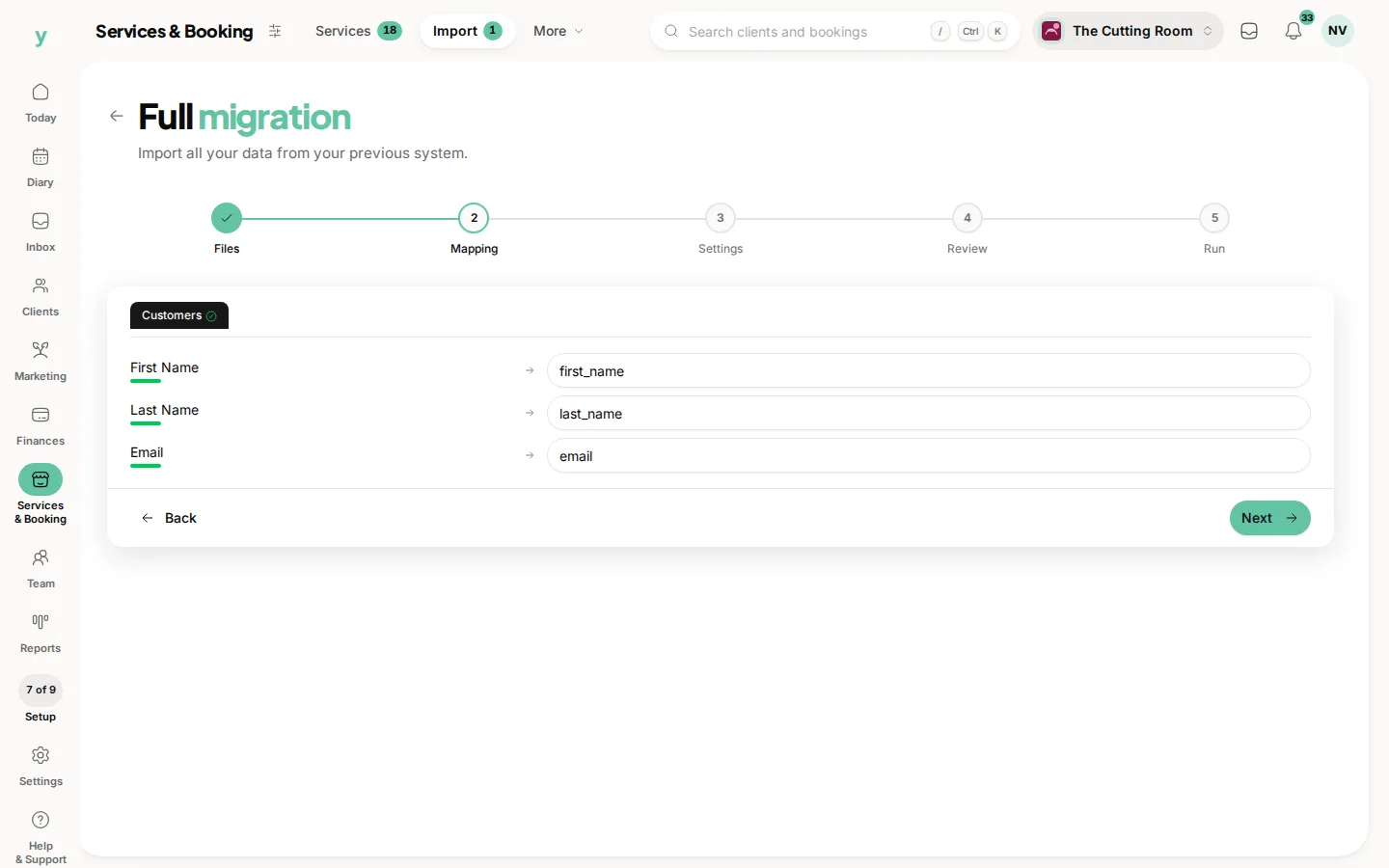
- 3At the Mapping step, point each column at the Youzse field it belongs to, which is the part that matters here
- 4At the Settings step, describe where the data came from and pick your lawful basis
- 5Review the counts and run it
Mapping a Treatwell export
Name the files clearly, something like clients.csv and appointments.csv, because the record type is worked out partly from the filename. Then map the essentials and leave the rest unmapped.
- For customers: first name, last name, email and phone. Everything else is a bonus
- For appointments: start date and time, service name, customer name, staff name and status
- For services: name, duration in minutes and price
If your file has one full name column, map it to the full name field rather than splitting it yourself. If date and time sit in separate columns, combine them into one column in your spreadsheet before uploading.
What will not come across
- Saved card details, which no platform can transfer
- Photos and attachments
- Loyalty balances and package credits
- Staff logins, because staff are invited to set their own password
Common questions
Treatwell will not give me an export. What are my options?
Ask their support team directly for a copy of your client data. It is your data and you are entitled to a copy of it.
Do my Treatwell reviews come across?
Not in a CSV, but the separate review import can take reviews you paste in. See Bringing your reviews across.
Will I keep paying commission?
Not on Youzse. When a new client finds you through Youzse and books, you pay 0% commission on that booking.