
You can take contactless card payments using nothing but the phone in your hand, with Tap to Pay on iPhone. There is no separate card reader to buy, charge or lose and no extra hardware to set up.
What you need
- A connected Stripe account (see Setting up payments)
- A supported iPhone with the Youzse app
- A contactless card, Apple Pay or another contactless wallet from the customer
Taking a payment at checkout
- 1Open the booking and go to Checkout when the job is done. Checkout is on the Payment tab.
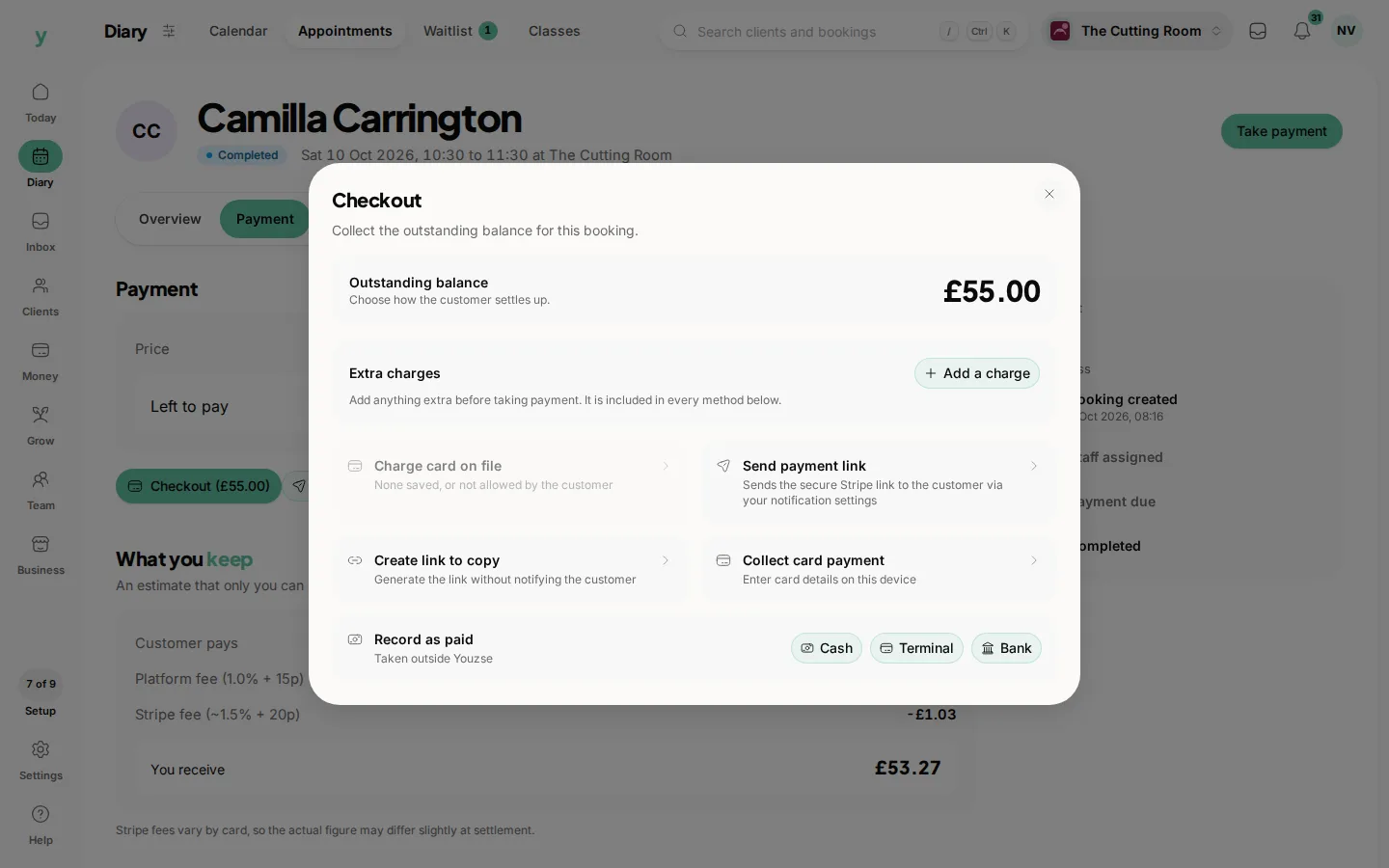
- 2Enter or confirm the amount due. Any deposit already paid is shown and deducted.
- 3Choose Collect card payment.
- 4With Tap to Pay on iPhone, hold the customer's contactless card or phone near the top of your iPhone. On the website, enter the card in the checkout sheet. Wait for confirmation.
- 5The payment lands against the booking and the customer's record. A receipt is sent automatically.
Other ways to take payment in person
- Card on file: charge a card the customer has already saved
- Cash: record the amount taken so your takings stay accurate
- Payment link: send a link for the customer to pay on their own phone
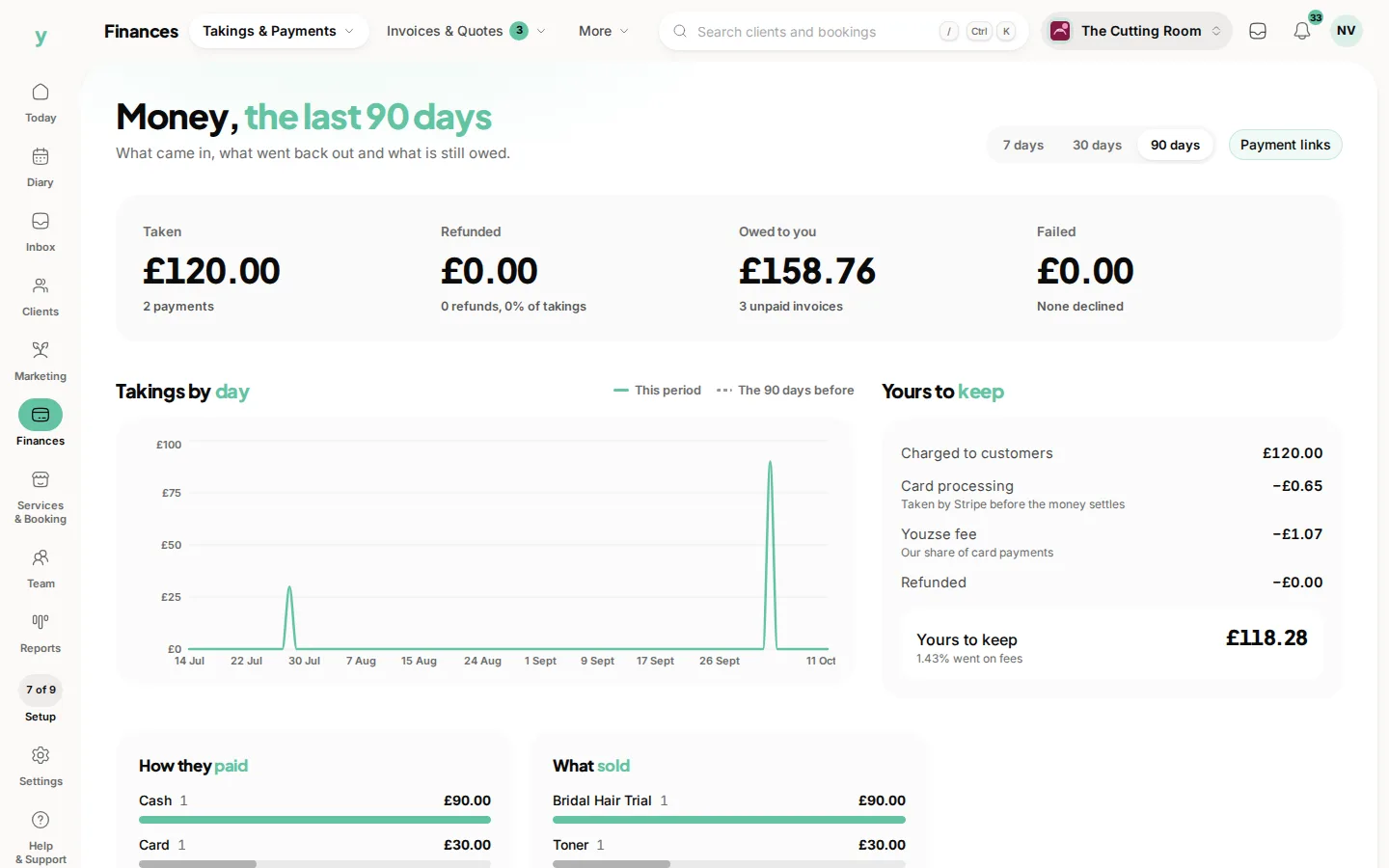
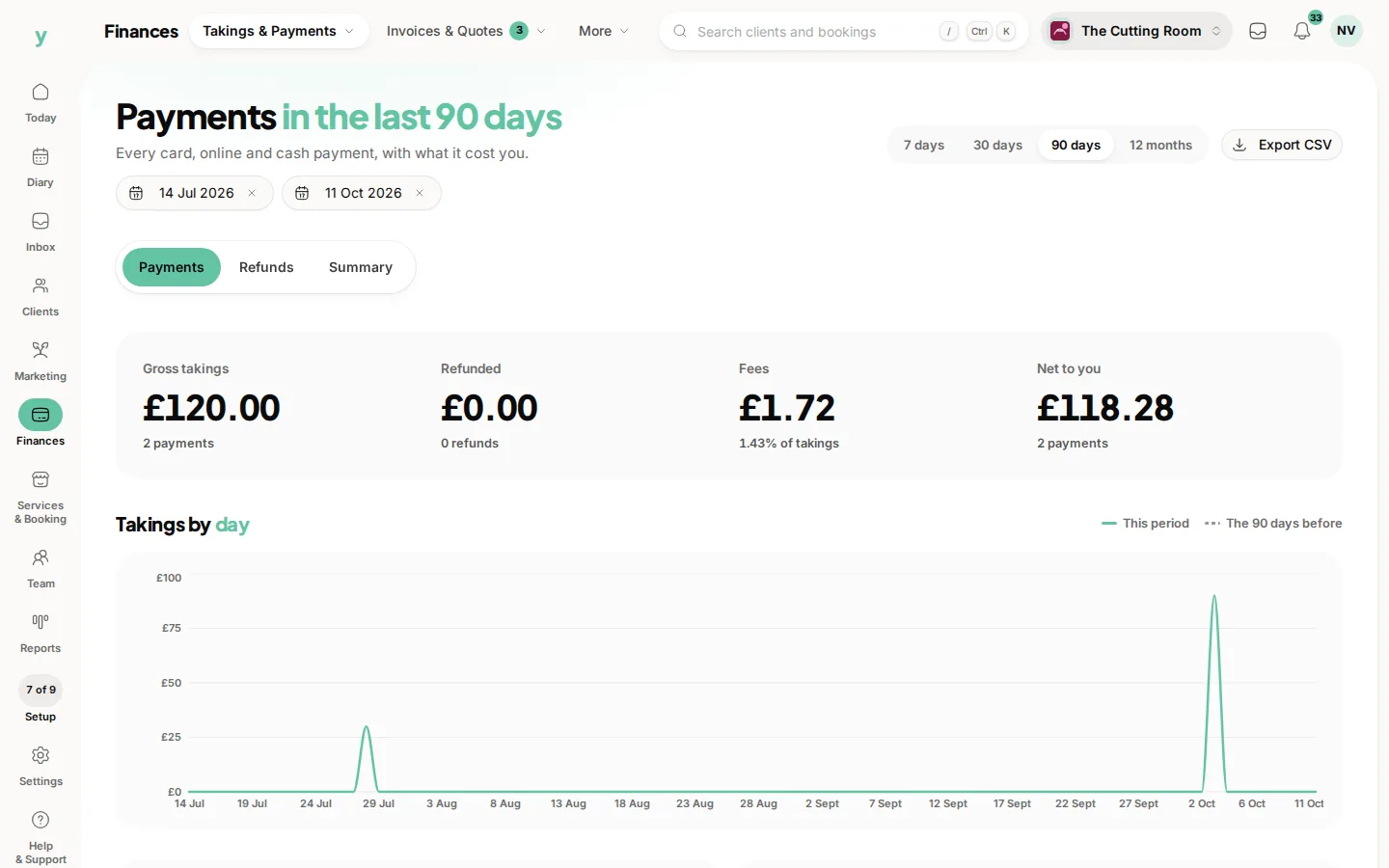
Every payment you take is tied to the right customer and booking, so your day's takings and reports always add up. To see what you have taken today, go to Finances, then Takings & Payments, then Payments and set the dates to today: the totals at the top add it up. Finances, then Takings & Payments, then Overview shows the last 7, 30 or 90 days.
Common questions
Do I need a card reader?
Not with Tap to Pay on iPhone, which takes contactless payments on the phone itself.
Where does the payment show?
Against the booking and in your payment history, the same as any other payment.
Is it as secure as a terminal?
Card details are handled by the payment provider rather than stored by you, exactly as with an online payment.