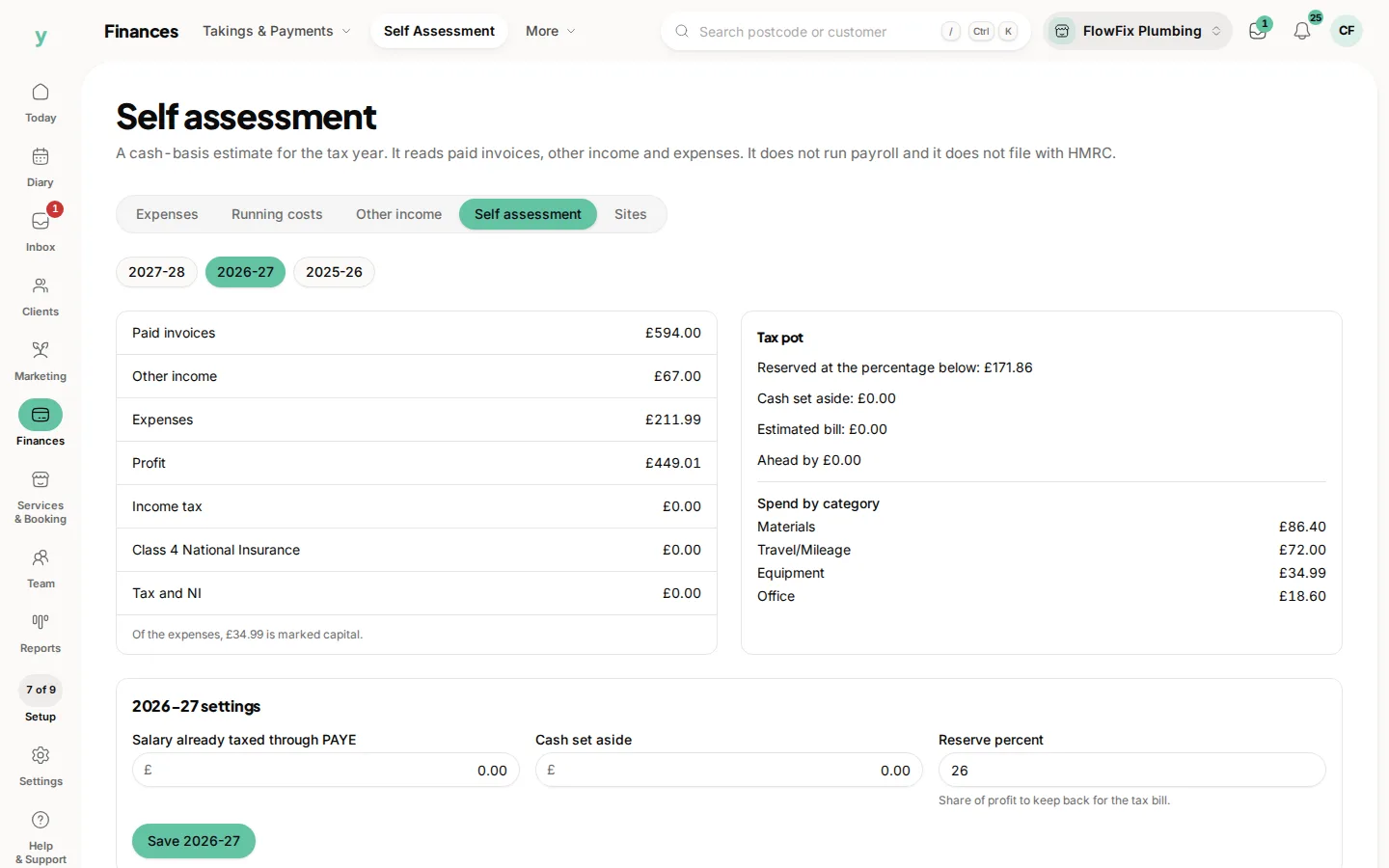
Expenses are money the business has already paid, such as stock, materials, fuel or a tool. Recording them is what lets the tax year know they happened. Salons and trades see this under Finances. Garages do not.
Where to find it
Go to Finances, then Expenses & Running Costs, then Expenses. Other Income, Sites and Self Assessment are their own pills on the Finances bar. The row of tabs along the top moves between the five books without going back to the menu.
What to enter
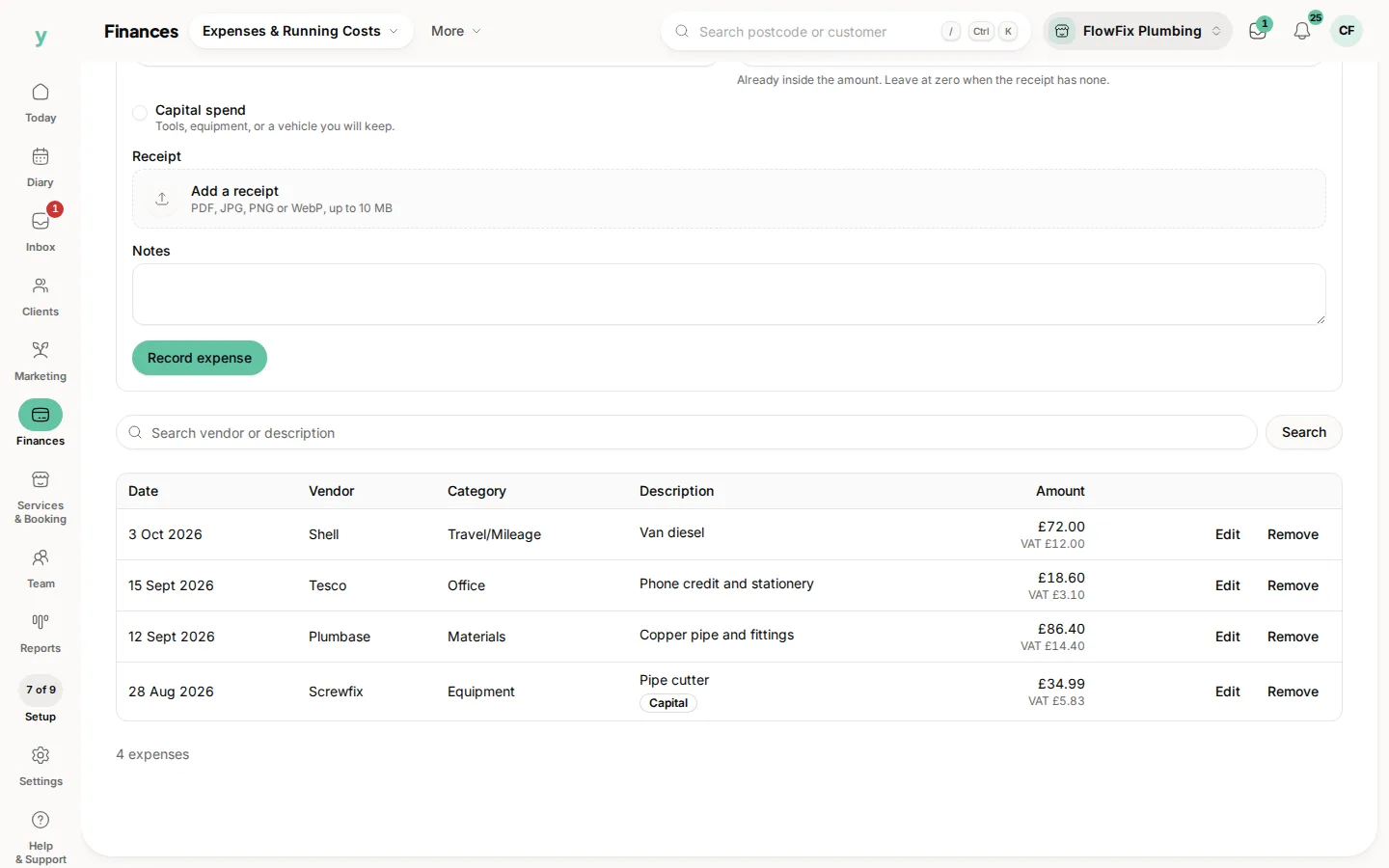
- Date: when you paid it
- Category: what sort of cost it is, such as equipment or materials
- Vendor: who you paid, if you want that on the record
- Description: a line you will recognise later
- Amount: what left the account
- VAT included: the VAT inside that amount, or leave it at zero when the receipt has none
- Capital spend: tick this for a tool, a piece of equipment or a vehicle you will keep
- Receipt: a photo or a PDF, up to 10 MB
- Notes: anything the amount does not say
Then choose Record expense. The row joins the list underneath, and you can search it later.
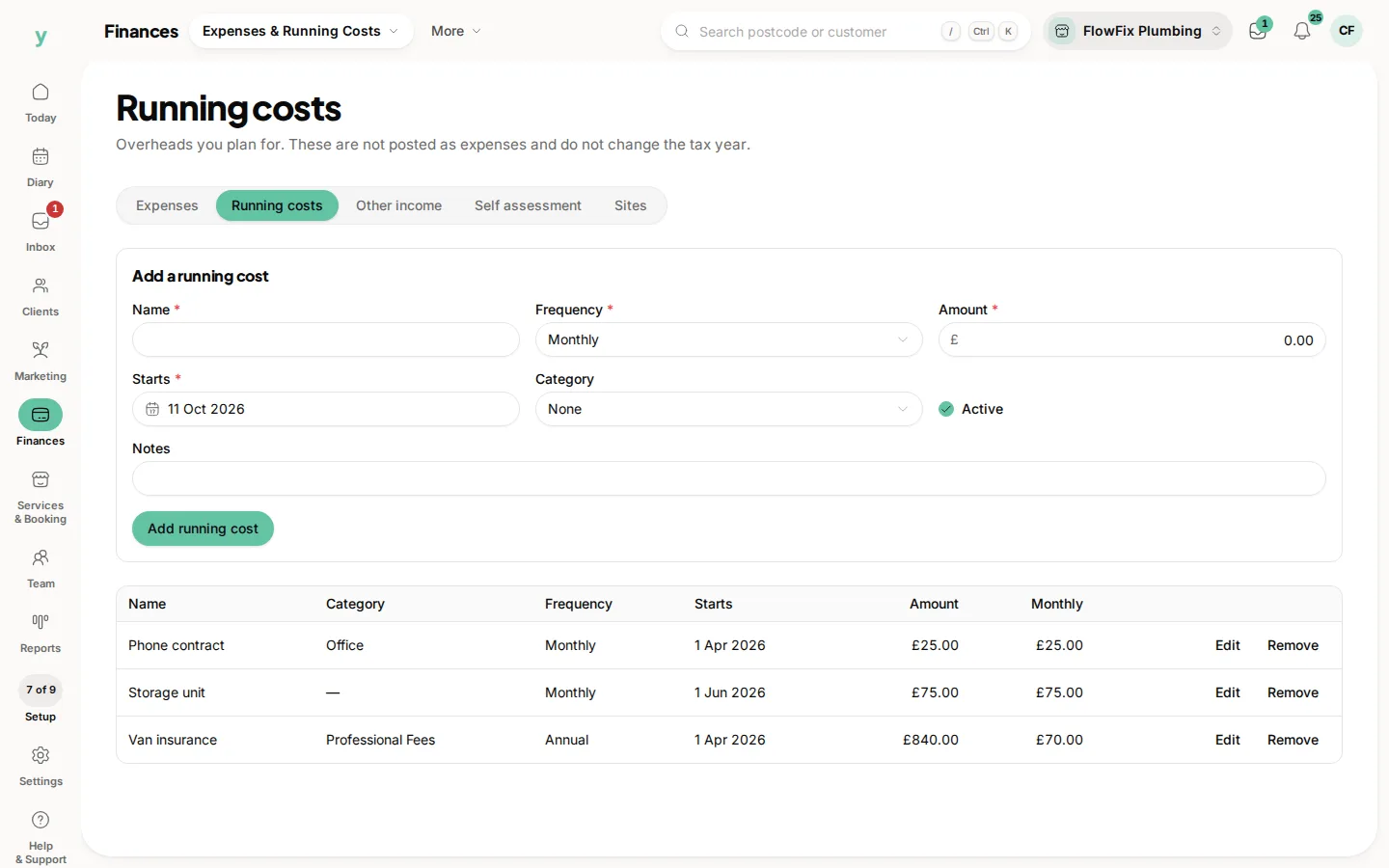
An expense is money that has gone. A cost you are only planning for, such as insurance you have not paid yet, belongs under Running costs and does not change this tax year.
Common questions
Who can see the books?
Anyone with permission to view the books. Recording and editing needs permission to manage them.
Does a receipt have to be attached?
No. Attach one when you have it. The amount still counts without a file.
Will this appear on an invoice?
No. An expense is money you paid out. An invoice is money a customer owes you. They meet on the self assessment page, not on the same document.