
Deposits and no-show protection help you guard your most valuable asset, your time. You set the rules and Youzse applies them.
Taking a deposit
In your booking rules you can ask for a deposit on bookings. Choose a fixed amount or a percentage of the service price. When deposits are switched on, the customer pays the deposit or saves a card during booking before the slot is held.
A deposit is taken up front. The rest is only ever invoiced when the work is done, never charged in full at the point of booking. That keeps it fair for the customer and clean for your books.
Protecting against no-shows and late cancellations
You can set a cancellation window in hours. Cancellations inside that window count as late. You can also set
- A no-show fee for customers who simply do not turn up.
- A late cancellation fee for cancellations inside your window.
When a customer has a card saved from booking, you can charge the no-show or late cancellation fee against it from the booking screen. Every charge is recorded so you have a clear trail.
Setting it up
- 1Open your booking rules.
- 2Turn on deposits and choose a fixed amount or percentage.
- 3Set your cancellation window and any no-show or late cancellation fees.
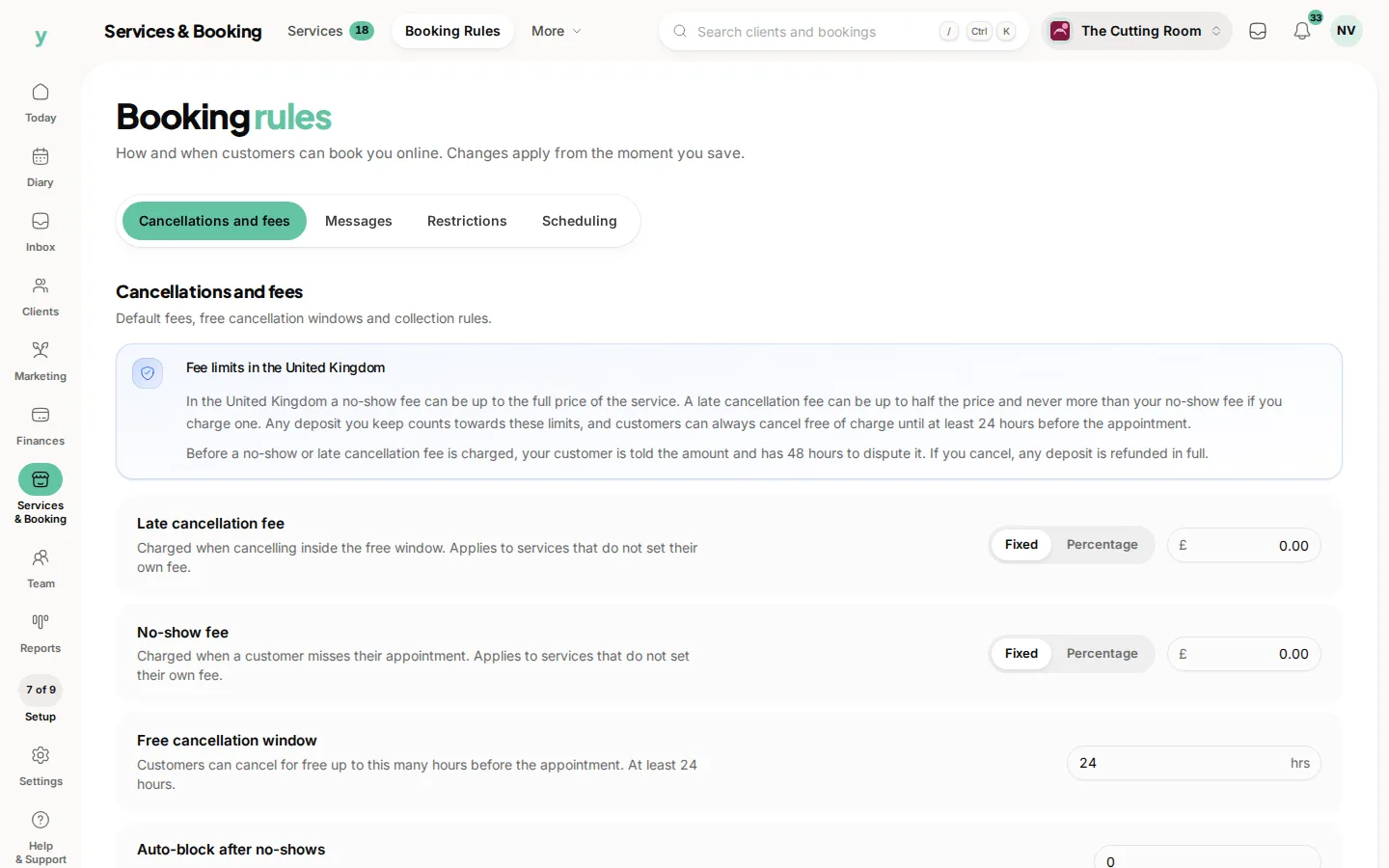
- 4Save. The rules apply to new bookings from then on.
Used gently, deposits cut no-shows without putting customers off booking.
Common questions
Do deposits actually reduce no-shows?
Substantially. A booking somebody has paid towards is one they turn up for or tell you about in advance.
What do I need before I can take a deposit?
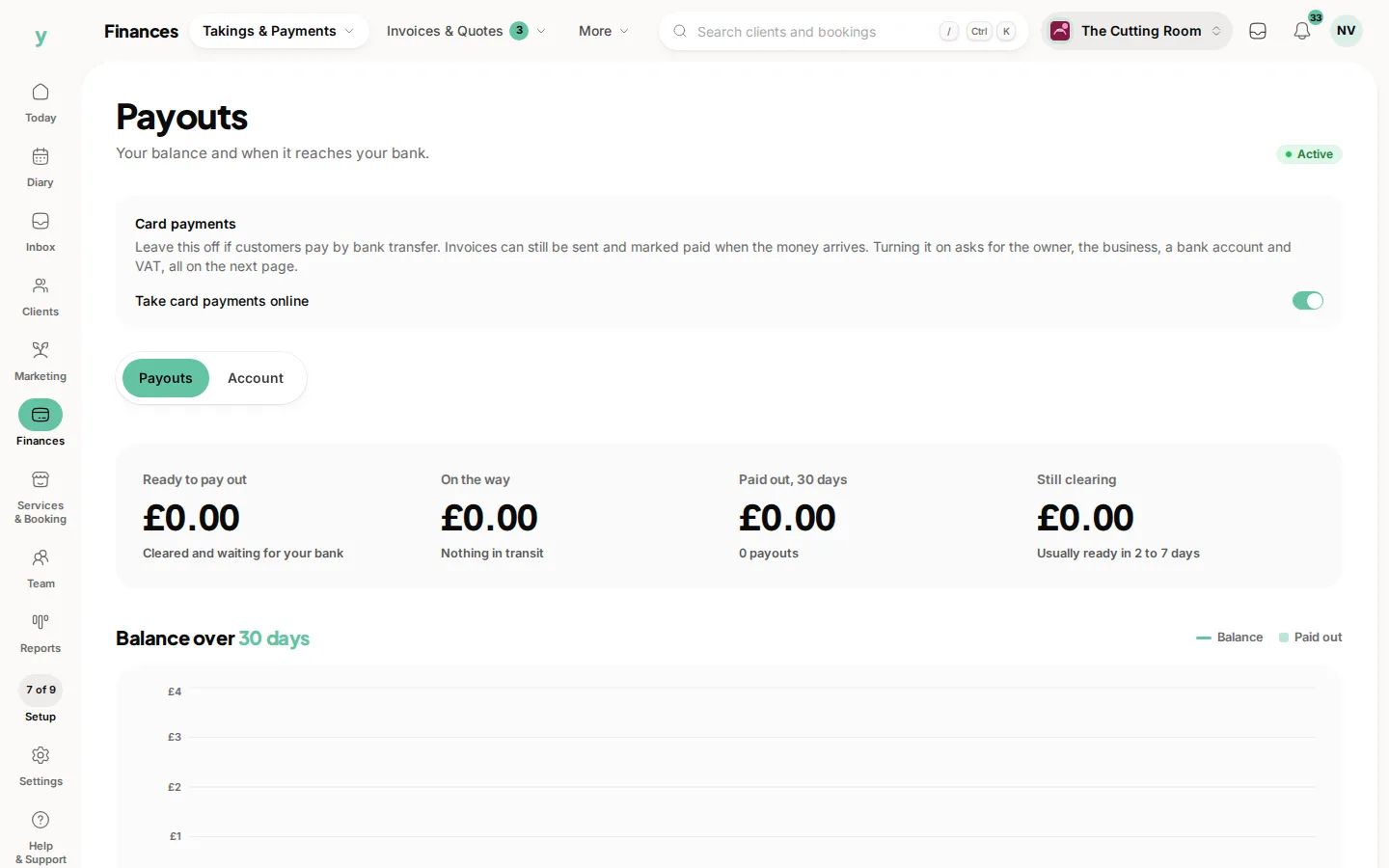
Online payments connected, under Finances, then Takings & Payments, then Payouts.
Is a deposit refundable?
That is your policy to set. Whatever you choose, state it clearly at the point of booking.